


Following last week’s major launch of our next-generation Visual Paradigm AI Diagram Chatbot V2, we are back with an exciting new update. We are continuing to enhance our intelligent visual modeling library to accommodate the day-to-day needs of developers, software engineers, and DevOps teams. Today, we are thrilled to announce a significant platform enhancement: full native support for Git Graphs, backed by powerful post-generation editing pipelines via Visual Paradigm VPasCode and Visual Paradigm OpenDocs.
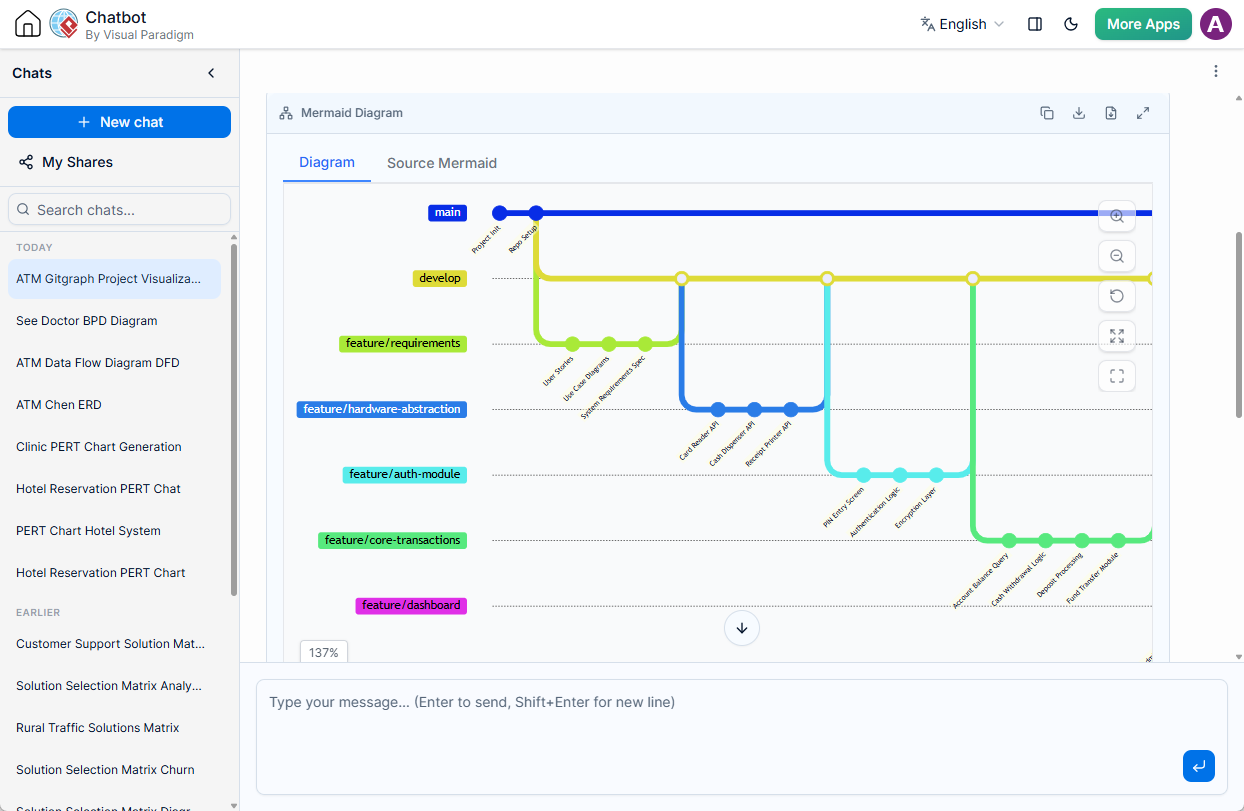
As agile engineering environments accelerate, visualizing branching strategies, release schedules, and continuous integration flows can become complex. Our latest enhancements address this by making it seamless to generate, touch up, code-edit, and document complex Git workflows natively from a single AI chat session.
Launch the AI Chatbot & Try Git Graphs Today
The Power of Visualizing Git Workflows
Git branches, merges, and tagging structures are the backbone of modern software collaboration. However, explaining complex release management workflows—such as GitFlow or trunk-based development—to cross-functional teams using text logs or verbal descriptions is challenging.
The addition of Git Graphs to the AI Diagram Chatbot simplifies this communication. Teams can now instantly map out branching architectures, visualize merge histories, and establish shared repository strategies. The chatbot dynamically utilizes Mermaid syntax to render clean, interactive, and highly legible Git history trees in real time.
Real-World Example: Library Management System Development
To demonstrate the accuracy and depth of this new diagramming capability, look at how the AI interprets complex software development cycles. When provided with a straightforward prompt like “Generate a Git graph for the development of a library management system,” the AI builds out a comprehensive multi-branch architecture:
gitGraph
   commit id: "Initial commit" tag: "v0.1"
   branch develop
   checkout develop
   commit id: "Project setup"
   branch feature/user-auth
   checkout feature/user-auth
   commit id: "Add user model"
   commit id: "Add JWT auth"
   checkout develop
   merge feature/user-auth tag: "v0.2"
   branch feature/book-catalog
   checkout feature/book-catalog
   commit id: "Book model & schema"
   commit id: "Catalog search API"
   checkout develop
   merge feature/book-catalog tag: "v0.3"
   branch feature/borrowing
   checkout feature/borrowing
   commit id: "Borrow/return logic"
   commit id: "Fine calculation"
   checkout develop
   merge feature/borrowing tag: "v0.4"
   branch feature/reservations
   checkout feature/reservations
   commit id: "Hold requests"
   commit id: "Notifications"
   checkout develop
   merge feature/reservations tag: "v0.5"
   branch release/v1.0
   checkout release/v1.0
   commit id: "Bug fixes"
   commit id: "Performance tuning"
   checkout main
   merge release/v1.0 tag: "v1.0"
   checkout develop
commit id: "Post-release cleanup"This output demonstrates how the engine systematically tracks parallel feature sets (user authentication, book cataloging, borrowing logistics, and hold requests), visualizes stable release tags, and handles final merges back into production.
Seamless Contextual Touch-Ups via AI Chat
Capturing the exact flow of a custom engineering pipeline in a single prompt can be a iterative process. Our AI Chatbot environment is fully conversational, enabling you to refine your charts iteratively. If your release strategy shifts or an extra hotfix branch is required, simply ask the AI assistant to perform a touch-up. For instance, instructing the chatbot to “Add an emergency hotfix branch off v1.0 and merge it back into main and develop” will instantly reconstruct your visual graph without resetting your chat history.
Advanced Code-Level Control with VPasCode
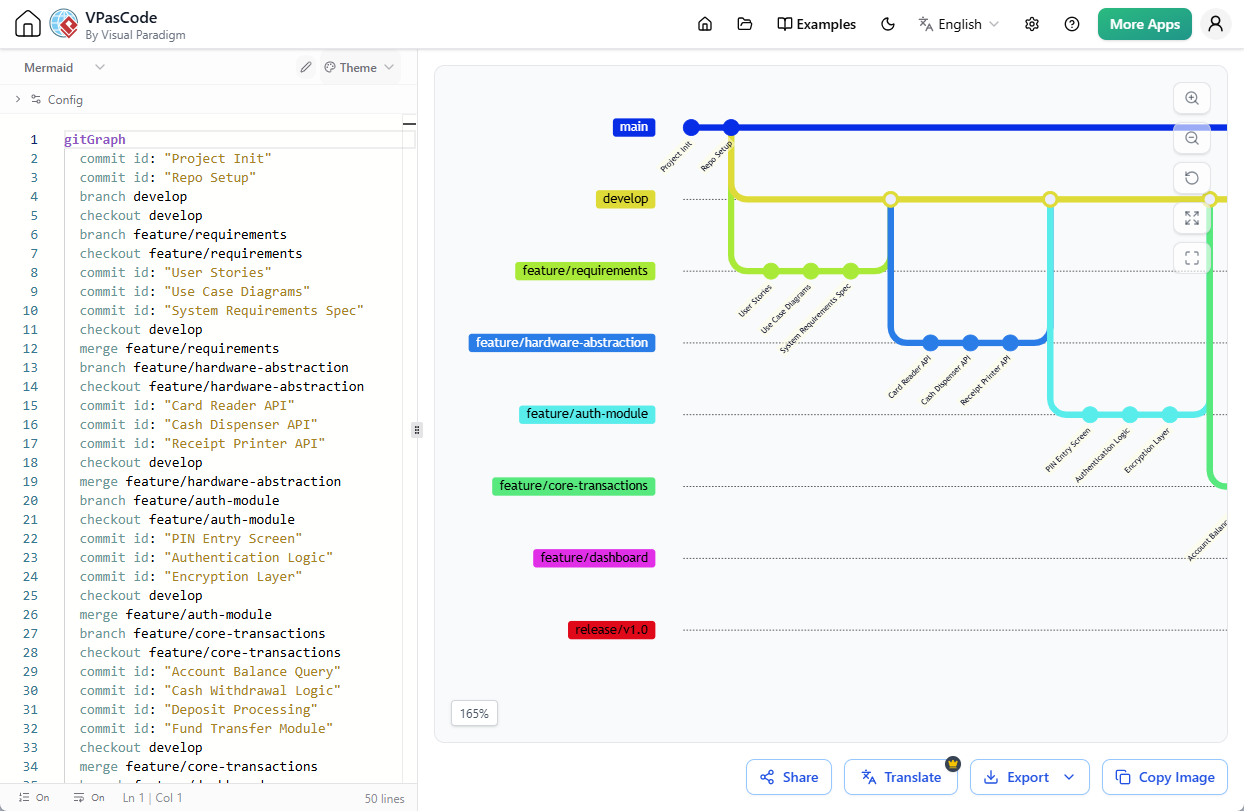
For engineering teams who prefer absolute control over their diagrams-as-code assets, we have tightened our workspace integration with VPasCode.
Directly beneath the rendered diagram viewer in the chatbot window, you will find an Open in VPasCode button. Clicking this instantly transports your generated layout into our specialized diagram-as-code platform. In VPasCode, you can easily modify the Git Graph using PlantUML or Mermaid syntax. Every adjustment reflects instantly in the live interactive viewer, allowing you to export high-definition image formats for your terminal wikis or internal README files.
Publish and Document via Visual Paradigm OpenDocs
Architectural diagrams provide the most value when they are embedded where documentation live. Beyond code editing, you can directly push your new Git Graph into your corporate knowledge base using the integrated Send to OpenDocs Pipeline.
Once clicked, the diagram shifts into your OpenDocs asset queue. From there, you simply open the Pipeline pane within your documentation workspace and drag the Git Graph right onto your live page. This ensures your development wikis, onboarding resources, and compliance documents stay completely aligned with your active git branch logic.
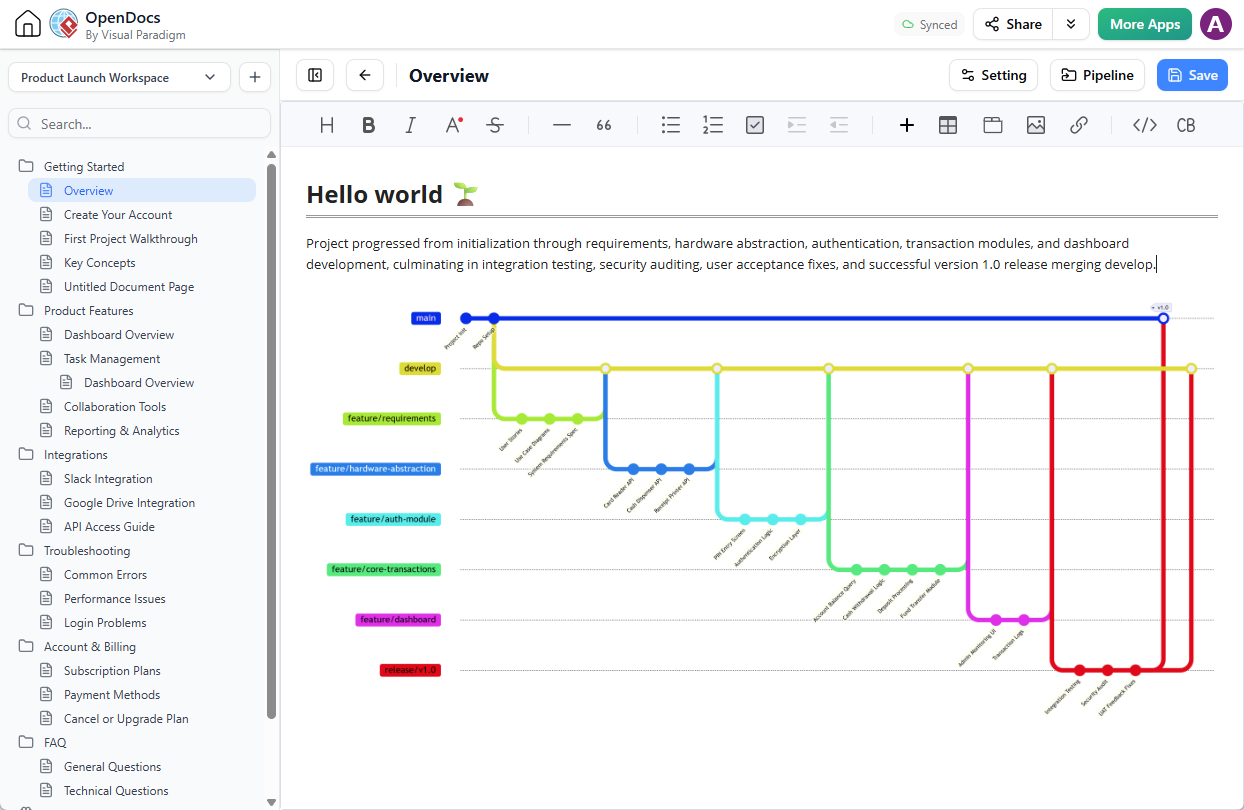
For a detailed breakdown of how to maximize this specific distribution asset pipeline, check out our companion article: New Feature Alert: Send Diagrams from Visual Paradigm AI Chatbot Directly to OpenDocs!
Get Started with Git Graphs
This enhancement is live and available to all users on our updated chatbot engine interface. Whether you are standardizing development practices across an enterprise dev team or illustrating a simple feature lifecycle for a stakeholder review, the Visual Paradigm AI Diagram Chatbot provides the tools to move from text concept to fully documented architecture in seconds.