


We are thrilled to officially announce the release of Visual Paradigm Version 18.1!
This landmark update represents a massive evolution for both our desktop and cloud environments. Version 18.1 focuses on breaking down platform boundaries and supercharging your workflow with advanced, production-ready AI tools. We aren’t just giving you a cosmetic face-lift; we are introducing an entirely integrated ecosystem designed to transition your ideas into diagrams, presentations, and persistent cloud-backed applications faster than ever before.
And remember: our commitment to innovation is continuous. The release of Version 18.1 is just the beginning. Throughout this version’s lifecycle, we will continue rolling out new enhancements, tools, and features regularly to ensure your toolkit remains cutting-edge.
Key Feature Highlights
Here is an overview of the four major pillars anchoring Version 18.1. For detailed step-by-step guides on each capability, keep an eye out for our deep-dive standalone feature articles!
1. Unified Platform: Your Centralized Creative Command Hub
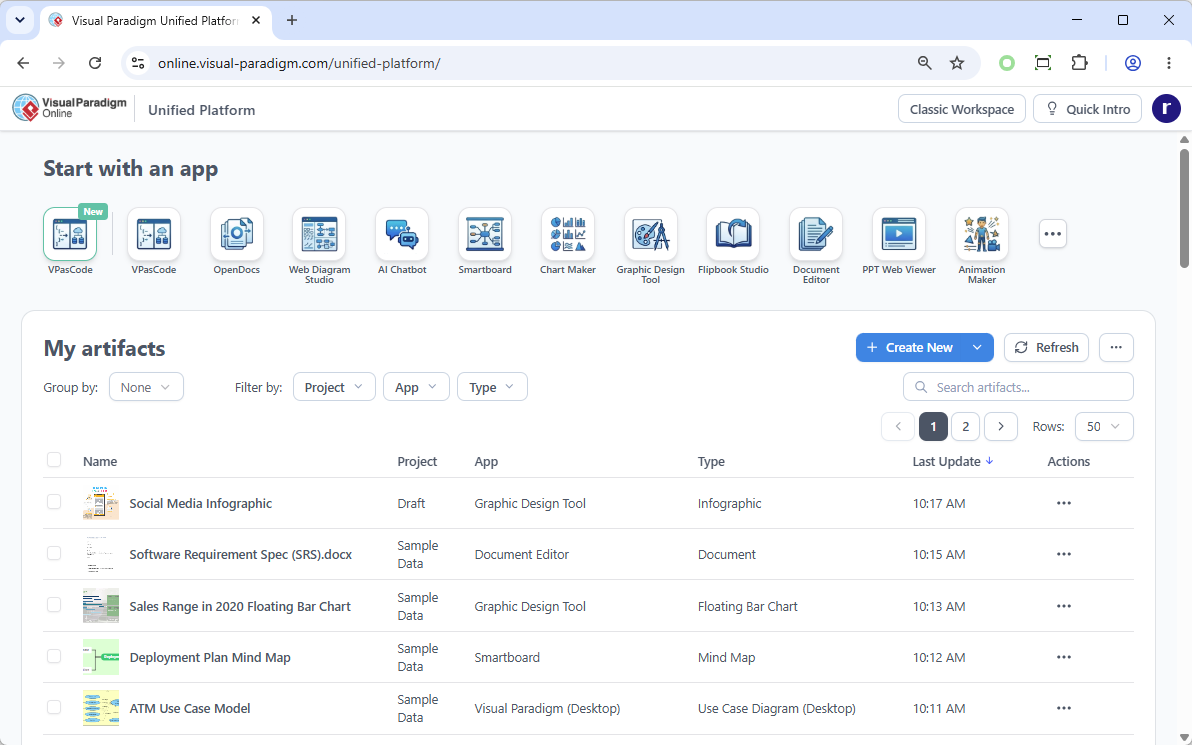
The Unified Platform completely revolutionizes the Visual Paradigm workspace. It moves beyond a clean UI redesign to establish a true hub for our ecosystem of over 100 apps.
- Centralized App & Data Management: Launch any tool instantly from one dashboard, and view all your saved works across separate apps in a single, drive-like environment.
- Desktop & Web Synergy: Visual Paradigm Desktop users can now open the Unified Platform inside an embedded browser. For the first time, your desktop-designed diagrams and cloud app data coexist flawlessly in one centralized space.
Unified Platform URL: https://online.visual-paradigm.com/unified-platform/
2. VPasCode: Unified Text-to-Diagramming
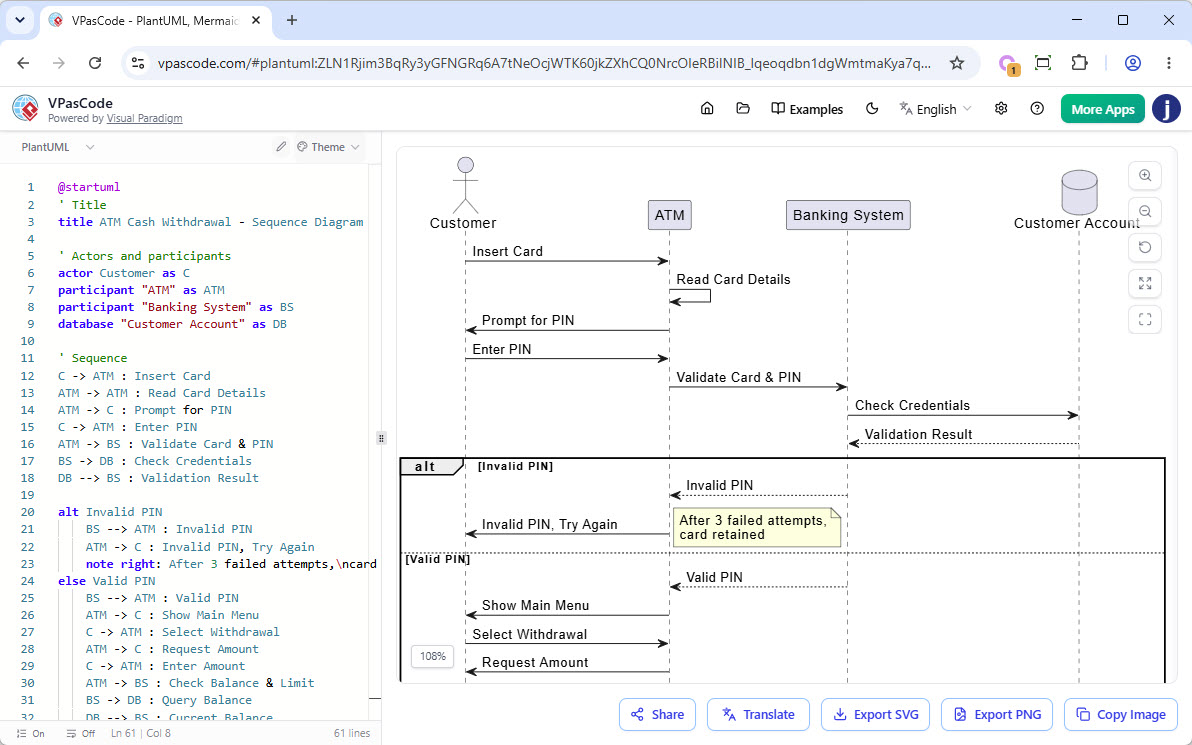
Build complex, professional diagrams at the speed of thought. Visual Paradigm’s VPasCode diagram-as-code tool brings a high-performance, real-time code editor and rendering engine directly to your workspace, natively supporting all major textual diagramming syntaxes.
- Supported Frameworks: Write natively using PlantUML, Mermaid, or Graphviz to instantly generate dozens of diagram types (Sequence, ERDs, Mind Maps, C4, WBS, Flowcharts, and more).
- AI Superpowers: Free tiers include real-time previewing, URL sharing, and SVG/PNG exporting. Premium tiers unlock AI Code Error Fixing and instant AI Language Translation.
3. AI Presentation Studio: Step-by-Step Cinematic Slide Generation
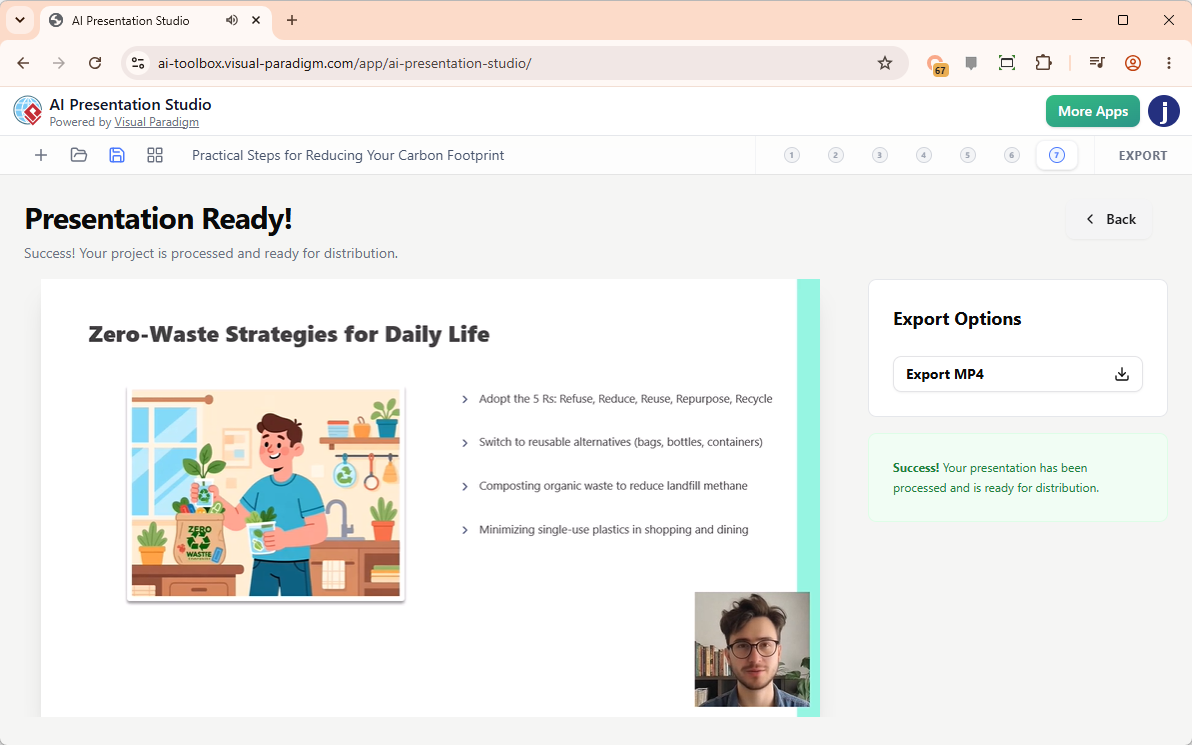
Most AI presentation tools dump uneditable slide images or flat HTML pages onto you, forcing a complete restart if the AI misses the mark. Our AI Presentation Studio introduces an interactive, step-by-step workflow that ensures you maintain creative control:
- The Iterative Workflow: Input your topic and audience context → Refine the AI outline via a highly visual content editor → Apply professional design themes → Insert dynamic animations from over 60 cinematic transitions.
- Humanless Narration & Avatars: Generate automated text-to-speech scripts utilizing dozens of diverse voice profiles, or upload your own audio. Take it a step further by choosing from over 600 lip-synced AI Avatars, or use AI Face Swap to map your own face onto a professional narrator avatar. Finally, export a polished, standalone MP4 video ready for production.
Visit AI Presentation Studio: https://ai-toolbox.visual-paradigm.com/app/ai-presentation-studio/
4. AI App Studio: Stable Apps Built Faster with a Data-First Strategy
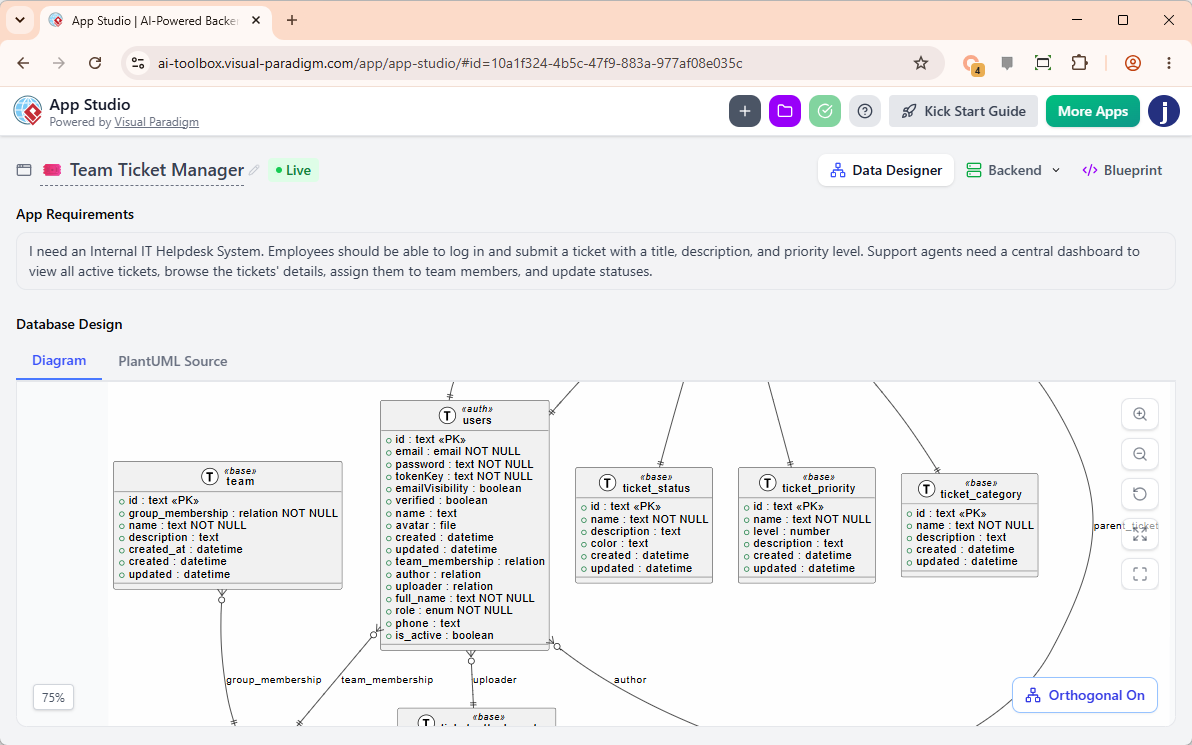
Building full-stack apps using pure text tools frequently leads to stateless, broken apps because the AI coder tries to guess user data logic. Accessible at ai-toolbox.visual-paradigm.com/app/app-studio/, AI App Studio solves this paradox with a strict, data-driven methodology:
- Blueprint Over Lock-In: Instead of forcing you into a rigid low-code interface, we automatically provision a secure, live cloud backend database for your app (via a plain English requirement description or a PlantUML ERD import).
- Master Prompt Generation: App Studio packages your active cloud database infrastructure, endpoints, custom UI themes, frameworks (React, Svelte, Vue, Angular), and styles (Tailwind CSS v4, Bootstrap, Material UI) into a production-ready Master AI Prompt. Paste this prompt into external engines like Google AI Studio to launch a persistent, stable application that won’t break on a browser refresh.
- Mock Data Seeding: Instantly seed your freshly provisioned database with relational mock data so your app is functional right out of the gate.
5. AI VPP Chatbot: Talk to Your Visual Paradigm Project Files
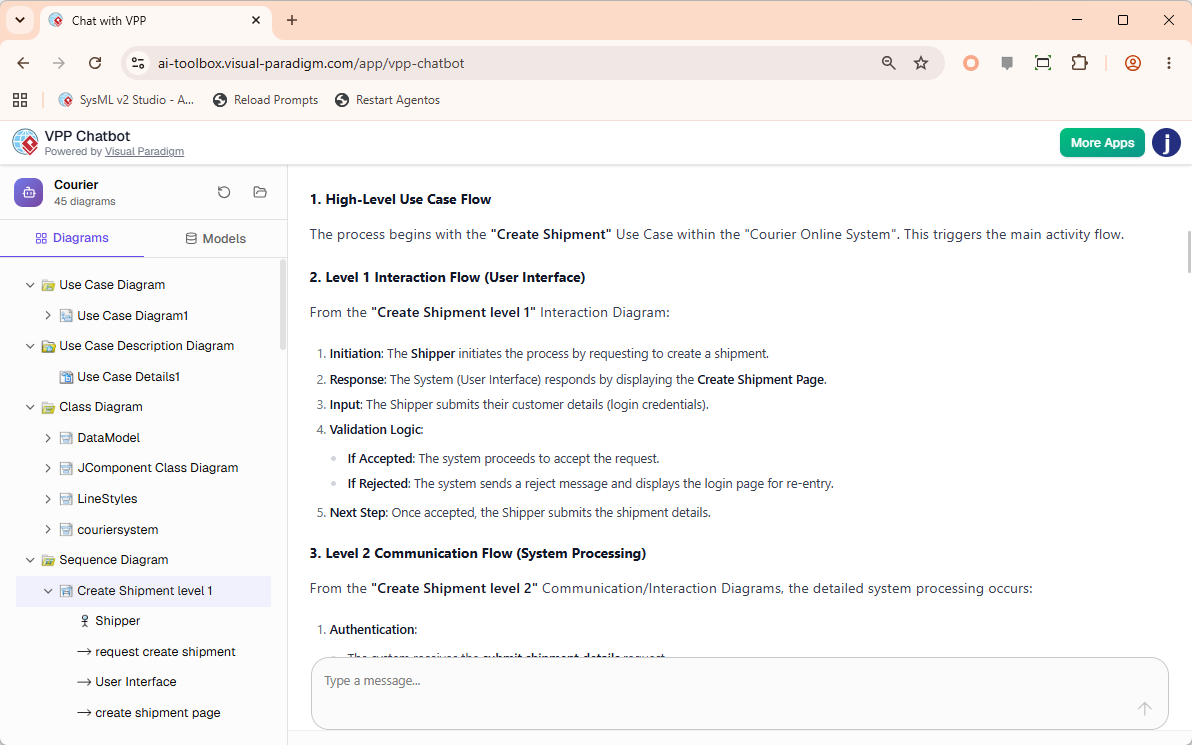
Navigating large, complex models just got a whole lot easier. Introducing the VPP Chatbot, an intelligent AI-powered tool designed to read, analyze, and answer questions directly from your native Visual Paradigm Project (.vpp) files.
- Interactive Chat Interface: Simply drop your
.vppfile into the app to begin. Your complete diagram structure is neatly populated on the left sidebar for quick reference, while a conversational chatbot interface occupies the right side. - Deep Semantic Analysis: Instead of manually digging through models, you can ask the AI to query your project directly. Request it to list all key use cases, outline the flow of events for specific scenarios, or summarize intricate interaction diagrams into plain, easy-to-read documentation.
Tool URL: https://ai-toolbox.visual-paradigm.com/app/vpp-chatbot
Edition Eligibility & Licensing Matrix
To use these advanced web apps and premium AI extensions, an active software maintenance contract or active subscription is required.
| Feature | Free Capabilities | Premium / AI Elements Included In: |
|---|---|---|
| Unified Platform | Core Hub & Dashboard View | N/A |
| VPasCode | Code Editor, Preview, URL Sharing, SVG/PNG Export |
|
| AI Presentation Studio | N/A |
|
| AI App Studio | N/A |
|
| AI VPP Chatbot | N/A |
|
The Cross-Platform Advantage: Visual Paradigm Desktop Professional Edition (and higher) users with an active software maintenance plan are automatically granted full access to the web apps of VP Online Combo Edition, unlocking all premium AI tools at no additional charge!
How to Upgrade to Version 18.1
Upgrading to our latest milestone release is simple, but depends on your current license status:
Scenario A: You Have an Active Subscription or Maintenance Plan
If your software maintenance or subscription is currently active, you can move to Version 18.1 immediately using our automated upgrade tools. Please follow our step-by-step documentation for your specific license type:
- How to upgrade Visual Paradigm (with Subscription License) to New Version
- How to upgrade Visual Paradigm (With Single Seat License) to New Version
Scenario B: Your Software Maintenance Has Lapsed
If you are currently out of maintenance, you will need to renew your plan to gain access to the Version 18.1 installation files and activate the bundled cloud app features.
- Log into your Customer Service Center account to process a renewal and instantly activate your upgrade access.
Explore the future of visual modeling and application design—upgrade to Visual Paradigm 18.1 today!
Related posts:
 Announcing the All-New Visual Paradigm Unified Platform
 Seamless Diagram Lifecycle Management: Enhance and Edit AI-Generated Diagrams in Visual Paradigm OpenDocs via VPasCode
 Transparency Meets Learning: Introducing “AI Fix Details” and Side-by-Side Code Diff
 VPasCode Expands Mermaid Support: Ishikawa, Event Modeling, Venn & Wardley Maps Now Available