


At Visual Paradigm, we are constantly expanding the boundaries of what an AI-powered knowledge management tool can achieve. Today, we are excited to announce the addition of 8 new specialized chart types to OpenDocs, including the highly anticipated Family Tree diagram.
Whether you are a researcher documenting historical lineages or a project lead mapping out complex stakeholder relationships, the new family tree support in OpenDocs provides a structured, professional way to visualize connections. As part of the OpenDocs ecosystem, these diagrams are no longer isolated files; they are living components of your centralized knowledge base.
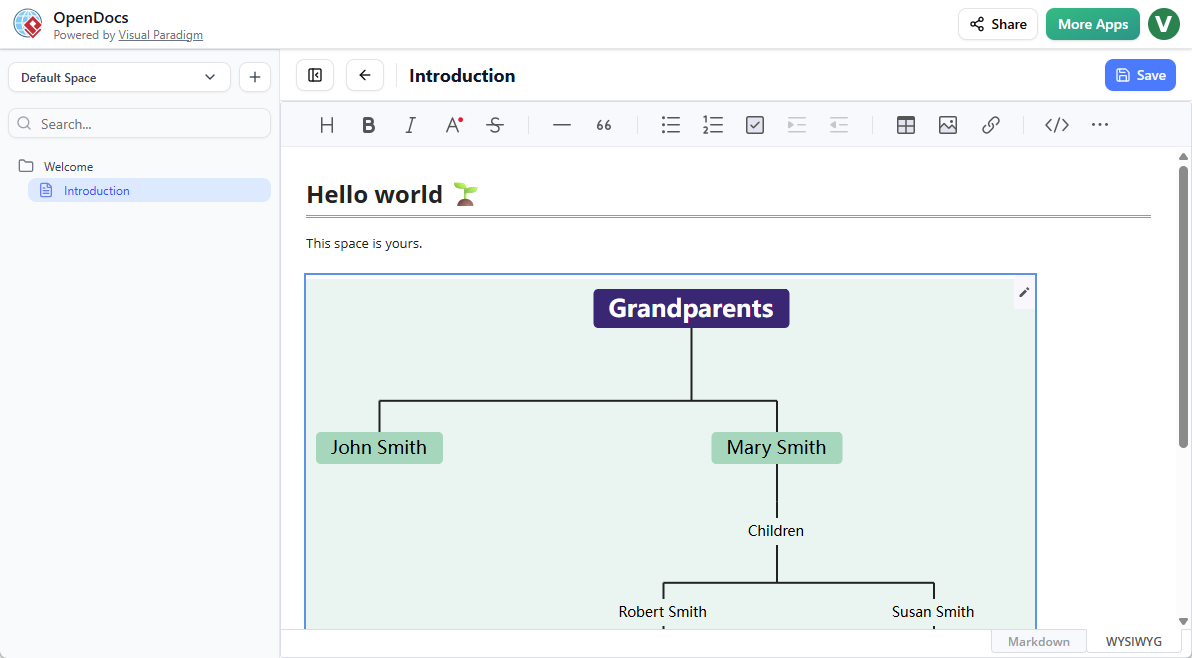
Launch OpenDocs and Create a Family Tree
A Unified Space for Documentation and Diagrams
The strength of OpenDocs lies in its ability to blend rich text with visual data. Our new family tree support integrates seamlessly into your existing workflow in two powerful ways:
- Embedded Diagram Components: Directly insert a family tree into your Markdown documents. This is perfect for providing visual context alongside detailed biographical notes or historical reports.
- Dedicated Component Pages: Create a full-page family tree diagram within your Space for a deep-dive view of ancestral hierarchies.
Why Use OpenDocs for Your Family Tree?
While OpenDocs is known as a leading AI-powered knowledge management tool, its manual diagramming engine is equally robust. Users can take advantage of a full-featured editor to customize every node, connector, and label. This ensures that your family tree is not just accurate, but also presentation-ready.
Collaborate and Share with Ease
One of the biggest challenges in genealogy and organizational mapping is sharing the results. OpenDocs solves this by allowing you to publish an entire “Space” with a single click. Your family tree tool creations can be shared via a unique URL, allowing family members, stakeholders, or the public to view your work in a high-quality, read-only format without needing to install any software.
How to Create a Family Tree?
As part of a document page
- Open your page in OpenDocs.
- Click on the Edit button at the top right.
- In the page editor, click at where you want to insert a family tree.
- Click on the Insert button at the button bar.

- Select Mind Maps > Family Tree.
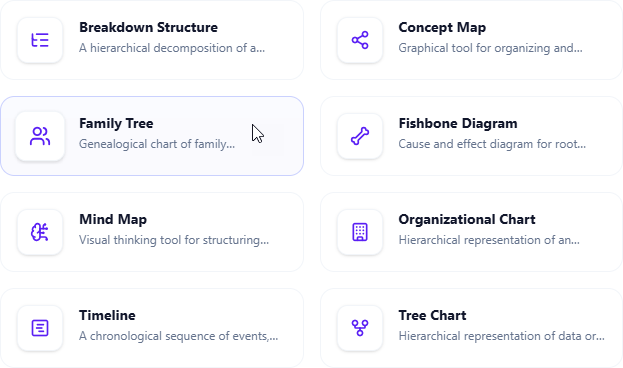
- Start editing your family tree.
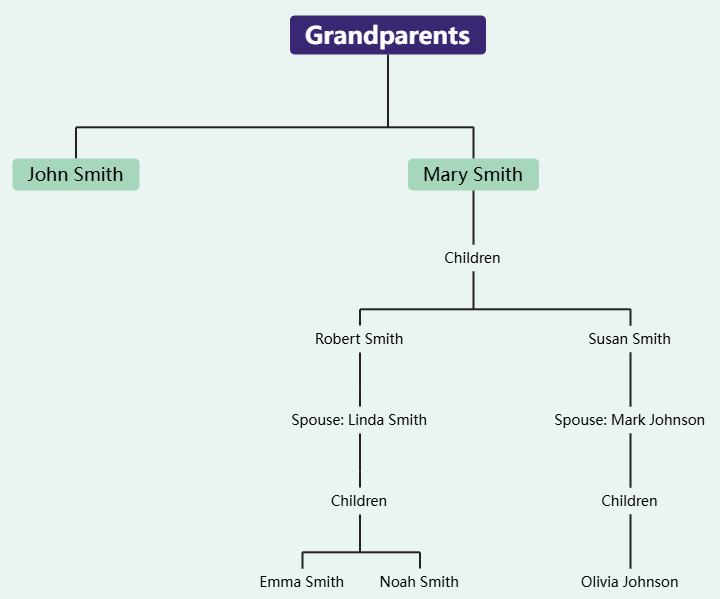
- When finished, click Save at the top right.
- Click Close to return to the document page editor.
As an independent component
- On the top of the table of contents pane, click on + and then select New Component Page.
- Select Mind Maps > Family Tree.
- Start editing your family tree.
- When finished, click Save at the top right.
Explore More New Chart Types
The Family Tree is just the beginning. This update also introduces support for Mind Maps, Fishbone Diagrams, Timelines, Organization Charts, Breakdown Structures, Concept Maps, and Tree Diagrams. While many of these support AI-assisted creation, the Family Tree provides a precise, manual editing experience for those who need absolute control over their data.
Ready to start building? OpenDocs is available for users with a Visual Paradigm Online (Combo Edition) or Visual Paradigm (Professional Edition) license.
Learn more about the feature: OpenDocs Landing Page
Start your project: OpenDocs App