
Sharing a link is great, but sometimes you want your information to live exactly where your team already works. In our third update for Visual Paradigm OpenDocs, we are highlighting the Embed Code feature—a powerful way to turn our knowledge management platform into a native part of your own website or blog.
What is Embedded Content?
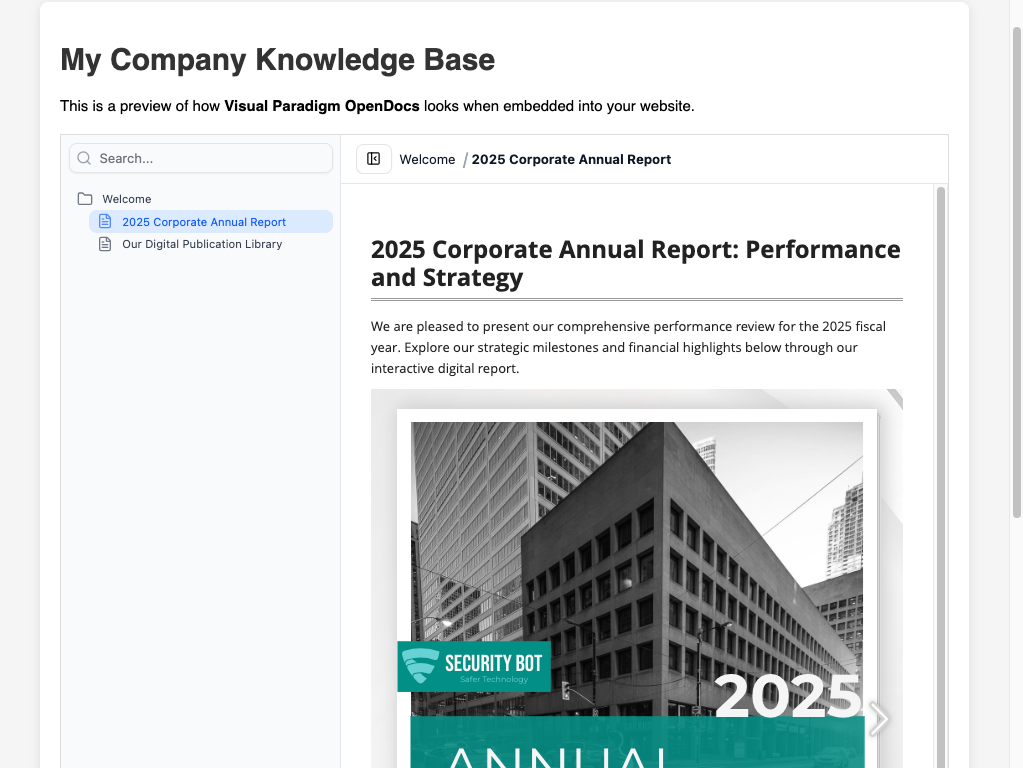
Embedding allows you to display your OpenDocs pages directly inside another web page using an “iframe.” Instead of sending users away to a different URL, they can browse your diagrams, process models, and documentation without ever leaving your company portal or internal site.
How to Get Your Embed Code
Once you have selected your pages and chosen your sharing mode (Static or Live), generating the code takes just a few clicks:
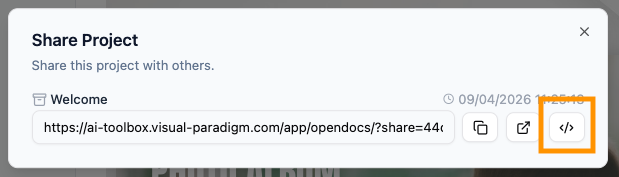
- Generate the Share Link: After clicking “Share” in the main dialog, you will see a summary box containing your share URL.
- Open the Embed Dialog: Next to the URL, you will see three icons. Click the Embed Code icon (represented by the
</>symbol).
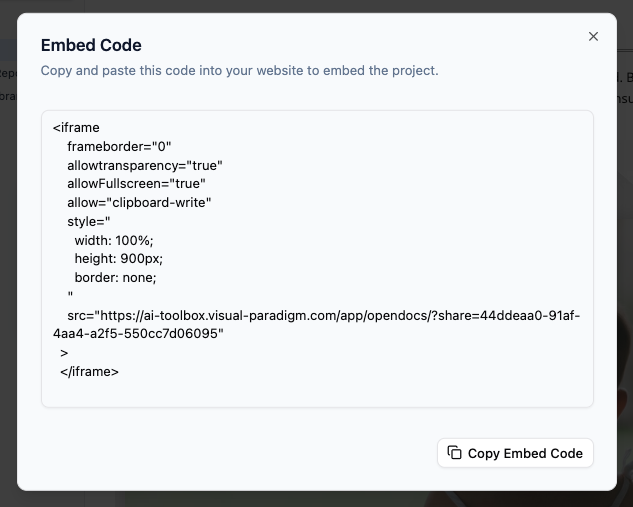
- Copy the Code: A new window will appear showing a block of HTML code starting with
<iframe...>. Simply click the Copy Embed Code button at the bottom.
- Paste into Your Site: Go to your website’s editor (like WordPress, a company wiki, or a custom CMS) and paste the code into the HTML or “Custom HTML” block.
Why Use Embedding?
Using a knowledge management tool that supports embedding helps maintain a professional and unified brand experience. Here are a few ways our users are using it:
- Internal Employee Portals: Keep your standard operating procedures (SOPs) visible directly on your company intranet.
- Project Dashboards: Embed specific project branches into project management tools so the team always sees the latest updates.
- Public Documentation: Show technical guides directly on your product’s landing page while managing the content behind the scenes in OpenDocs.
Note: Because OpenDocs handles the heavy lifting, your embedded content is fully responsive. Whether your readers are on a desktop or a tablet, the knowledge base will scale to fit the space you provide.
Ready to integrate your knowledge? Visit our knowledge management platform details page.