

Clear documentation should make it easy for people to find the information they need—not require them to scroll through one long page or navigate a maze of separate documents. With the new Tabbed Folder in Visual Paradigm OpenDocs, you can organize related pages as an interactive tabbed view, while keeping each tab’s content in its own editable page.
This update gives teams a more structured way to present project knowledge, guides, and reference material. It brings tabbed navigation into the OpenDocs page tree, connecting the way you organize content with the way readers browse it.
What is a Tabbed Folder?
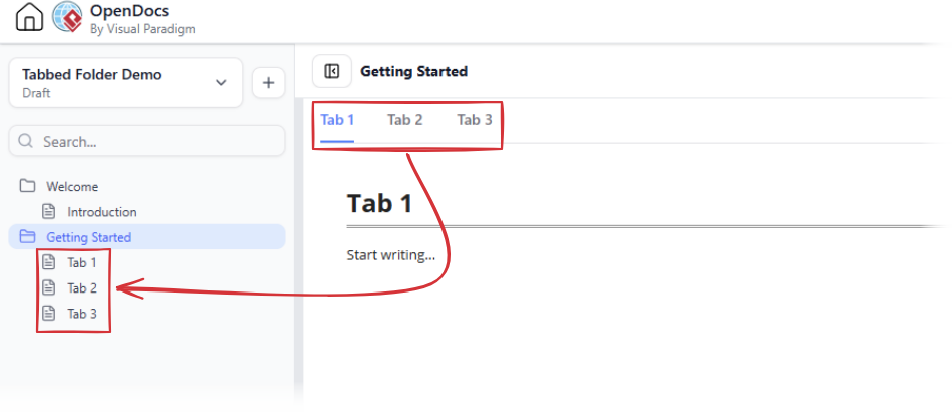
A Tabbed Folder is a special folder type in the OpenDocs navigation tree. Like a regular folder, it contains pages. The difference is how those pages are presented: when you select the Tabbed Folder, OpenDocs displays its content as a tabbed component. Each page under the folder provides the content for a tab.
Readers can click a tab to browse its content, while authors can edit the corresponding page in the familiar page tree. This means a tabbed layout is not just a visual arrangement; it is connected to the pages you use to create and maintain your knowledge base.
How to create tabbed content
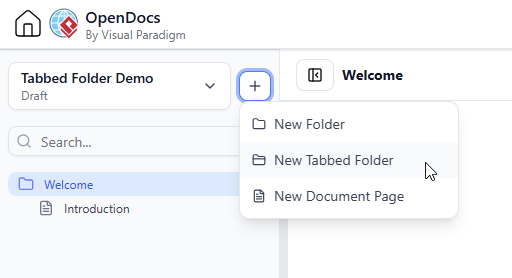
- In the OpenDocs page tree, click the + button beside the project name to create a Tabbed Folder at the project root. Alternatively, to create one inside an existing folder, click the + button beside that folder.
- Select New Tabbed Folder from the popup menu.
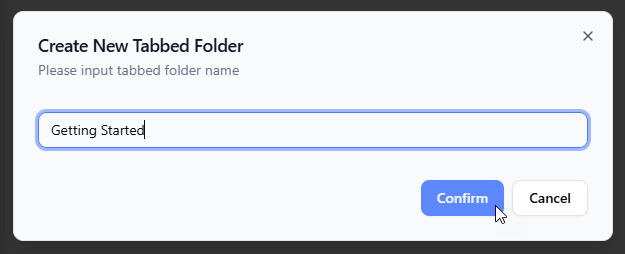
- Give the Tabbed Folder a name. Click Confirm.
- Open the new Tabbed Folder. It is created with three default pages, which appear as tabs in the tabbed content view.
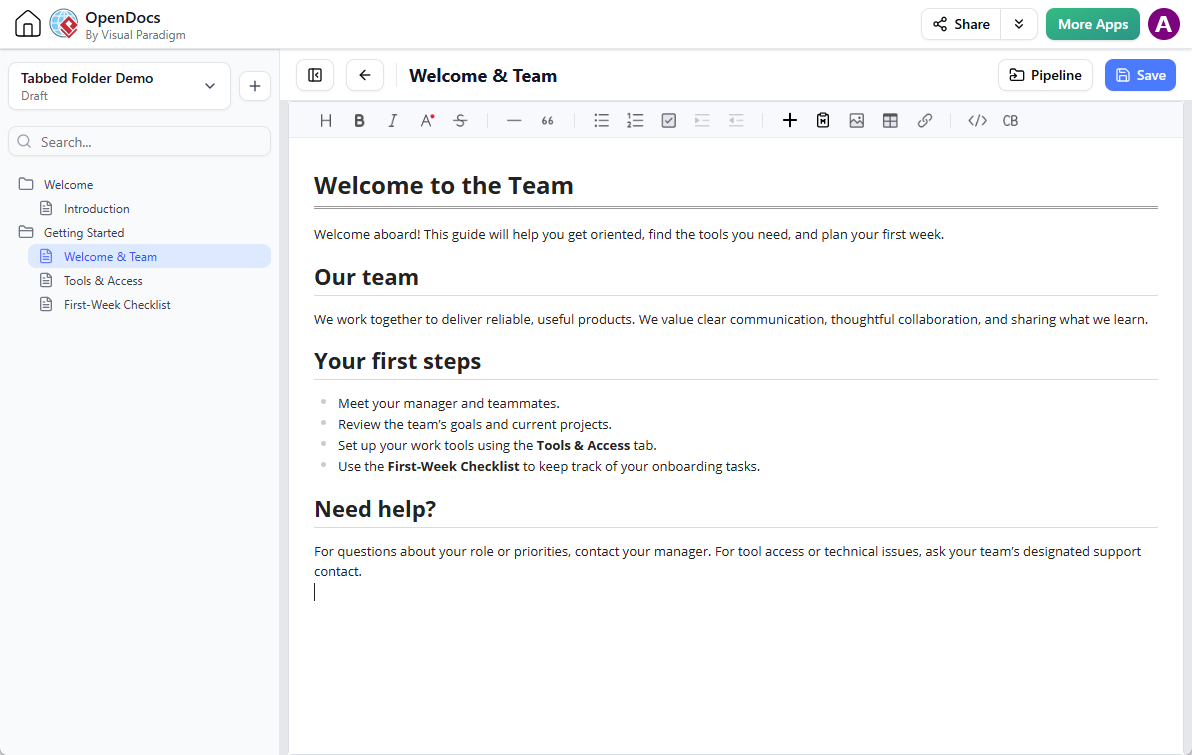
- Edit a page under the Tabbed Folder and save it to update the content shown in its corresponding tab.
- Add more pages under the Tabbed Folder whenever you need more tabs.
To maintain the tabbed content, edit the relevant page and save your changes. The page is the source of the tab body, so authors can work with the content as individual pages rather than editing everything in one large block.
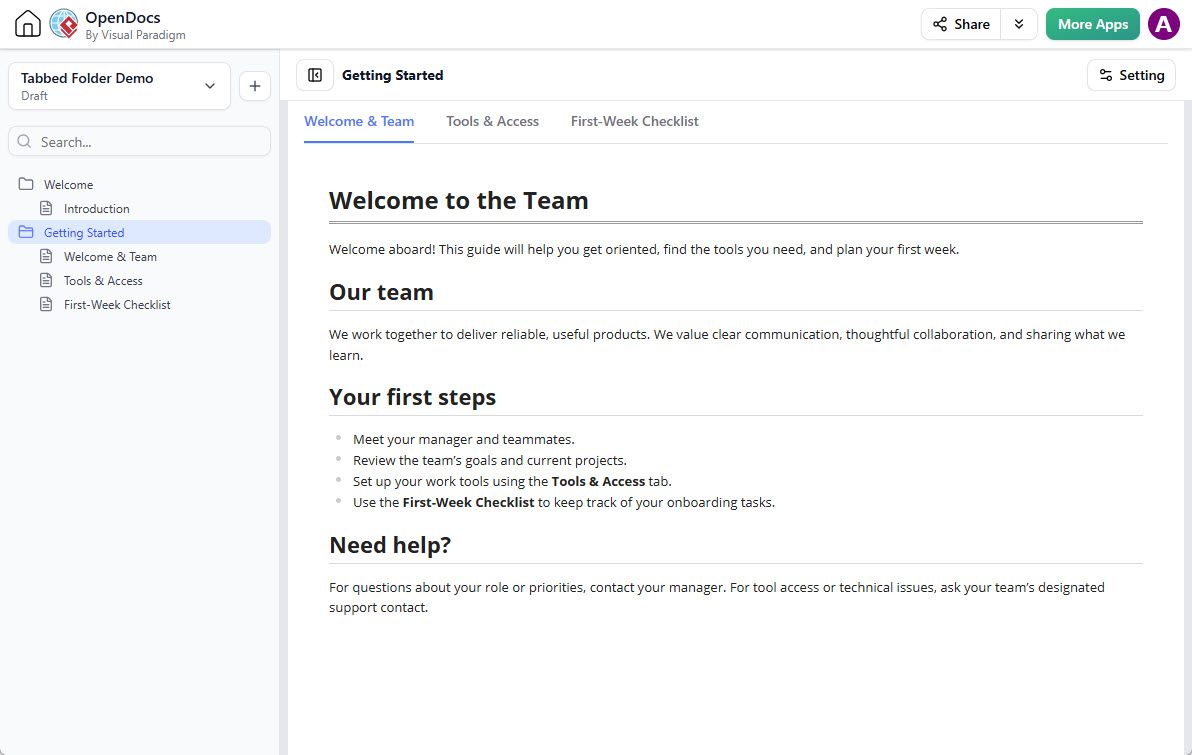 OpenDocs ‘Getting Started’ tab with a welcome message, team introduction, first steps, and help guidance.
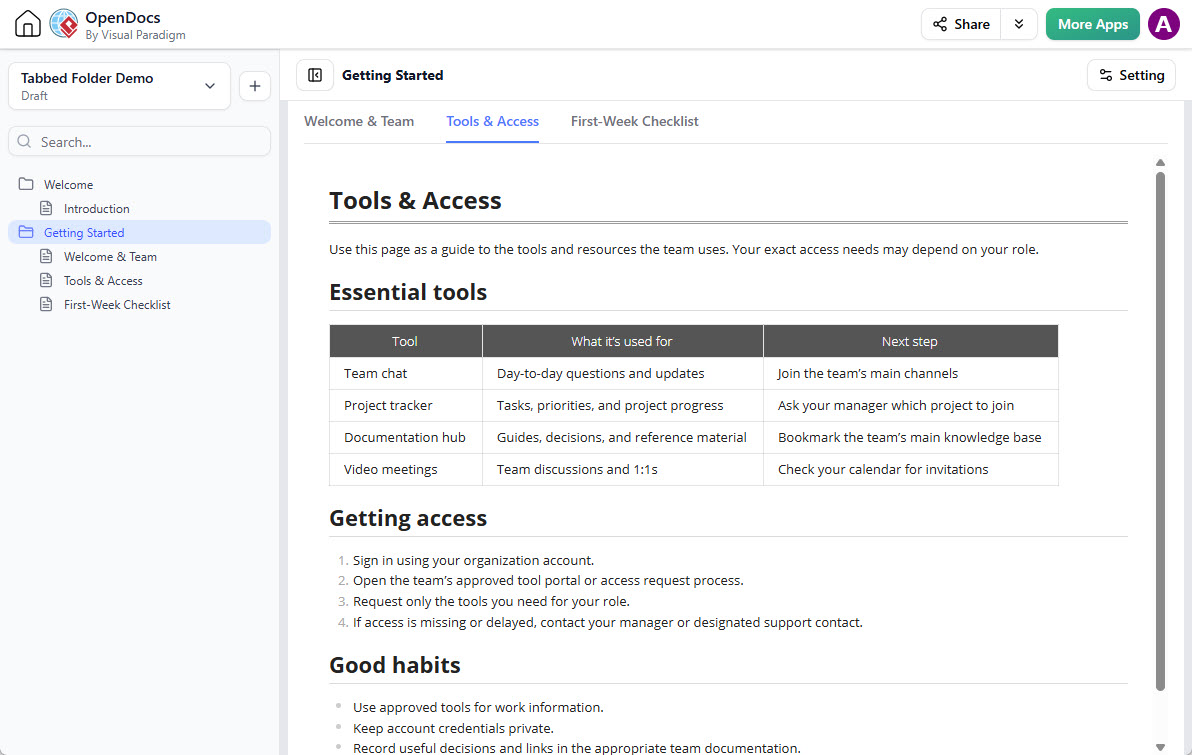
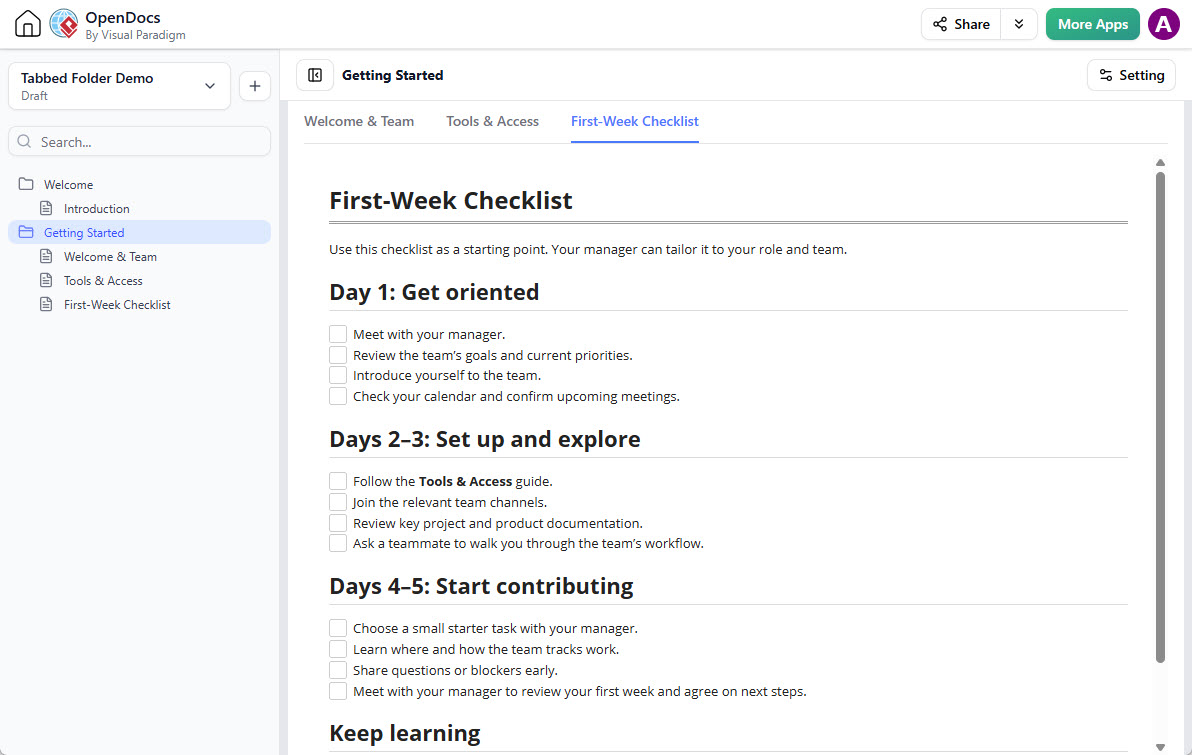
Check out the live copy of the tabbed folder here:
https://ai-toolbox.visual-paradigm.com/app/opendocs/?share=4f2819f2-397c-49b1-991c-52f3255a2f8d#/getting-started
Why this enhancement matters
As a knowledge base grows, a single, continuous page can become difficult to scan. Splitting information into many separate pages can create a different problem: readers may have to move between pages to compare related topics. Tabbed Folders offer a practical middle ground. Related material stays together in one browsable component, while each section remains independently editable.
- Make information easier to scan: Tabs give readers clear entry points into related subjects, reducing the need to search through a long page.
- Keep connected topics together: Present related instructions, explanations, or reference information within one organized view.
- Keep authoring manageable: Each tab’s content lives on its own page, making it easier to update one section without reworking the entire collection.
- Scale as documentation grows: Start with the three default pages and add more pages as your project or knowledge base develops.
- Connect organization and presentation: The page tree supports content management, while the selected Tabbed Folder presents the pages as an interactive tabbed experience.
Ideas for using Tabbed Folders
Tabbed Folders can help organize many kinds of structured content. For example, a project team could group an overview, requirements, and implementation notes together. A product team could separate setup guidance, feature explanations, and troubleshooting information. A training or onboarding resource could place introductory material, procedures, and FAQs in one easy-to-browse location.
They can also complement visual documentation. OpenDocs brings written content and diagrams together in a knowledge base, so teams can organize explanatory pages alongside visual material such as workflows, system diagrams, and project models. An online diagram generator can help produce visuals for that documentation, while a Tabbed Folder can give readers a clearer way to navigate the surrounding information.
A more navigable knowledge management tool
OpenDocs is a knowledge management tool for creating, organizing, and sharing documentation, text, and diagrams. Its tree-based structure helps teams arrange pages and folders, and its integrated diagramming capabilities support visual documentation alongside written content. Tabbed Folders extend that approach by giving authors another way to structure related pages and giving readers a focused way to move between them.
Whether you are building a project wiki, a technical documentation hub, a team knowledge base, or a collection of learning materials, this update helps make information easier to organize and explore. The result is a more purposeful reading experience without losing the flexibility of page-based editing.
Try Tabbed Folders in OpenDocs
Explore the OpenDocs feature page to learn more about the knowledge management platform, documentation workspace, and diagramming capabilities.