


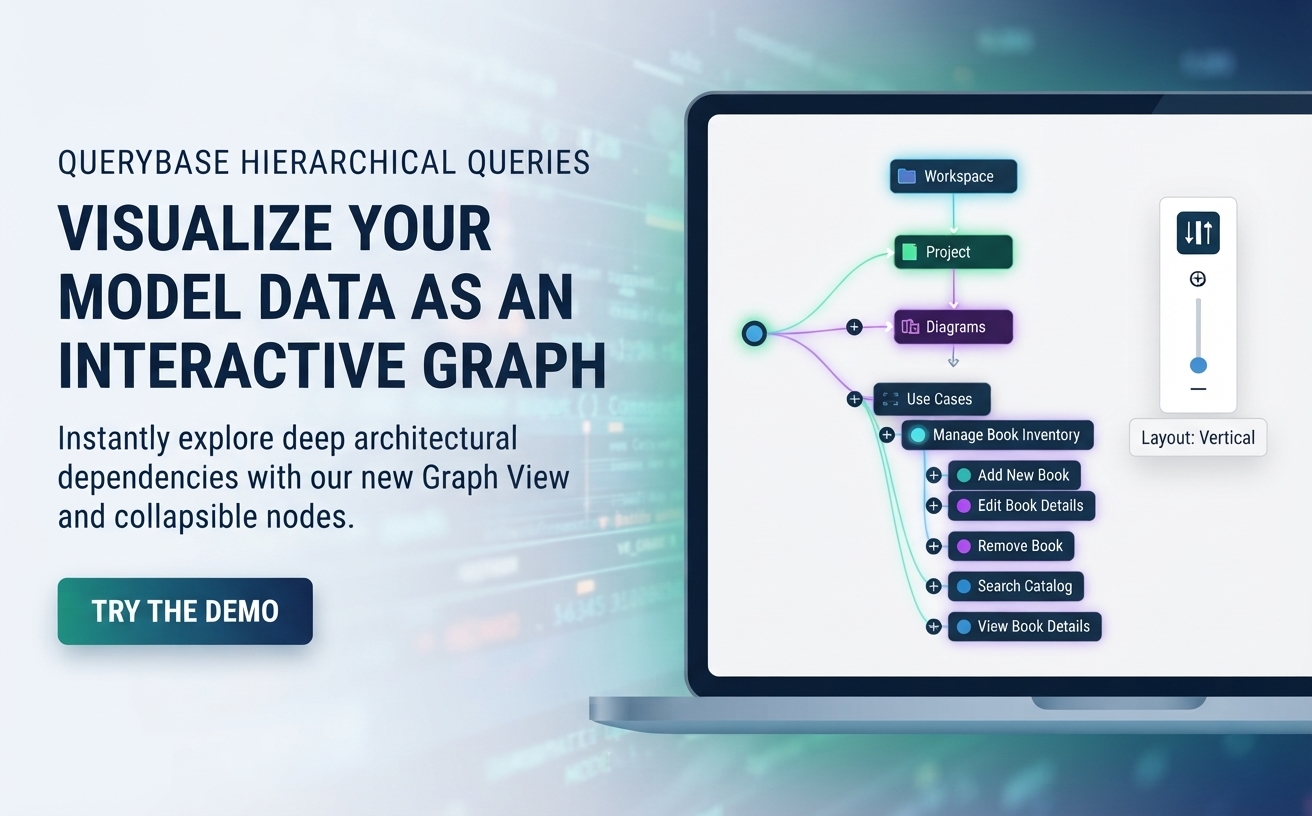
We are thrilled to announce a major productivity enhancement for Visual Paradigm QueryBase. Building upon our powerful model intelligence and data mining platform, the latest update introduces an interactive Graph View directly inside the QueryBase Hierarchical Queries module, transforming how system analysts, software architects, and enterprise stakeholders inspect extracted project metadata.
What is New in QueryBase Hierarchical Queries?
Previously, when you executed a hierarchical query in Visual Paradigm QueryBase, the platform generated comprehensive JSON code content representing your architectural models. While this text-based output was ideal for downstream processing, enterprise reporting, and automated integration, complex projects with heavily nested structures could be challenging to parse at a glance.
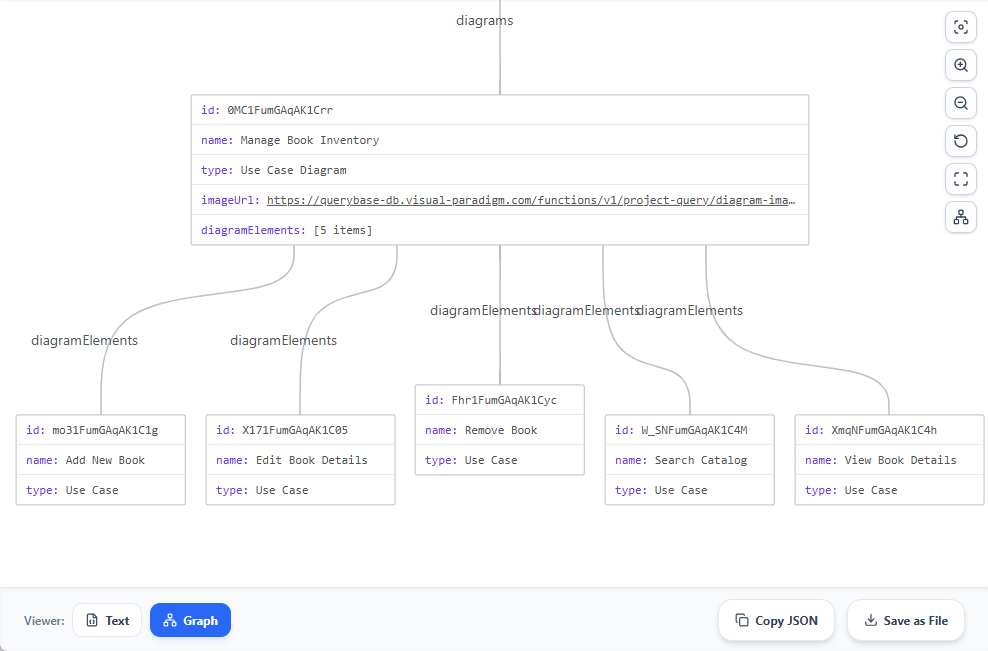
Our newly enhanced JSON code viewer now bridges this gap by introducing a dual-mode interface. You can now toggle seamlessly between the traditional Text view and the brand-new Graph view.
- Interactive Graph Visualization: Instantly transform raw JSON payloads into visual network nodes, making it dramatically easier to trace project hierarchies, diagrams, elements, and sub-elements.
- Collapsible and Expandable Nodes: Effortlessly collapse or expand complex node branches—a vital feature when managing intricate enterprise architectures with multi-level nested structures.
- Flexible Layout Controls: Switch between horizontal and vertical graph orientations with a single click, and pan freely across your data map.
- Seamless Export Options: Once you have visually verified your data structure in the graph, perform standard actions like Copy JSON or Save as File instantly.
How the Enhanced JSON Viewer Works
Exploring and visualizing your model data takes just a few clicks:
- Navigate to the QueryBase Hierarchical Queries module within your Visual Paradigm Cloud workspace.
- Set up and execute your custom query on the right-hand Query Construction pane.
- Review the generated data body on the left side of the screen.
- At the bottom right corner of the code viewer, use the toggle button group to switch between Text (default) and Graph views.
- Expand, collapse, or switch node orientations to inspect deep architectural dependencies before copying or saving your file.
Hands-On Demo: Try the Graph View Today
Want to see the new graph visualization in action? We have prepared a live showcase using a library management system workspace so you can test drive the feature right now:
- Open the live QueryBase Hierarchical Queries Demo Workspace.
- Download the pre-configured query file here. This is a query that extract all use cases from the project ‘Book Inventory & Catalog Search’.
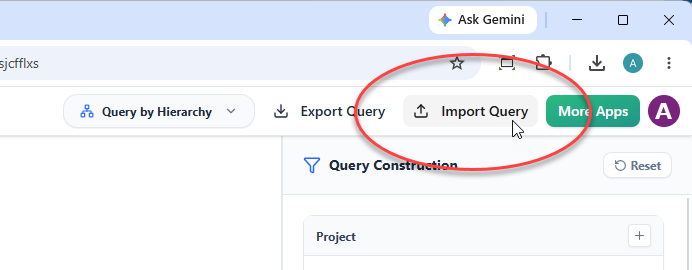
- Import your pre-configured query file via the Import Query button at the top right of the app to query all use cases from the ‘Book Inventory System’ project.
- QueryBase will execute the data extraction automatically.
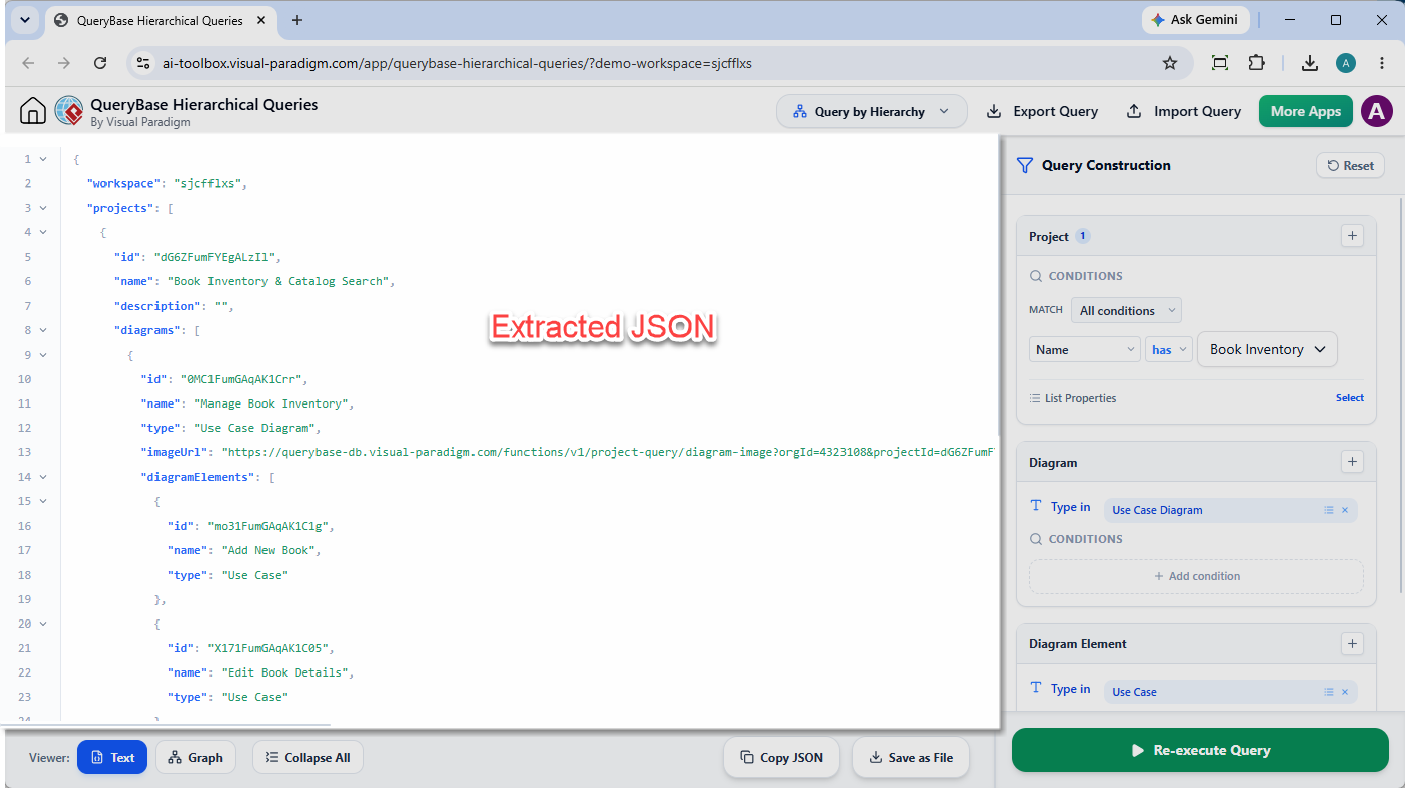
- At the bottom left, click on Graph to launch the visualization.
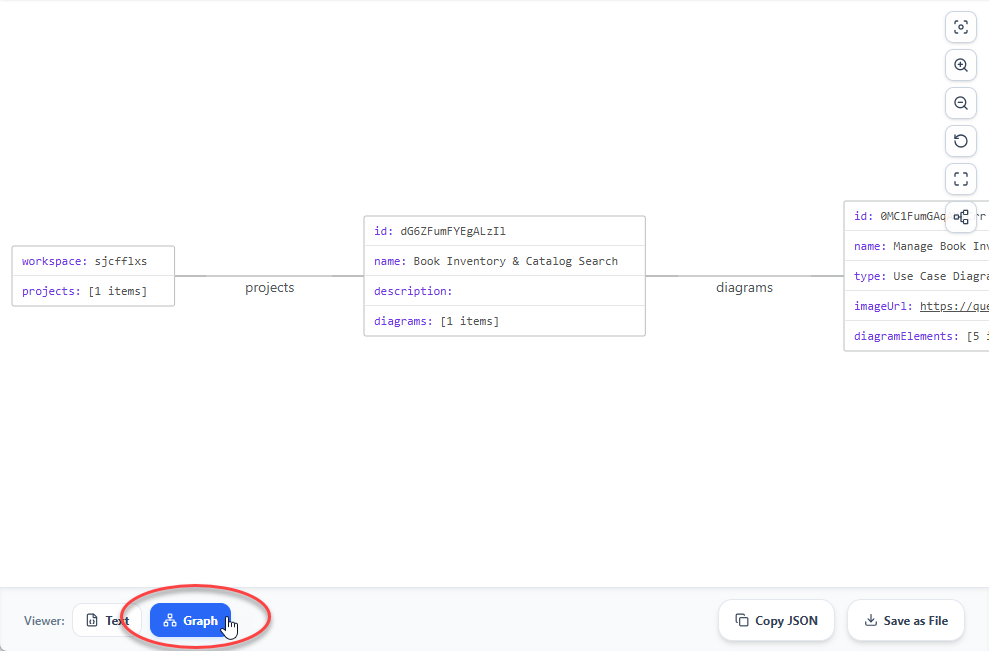
- Use the side control buttons to switch the graph to vertical view, pan around, and explore the 5 use cases linked to the ‘Manage Book Inventory’ diagram.
Ready to elevate your architectural metadata exploration? Discover all available tools, project explorer modules, and model query capabilities on the Visual Paradigm QueryBase Official Landing Page.