


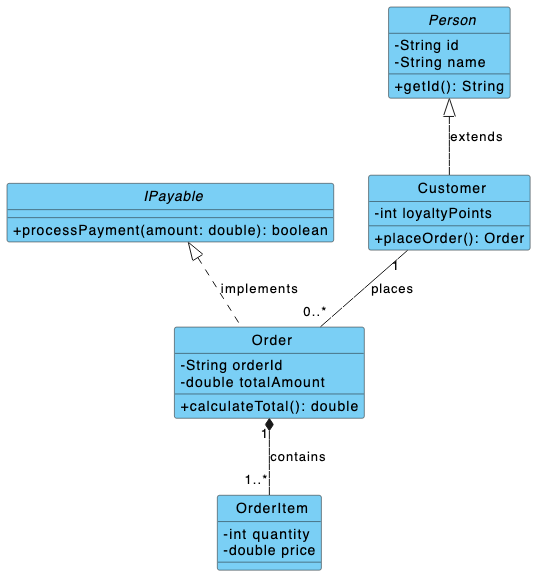
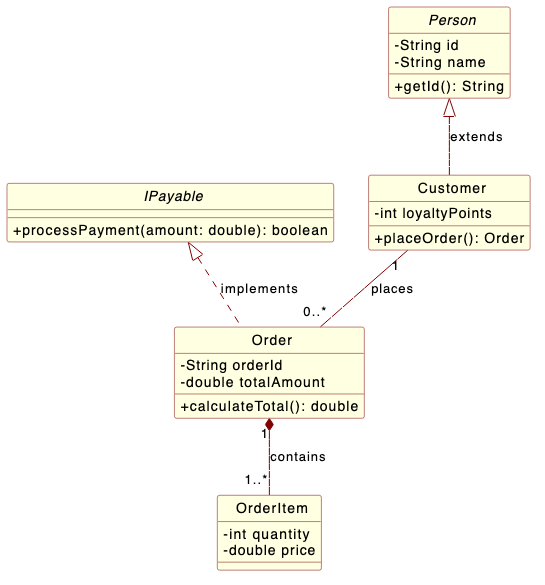
We are excited to announce a major addition to our web-based text to diagram tool! At the very top of our theme dropdown list, you will now find two newly curated themes: visual-paradigm and rose. These custom themes are engineered to mimic the distinct visual style and color palettes of the industry-standard visual modeling platforms Visual Paradigm and IBM Rational Rose.
Whether you are creating software architecture flowcharts or UML sequence models, applying a dedicated PlantUML theme ensures your team gets clean, professional graphics every time. Elevate your documentation effortlessly by rendering every PlantUML diagram with a classic, recognizable software modeling design.
Why Use the Visual Paradigm and Rose Themes?
If you rely on a text to diagram tool for technical documentation, choosing the right PlantUML theme brings powerful workflow advantages:
- Familiar Aesthetic for Modeling Veterans: If you or your team members are long-time users of Visual Paradigm or IBM Rational Rose, these themes let you recreate the classic visual identity you are already comfortable working with.
- Unified Documentation Consistency: Keep all your project visuals uniform. By using matching color schemes across your code-based diagrams and design specifications, every PlantUML diagram in your documentation maintains a cohesive visual style.
How to Apply the Visual Paradigm or Rose Theme in VPasCode
Applying these new styles in our text to diagram tool takes just a few clicks:
- Start Coding: Select PlantUML as your language in VPasCode and simply start typing your code in the left editor panel.
- Open Theme Menu: Click on the Theme dropdown menu in the top toolbar.
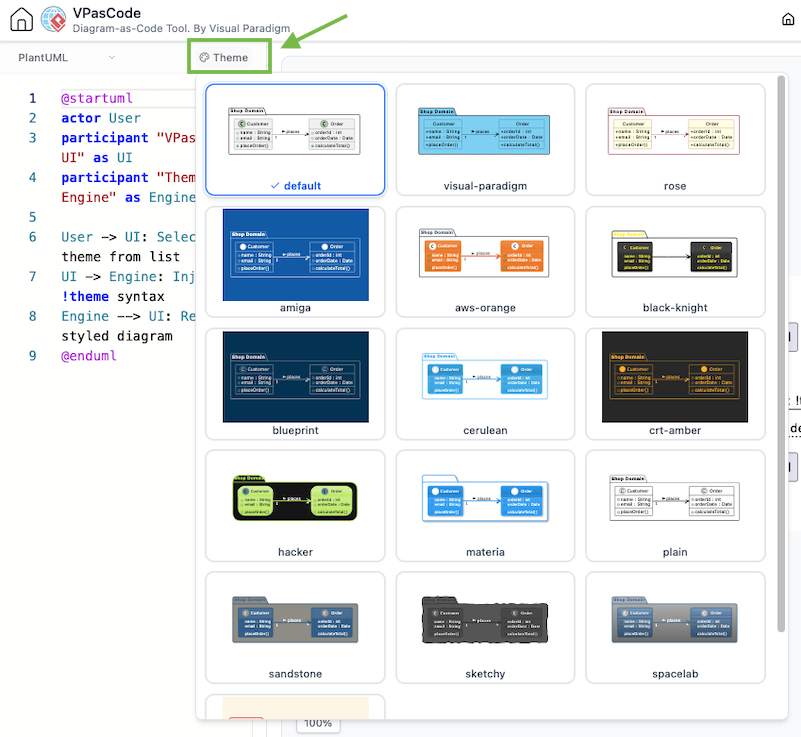
- Select Your Style: Pick either
visual-paradigmorrosefrom the top of the list to apply it instantly to your PlantUML diagram.
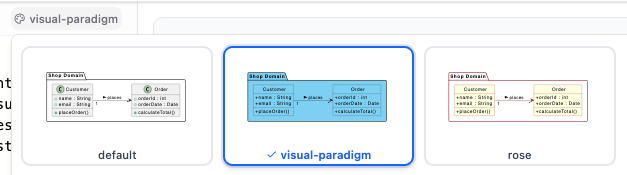
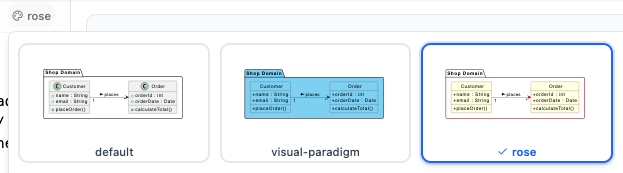
Try the Visual Paradigm Theme Live
Test out the new look right now! Open this sample script in VPasCode the select visual-paradigmor rose theme styles your components:
@startuml
interface IPayable {
    + processPayment(amount: double): boolean
}

abstract class Person {
    - String id
    - String name
    + getId(): String
}

class Customer {
    - int loyaltyPoints
    + placeOrder(): Order
}

class Order {
    - String orderId
    - double totalAmount
    + calculateTotal(): double
}

class OrderItem {
    - int quantity
    - double price
}

' Relationships
Person <|-- Customer : extends
IPayable <|.. Order : implements
Customer "1" -- "0..*" Order : places
Order "1" *-- "1..*" OrderItem : contains

@enduml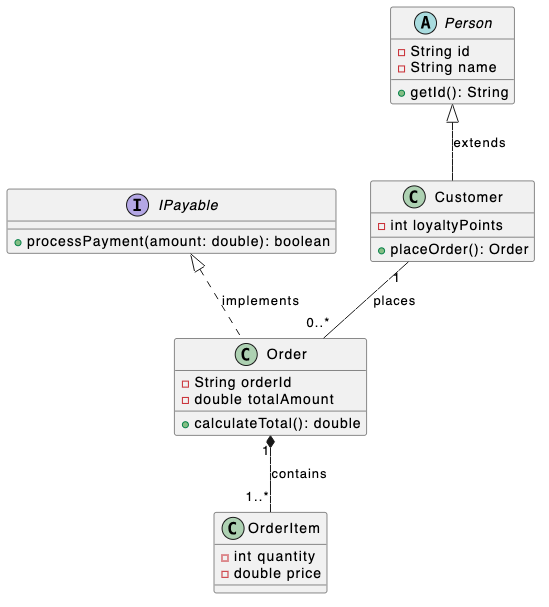
Enhance Your Diagrams Today
Experience seamless diagramming with a powerful text to diagram tool tailored to your team’s workflow. Give your documentation a polished look with our new custom themes!
New to Diagram Styling?
Learn how our revamped theme selector lets you pick, auto-inject, and preview styles in one click! Read our feature overview on the new PlantUML theme selection UI in VPasCode →