


Running effective agile retrospectives and planning sessions can be challenging. Teams often struggle to turn a chaotic sea of feedback into a structured, actionable plan. To solve this, we’re thrilled to launch the free Agile Affinity Mapping Planner, a new AI-powered application designed to bring clarity, structure, and efficiency to your team’s collaborative sessions. This powerful new addition to our suite of agile software makes planning and analysis effortless.
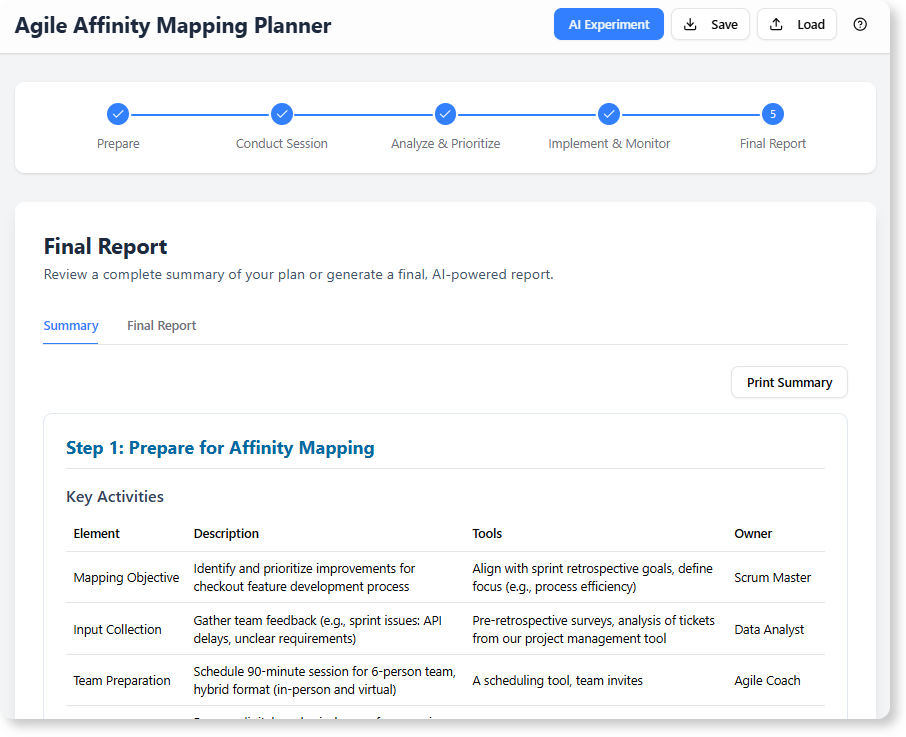
Addressing the Challenge of Disorganized Retrospectives
Traditional affinity mapping sessions, while valuable, often get bogged down in manual, time-consuming tasks. Teams can spend more time organizing sticky notes than they do analyzing the insights they represent.
Key challenges include ensuring all voices are heard, synthesizing qualitative data into coherent themes, and, most importantly, translating those themes into concrete, trackable action items. Without a solid framework, great ideas generated in a meeting can easily get lost.
Introducing the Agile Affinity Mapping Planner: From Chaos to Clarity
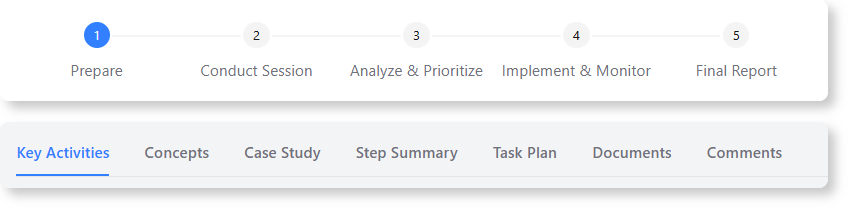
We built this planner to provide a structured, repeatable framework for your affinity mapping process, supercharged with AI. It guides your team through a proven four-step methodology—from preparation to implementation—ensuring no critical detail is missed.
With the new planner, you can:
- Generate a Complete Plan Instantly: Describe your project goal, and let our AI generate a comprehensive 4-step plan with suggested key activities to give you a running start.
- Systematically Organize Feedback: Follow a clear, step-by-step process to define, conduct, analyze, and implement the outcomes of your mapping session.
- Synthesize Insights with AI: With one click, the AI analyzes your key activities for any step and produces a concise summary, a list of work to be done, and a clear breakdown of responsibilities.
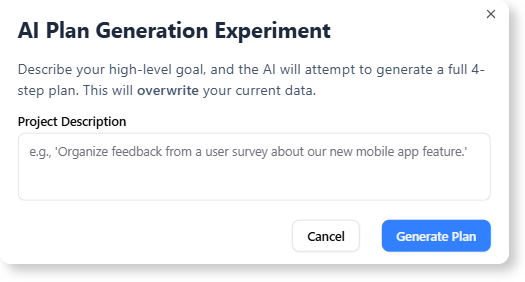
- Create Actionable Tasks Automatically: Instantly convert the AI-generated responsibilities into a trackable task plan, ensuring that insights from your meeting lead to real-world action.
[MEDIA_PLACEHOLDER: A short video walkthrough (or an animated GIF) showing the AI Experiment modal, the 4-step planner interface, and the final generated report.]
How to Access and Use the New Feature
Getting started with the Agile Affinity Mapping Planner is simple. It’s available for free to all Visual Paradigm users.
For Visual Paradigm Online users:
Simply navigate directly to the Agile Affinity Mapping Planner app to begin.
For Visual Paradigm (Desktop) users:
Select Tools > App from the application menu. From there, locate and open the Agile Affinity Mapping Planner from the list of available apps.
Once you’re in the app, follow this simple workflow:
- Use the “AI Experiment” button to generate a complete baseline plan from a simple description.
- Refine the “Key Activities” in each of the four steps to match your specific project needs.
- Navigate to the “Step Summary” tab and let the AI analyze your plan and propose a work breakdown.
- Finally, generate a professional, shareable “Final Report” to document your entire process and action plan.
Ready to Supercharge Your Agile Sessions?
Stop letting valuable insights slip through the cracks. With the Agile Affinity Mapping Planner, you can transform your team’s feedback into a structured, AI-powered, and fully actionable plan. Elevate your retrospectives, streamline your workflows, and drive meaningful improvements with this powerful free agile tool.
For a detailed guide on all features, check out our official documentation to learn more about the Agile Affinity Mapping Planner.