
We’re excited to introduce a brand-new integration that makes creating beautiful documentation faster and easier than ever!
Now, with just a few clicks, you can generate a professional diagram in the Visual Paradigm AI Chatbot and instantly send it to your OpenDocs workspace using the new “Send to OpenDocs Pipeline” feature.
How it works:
- Create or refine your diagram (UML, flowchart, architecture, BPMN, etc.) in the AI Chatbot.
- Click Export → Send to OpenDocs Pipeline.
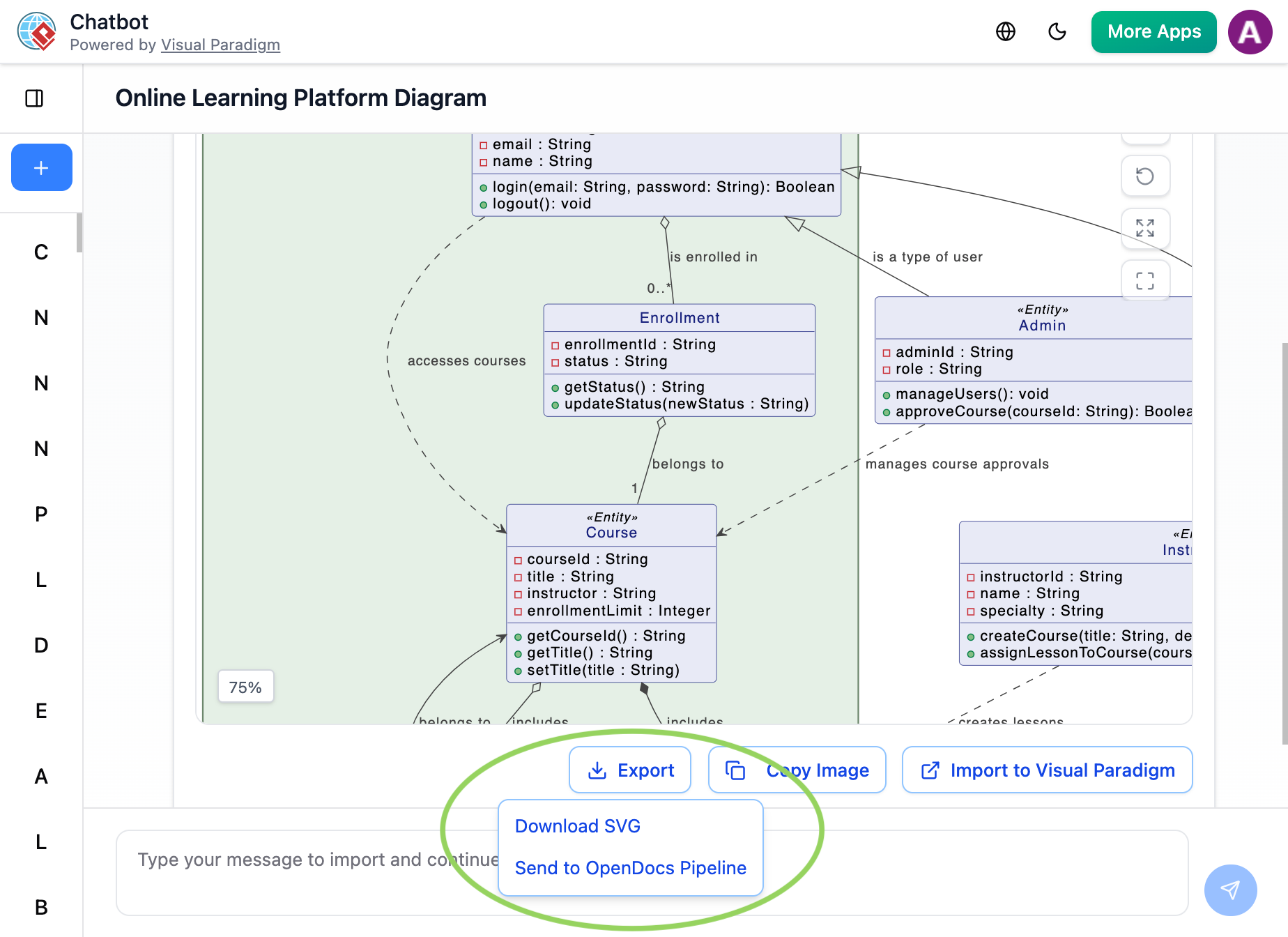
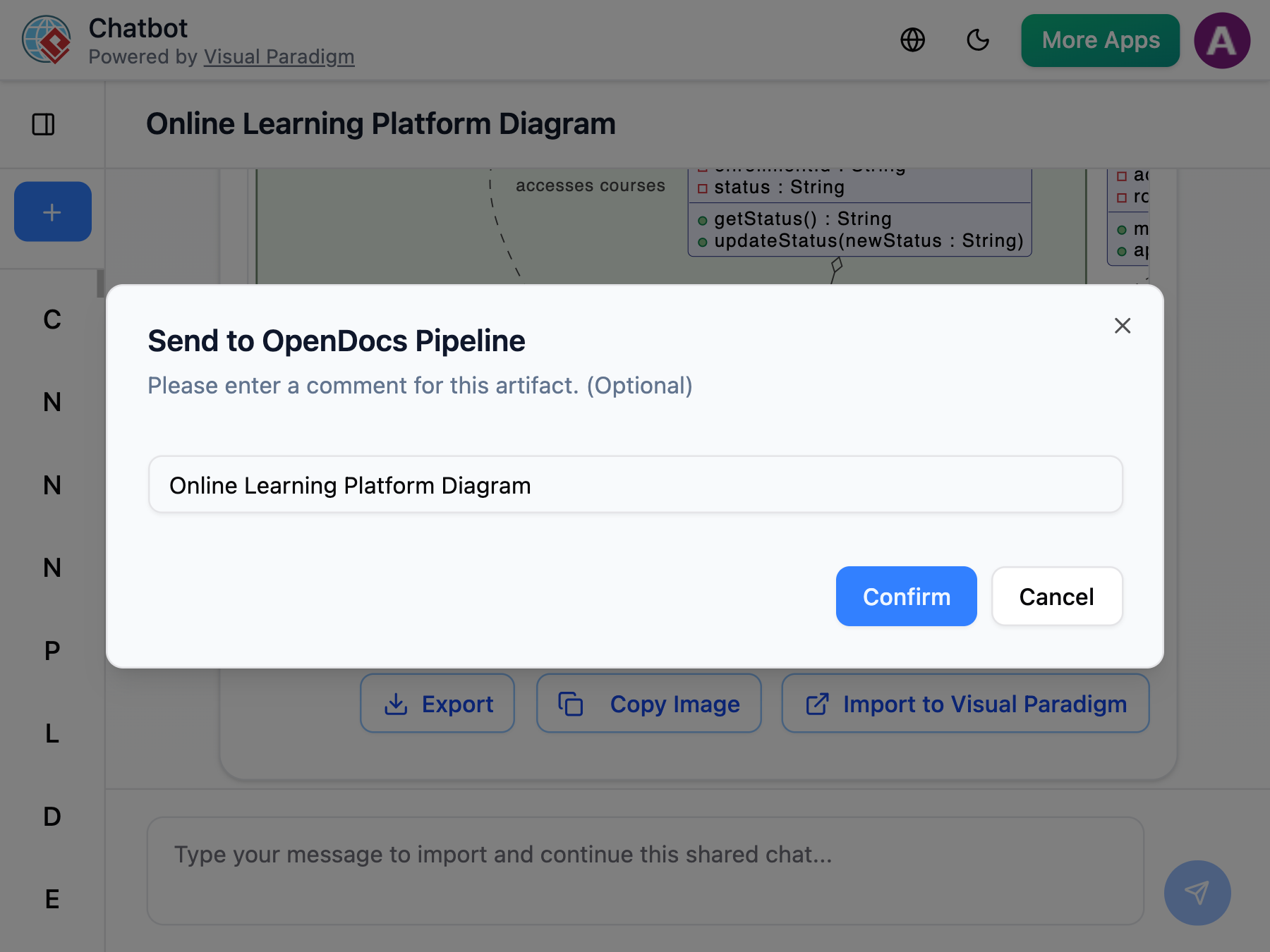
- Go to your OpenDocs document, click + Insert → Pipeline, select your diagram, and insert it instantly.
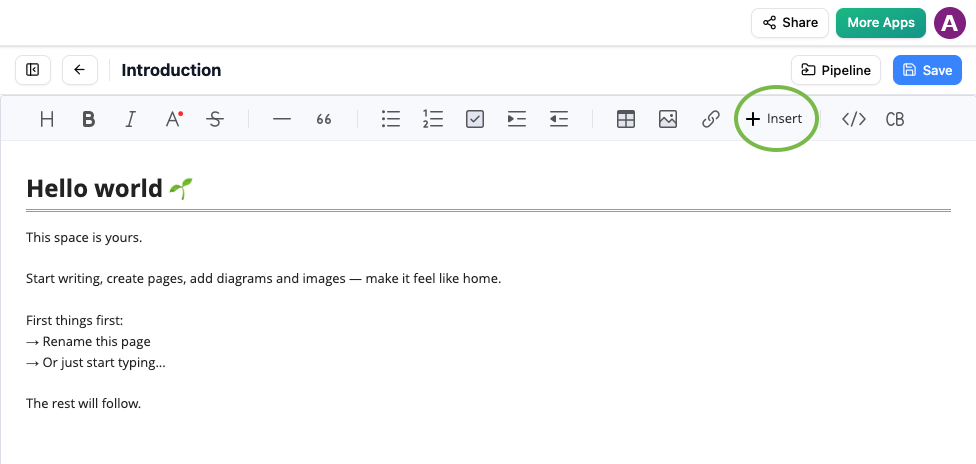
Insert button in OpenDocs editor with Pipeline option for adding AI-generated diagrams 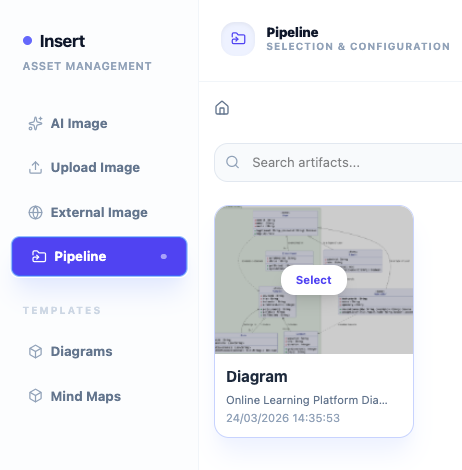
OpenDocs Pipeline tab showing recently sent diagram from Visual Paradigm AI Chatbot ready to be inserted
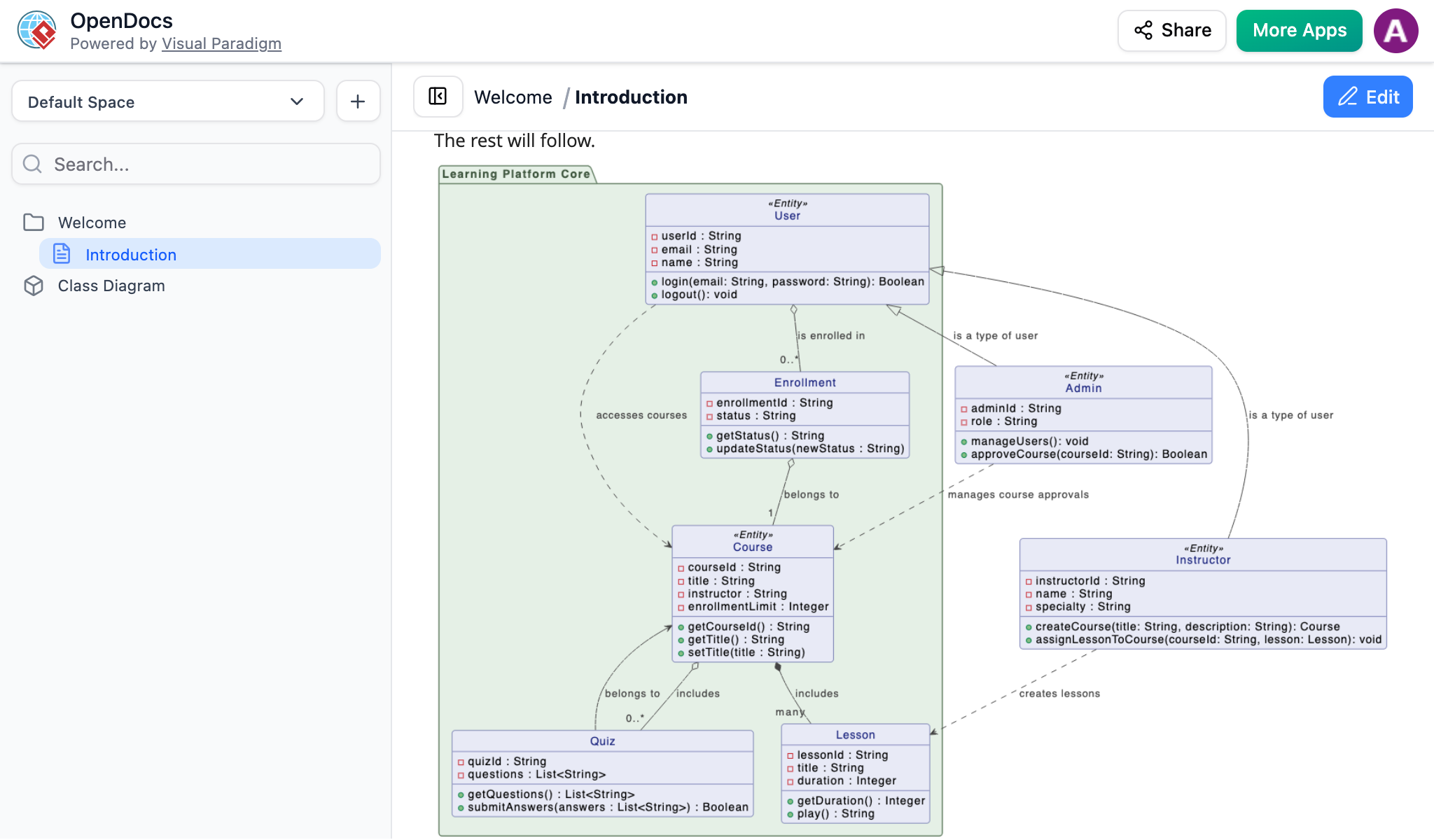
No more downloading files, taking screenshots, or messy uploads!
Why you’ll love this new feature:
- Save massive time – go from idea to perfectly placed diagram in seconds
- Keep your diagrams crisp and professional (no blurry screenshots)
- Build rich, visual documentation effortlessly
- Create better project docs, system architecture, training materials, and knowledge bases
- Enjoy a smooth, seamless workflow between diagram generation and documentation
Whether you’re a software engineer, business analyst, student, or team lead, this integration will help you document faster and look more professional.
Try the new Send to OpenDocs Pipeline today and experience how simple visual documentation can be!
Get Started with AI-Powered Diagram Generation Today
Ready to create professional diagrams faster than ever?
Generate beautiful diagrams instantly with the Visual Paradigm AI Chatbot, then send them directly to your OpenDocs documents using the new Send to OpenDocs Pipeline feature — all in a seamless, web-based workflow.
→ Start generating diagrams in seconds Try OpenDocs Now → Build rich, visual documentation effortlessly
For step-by-step examples, tips, and best practices, visit our dedicated feature page.
– The ultimate AI-powered knowledge management tool with seamless diagram integration.
OpenDocs is available to users with a Visual Paradigm Online (Combo Edition) or Visual Paradigm Professional Edition license. No installation required — everything works directly in your browser.
Stay tuned for more exciting AI features as we continue to make diagram creation and intelligent documentation smarter and easier!