


Download Visual Paradigm Desktop
✨ Related Update: C4 Modeling added to Visual Paradigm Desktop. Learn More
Addressing the Challenge of Multi-Level Architectural Documentation
Documenting modern software architecture requires multiple views to satisfy different stakeholders—from executives needing the big picture (Level 1: System Context) to engineers needing implementation details (Level 3: Components). Creating and maintaining these six distinct, yet interconnected, diagrams manually is often a complex and error-prone process.
The pain points were clear:
- Consistency: Keeping all six diagrams synchronized as the architecture evolves.
- Time Investment: Manually drawing and linking elements for every view in the C4 hierarchy.
- Scope Fatigue: Defining the scope and boundaries for System Context, Landscape, and Deployment views.
Introducing the AI Diagram Generator: Your Full C4 Modeling Tool
We built the AI Diagram Generator to turn days of manual work into seconds of AI processing. By simply describing your system, the tool leverages its deep understanding of C4 standards to instantly map your description to any of the six required diagram levels.
The new AI Diagram Generator allows you to:
- Cover the Full C4 Scope: Instantly generate any of the six C4 diagrams: System Context, Containers, Components, Landscape, Dynamic, and Deployment.
- Focus Your View: Select the specific C4 level you need, and the AI will automatically create the diagram with the correct level of abstraction and detail.
- Target Stakeholders: Define the audience (e.g., General Readers for Context/Landscape, Engineers for Components/Deployment) to guide the complexity of the output.
- Accelerate Documentation: Spend time refining and validating the AI-generated model rather than starting from zero.
Examples
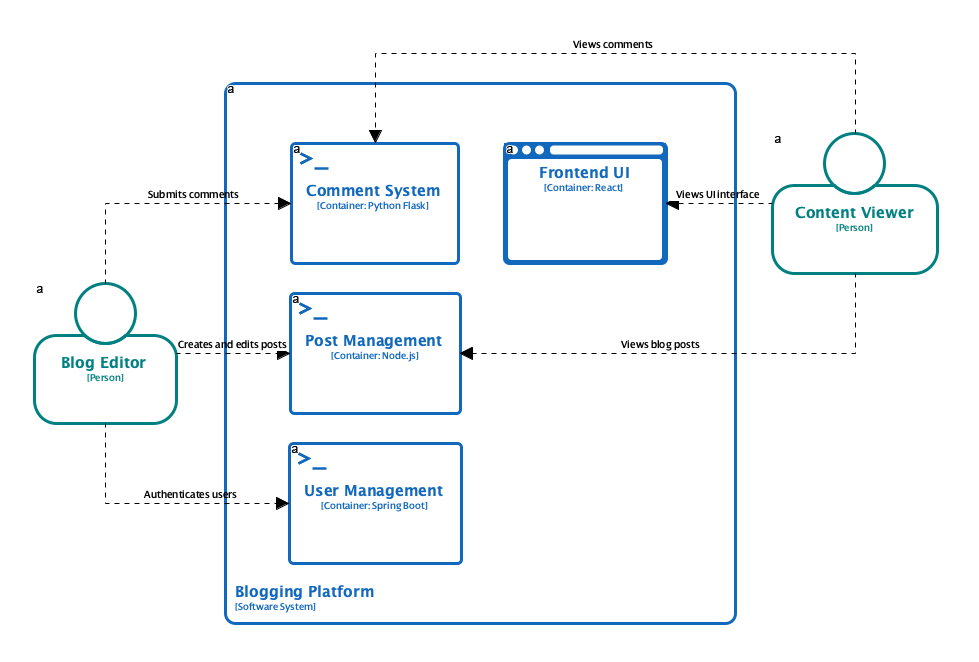
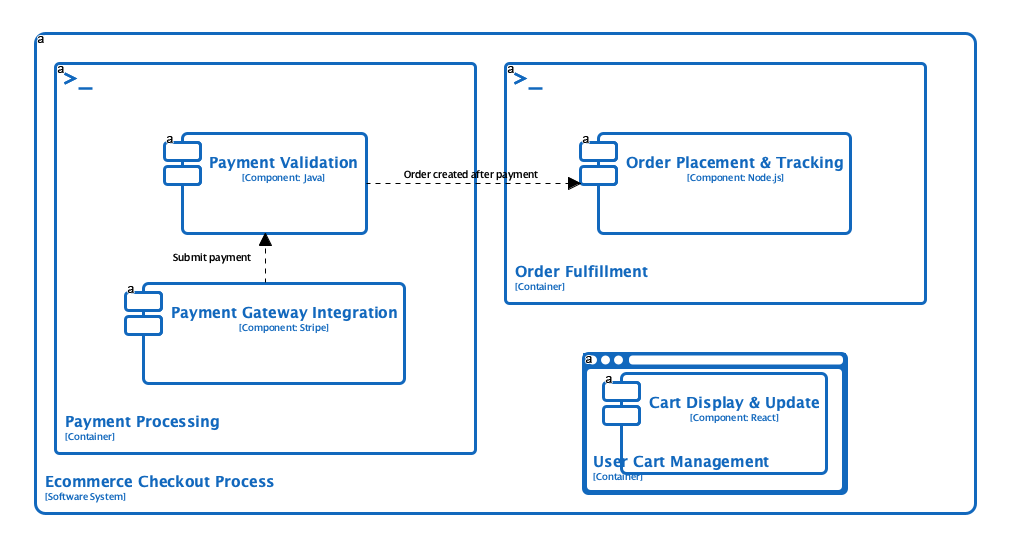
C4 Containers Diagram
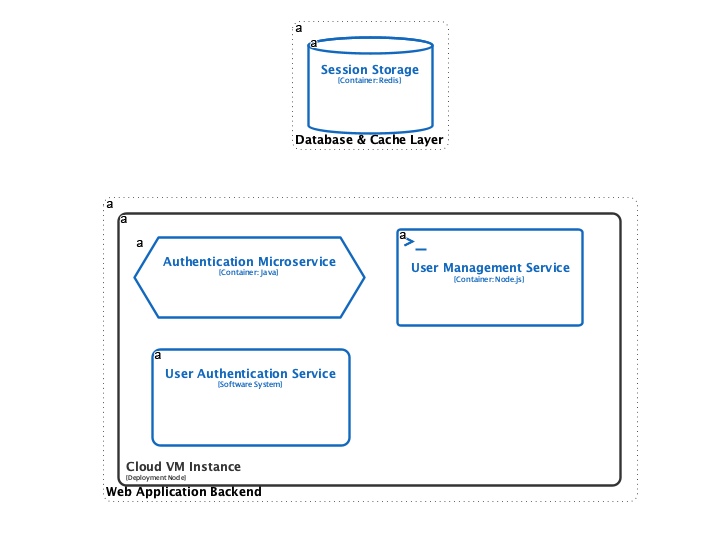
C4 Deployment Diagram
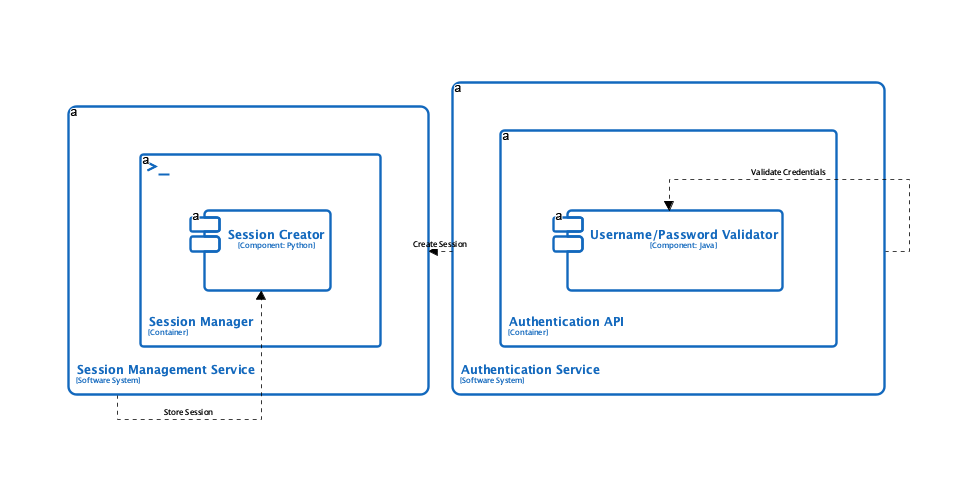
C4 Dynamic Diagram
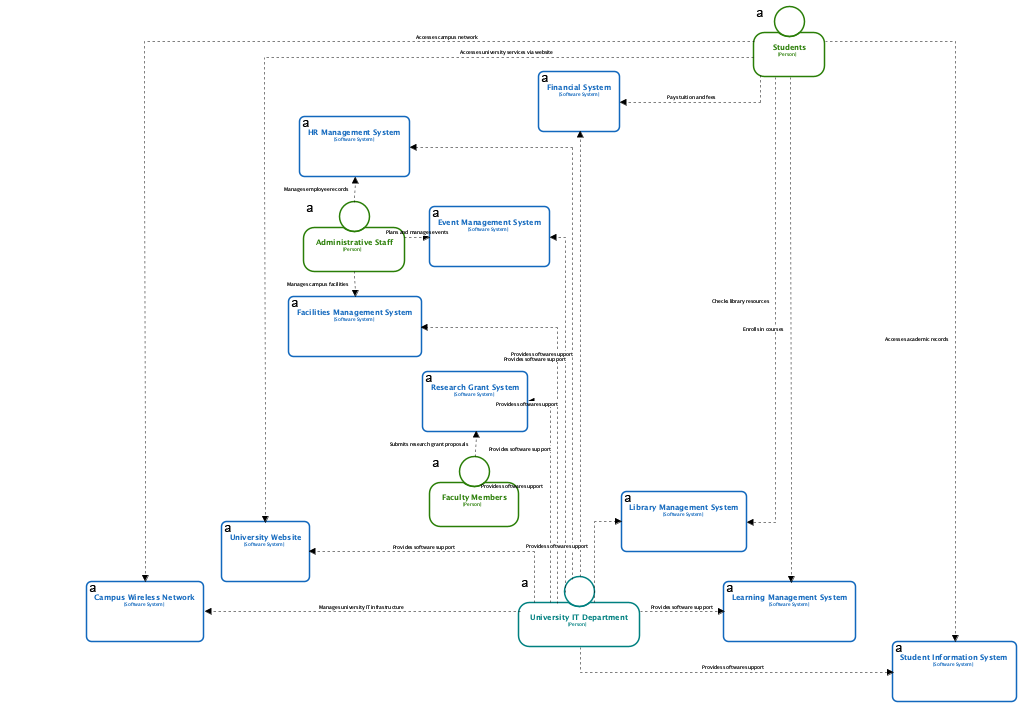
C4 System Landscape Diagram
C4 System Context Diagram
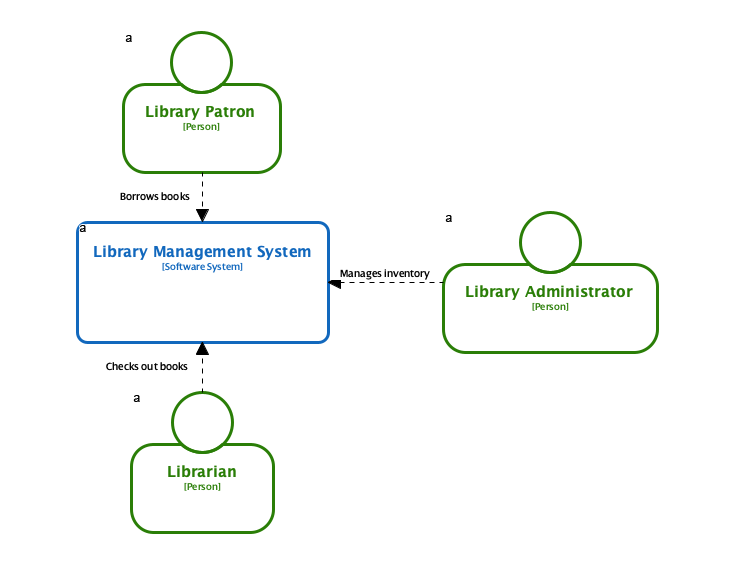
C4 Components Diagram
How to Access and Use the New AI C4 Feature
Accessing the AI C4 diagram generator is simple. The unified workflow allows you to quickly switch between the six C4 views based on your documentation needs.
- Click on Tools from the toolbar.
- Select AI Diagram Generation
- Select C4 Model from the Diagram Type Menu
- Select a C4 diagram type
- Enter a Topic
- See instant results
Ready to Achieve C4 Completeness?
The addition of the full C4 Model generation capability is a game-changer for software teams seeking comprehensive, consistent, and up-to-date architectural documentation. This feature is more than a diagramming tool; it’s a productivity multiplier that ensures you can quickly generate, review, and maintain all necessary views of your system.
Update your Visual Paradigm Desktop application today to experience the speed and precision of the most complete AI Diagram Generator on the market. Say goodbye to the blank canvas across all six architectural levels!