


Download Visual Paradigm Desktop
📉 Addressing the Challenge of Complex Architecture Visualization
Software documentation is challenging, often becoming outdated or inconsistent. While the C4 model offers a structured, hierarchical solution, architects typically had to rely on general drawing tools, making it difficult to enforce standard C4 notation and maintain diagram consistency.
This manual approach led to wasted time correcting visual syntax and adapting general shapes to fit the specific needs of System Context, Container, and Component views, distracting teams from core architectural design and communication.
✨ Introducing Native C4 Model Support: Structured Design, Simplified
This feature was built to streamline the process of documenting complex modern software systems. By offering dedicated support for the C4 standard, Visual Paradigm now ensures that you can design and communicate architecture with maximum clarity and minimum effort.
The new C4 Model Diagram support allows you to:
- Enforce C4 Standards: Utilize dedicated C4 shapes and templates to ensure your diagrams automatically follow the official notation and best practices.
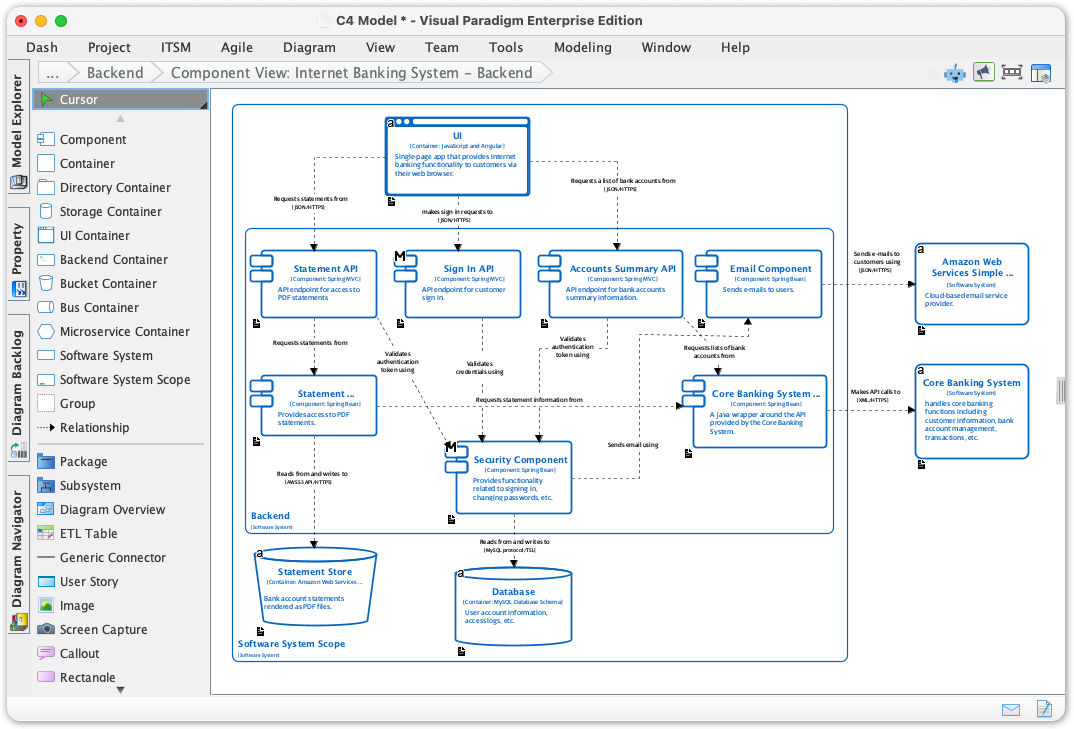
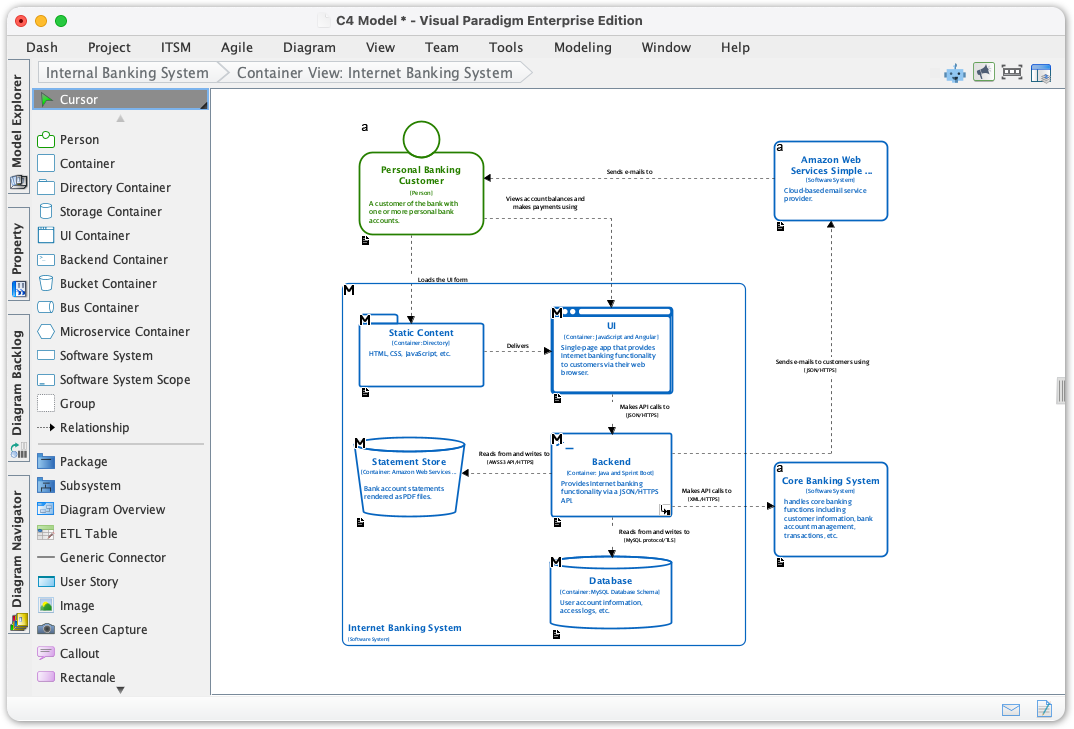
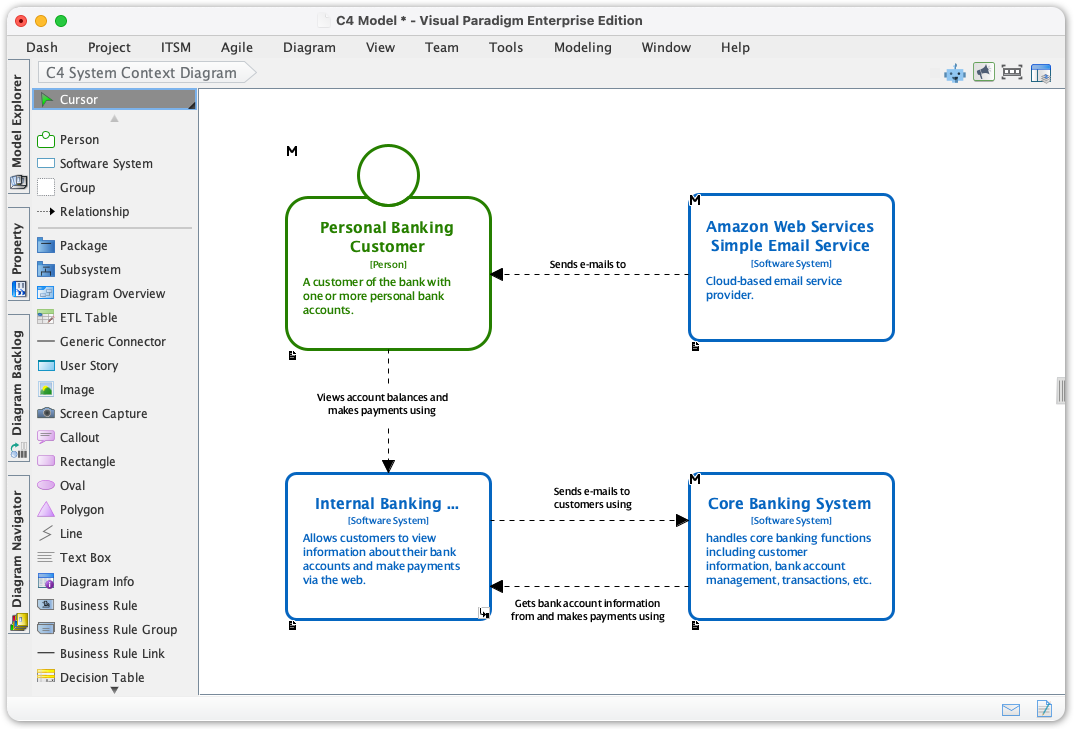
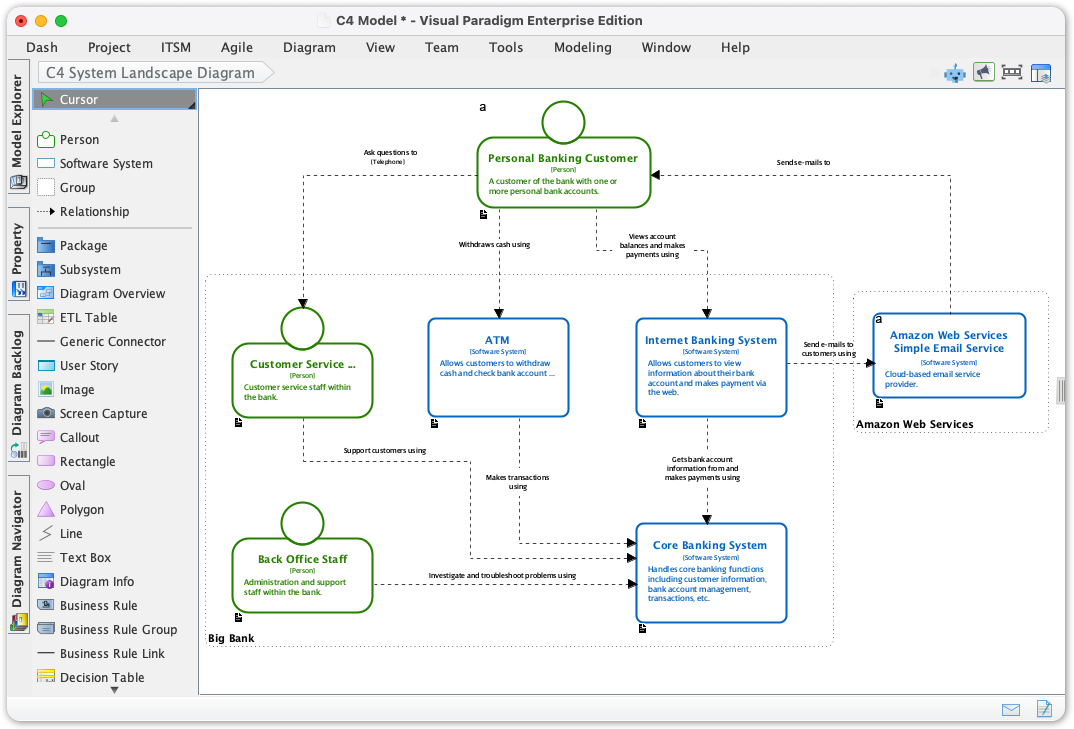
- Communicate Architectures Clearly: Easily create the full set of diagrams required to communicate with different audiences, from high-level business leaders (System Landscape) to technical implementers (Component and Deployment).
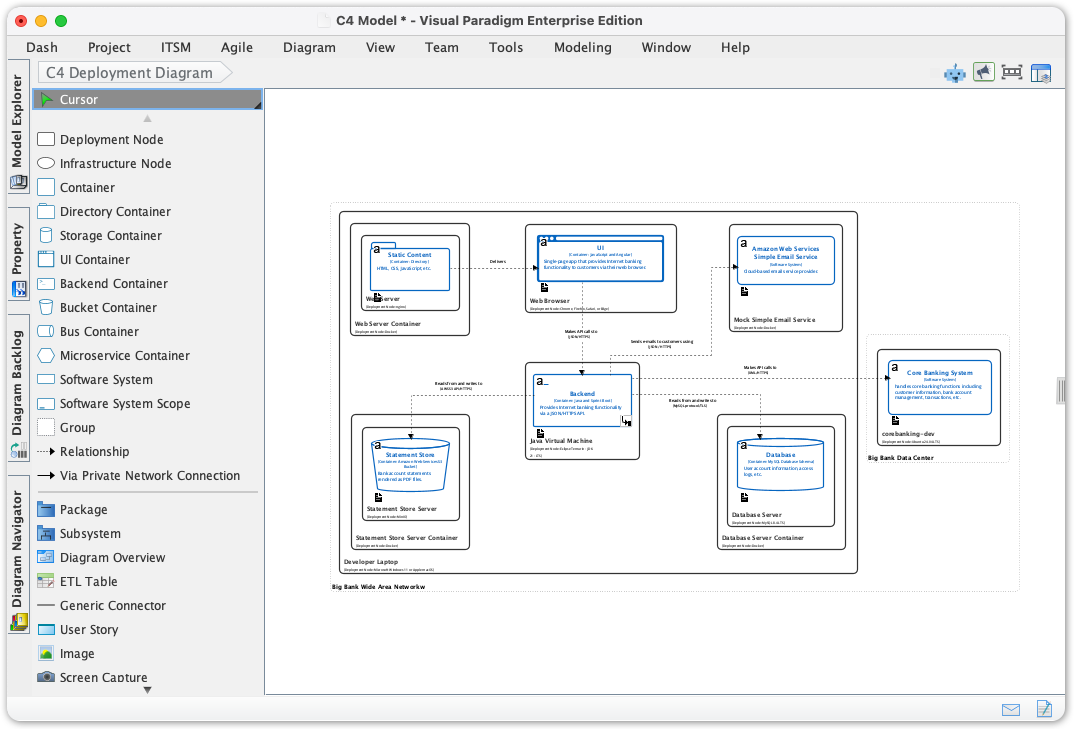
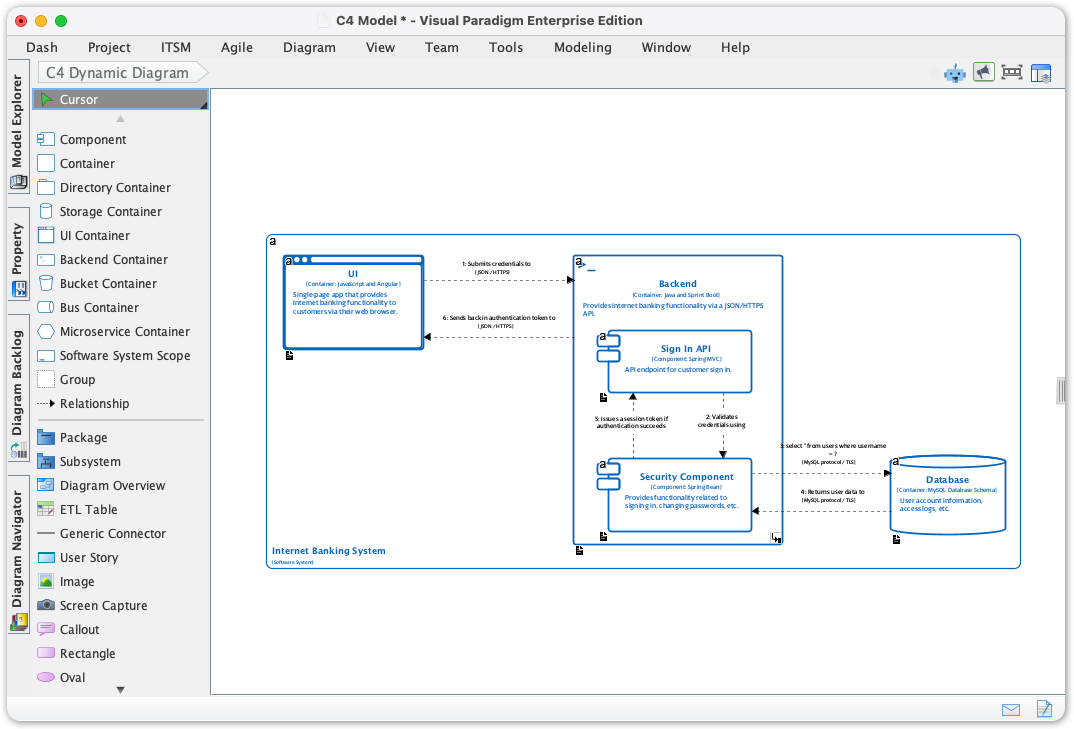
- Model Behavior and Infrastructure: Quickly define the interactions between components using the C4 Dynamic Diagram and map software to hardware with the C4 Deployment Diagram.
- Improve Team Alignment: Provide a single, consistent source of truth for your architecture across the entire development and operations lifecycle.
Full Suite of New Supported C4 Model Diagrams:
- C4 Component Diagram
- C4 Container Diagram
- C4 Deployment Diagram
- C4 Dynamic Diagram
- C4 System Context Diagram
- C4 System Landscape Diagram
⚙️ How to Access and Start Diagramming
Accessing the new C4 model tools is simple and integrated into the standard Visual Paradigm workflow:
- Click on Diagram from the toolbar.
- Select New
- Enter C4 in the search bar
- Select a C4 diagram type
- Start creating
🎯 Ready to Master Your Software Architecture Documentation?
The addition of native C4 Model support removes unnecessary complexity from architecture documentation, enabling you to focus on high-value design decisions rather than drawing. This is a game-changer for clear, scalable software development.
Update your Visual Paradigm Desktop application today and start creating structured, professional C4 Model Diagrams with unparalleled ease.
Want to learn more about C4 models? Visit https://c4model.com/