


Following our recent enhancement to the AI Chatbot for ArchiMate 4 import, we are thrilled to announce another major milestone for our desktop users. You can now generate professional-grade, native ArchiMate 4 diagrams directly inside Visual Paradigm Desktop using AI, complete with sophisticated support for ArchiMate Viewpoints.
This update empowers enterprise architects to bridge the gap between high-level strategic alignment and detailed model realization seamlessly, all within your trusted modeling environment.
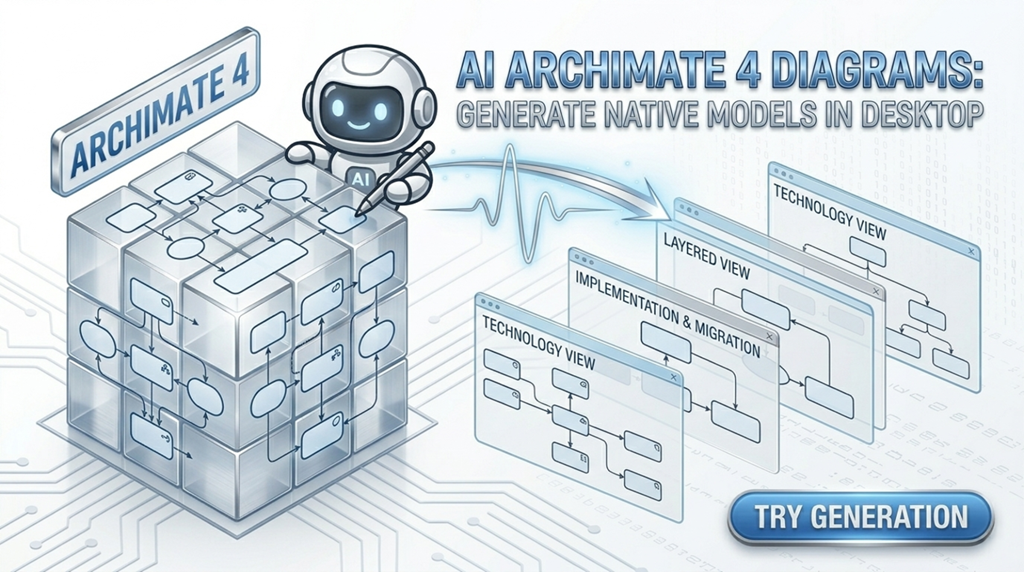
The Power of Choice: ArchiMate 4 and Specialized Viewpoints
Our powerful AI ArchiMate tool is now fully integrated into the Desktop application’s AI Diagram Generation suite. This means you can initiate rapid, precise AI ArchiMate generation without leaving your modeling canvas.
The most exciting part of this update is the precision it offers. When you select ‘ArchiMate 4 Diagram’ as your target, you unlock a dedicated “Viewpoint” drop-down menu. This allows you to generate models tailored to specific stakeholder concerns instantly.
How to Generate Native AI ArchiMate 4 Diagrams with Viewpoints
We’ve made the process intuitive. Here is the new workflow within Visual Paradigm Desktop:
- Access AI Tools: Select Tools > AI Diagram Generation from the main menu.
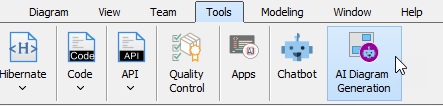
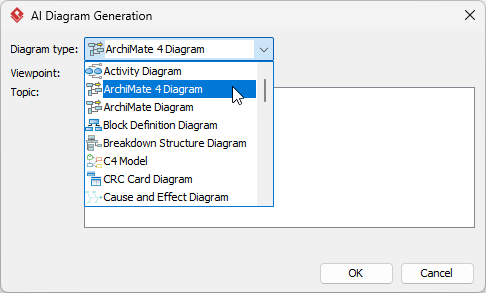
- Select the Standard: In the resulting dialog box, choose ‘ArchiMate 4 Diagram‘ as your desired diagram type.
- Choose Your Viewpoint (Optional but Recommended): This reveals the specific “Viewpoint” drop-down menu.
- If you know your specific concern (e.g., Application Usage, Implementation and Deployment), select it from the list. Learn more about ArchiMate Viewpoint support.
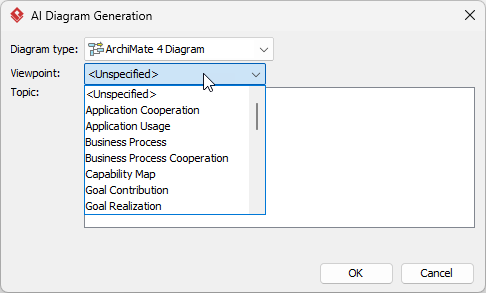
- If you just want to get started, you can skip the viewpoint selection.
- If you know your specific concern (e.g., Application Usage, Implementation and Deployment), select it from the list. Learn more about ArchiMate Viewpoint support.
- Describe Your Architecture: Enter your problem, scenario, or proposed solution in the Topic field.
- Instant Generation and Continuation: Click OK. A native ArchiMate 4 diagram is generated instantly on your canvas. You are free to carry on with professional modeling, refinement, and analysis in Visual Paradigm’s robust environment.
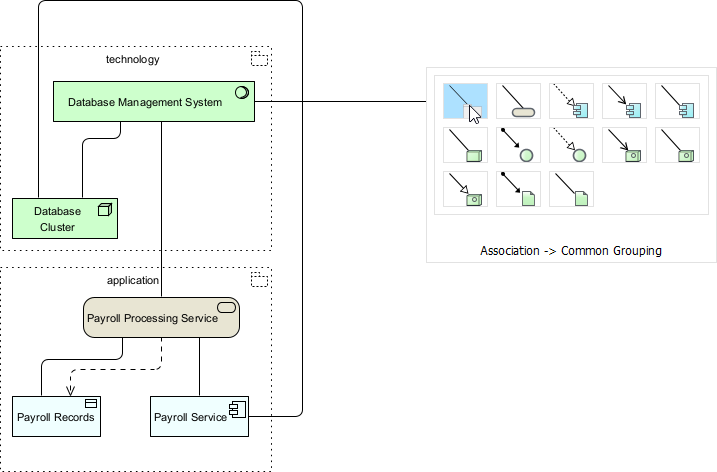
Unlock Strategic Blueprinting with AI and ArchiMate 4
This desktop enhancement provides unprecedented speed and precision for your AI ArchiMate diagram generation. By harnessing AI ArchiMate 4 generation directly at the viewpoint level, you ensure your models are immediately useful, stakeholder-focused, and compliant with the latest industry standards.
This tool drastically reduces the overhead of initial model setup, letting you focus your expertise on optimization and strategic analysis.