


 Download Visual Paradigm Desktop
📉 Addressing the Challenge of Manual EA Modeling
Before this release, creating a comprehensive Enterprise Architecture model often meant starting from a blank canvas. Architects and analysts faced the difficult task of translating high-level business requirements into detailed, structured diagrams. This required deep knowledge of the ArchiMate specification, careful selection of viewpoints, and laborious manual drawing, which often slowed down project kickoffs and strategic communication.
This challenge is amplified when needing to communicate the architecture to different stakeholders, as each group requires a specific, tailored view—the ArchiMate Viewpoint. Generating dozens of these specialized views by hand was simply not practical for agile teams.
🤖 Introducing AI ArchiMate & Viewpoints Generation: Instant Alignment
We built this feature to dramatically accelerate the initial stages of EA modeling and improve stakeholder communication. By automating the creation of ArchiMate elements and structuring them according to official Viewpoints, Visual Paradigm frees you to focus on strategy and validation, not on manual diagramming.
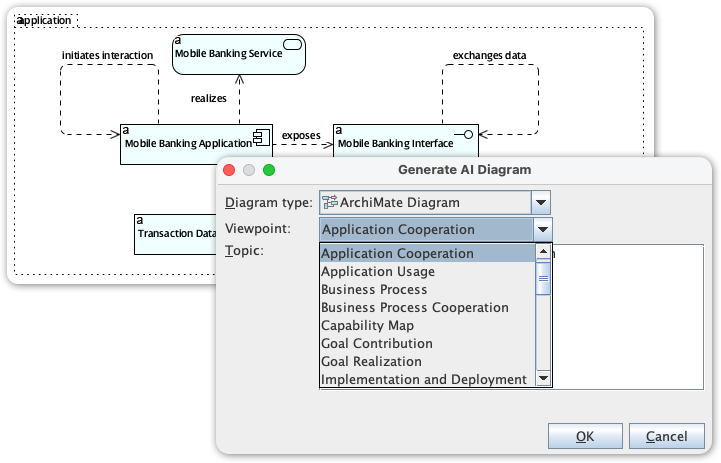
The new AI ArchiMate Generator and Viewpoints feature allows you to:
- Generate a Complete Diagram: Simply type a topic or a high-level requirement, and the AI drafts a comprehensive ArchiMate model.
- Access All Official Viewpoints: Instantly structure the output to fit any of the official ArchiMate viewpoints, ensuring the model is tailored for the intended audience. Supported viewpoints include:
- Application Cooperation
- Application Usage
- Business Process
- Business Process Cooperation
- Capability Map
- Goal Contribution
- Goal Realization
- Implementation and Deployment
- Implementation Migration
- Information Structure
- Introductory
- Migration
- Motivation
- Organization
- Outcome Realization
- Physical
- Principles
- Product
- Project
- Requirements Realization
- Resource Map
- Service Realization
- Stakeholder
- Technology
- Technology Usage
- Customize the Output: Define the desired audience (e.g., engineers, product managers) and tone (e.g., formal, technical) to ensure the generated model and accompanying explanation are perfectly tailored.
- Maintain Quality Control: Receive a generated, editable draft that you can refine and fact-check, ensuring the model aligns with your organizational standards while drastically reducing drawing time.
💡 How to Access and Use the New Feature
Getting started with your first AI-generated ArchiMate model takes only a few simple steps:
- Click on Tools.
- Select AI Diagram
- Select a specific ArchiMate Viewpoint from the dropdown menu (e.g., Product Viewpoint).
- Enter a topic
- Hit OK
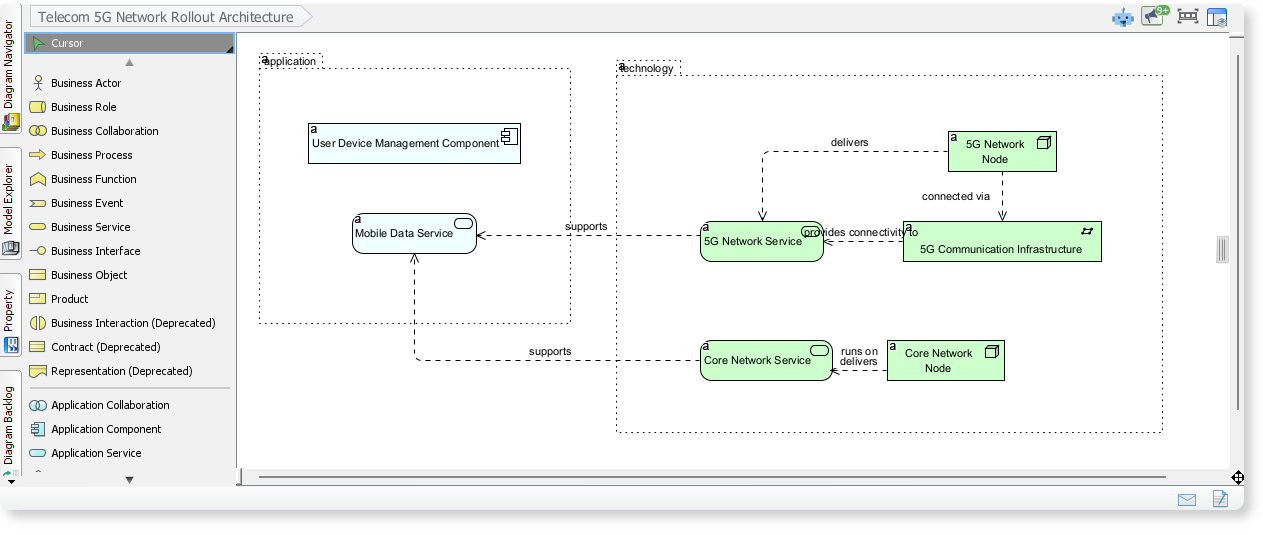
ArchiMate Example: Telecom 5G Network Rollout Architecture
Here is an ArchiMate diagram generated with VP AI Diagram Tool, outlines the core components involved in rolling out a 5G network. It shows how application services, network services, and infrastructure elements work together to deliver mobile data and 5G connectivity.
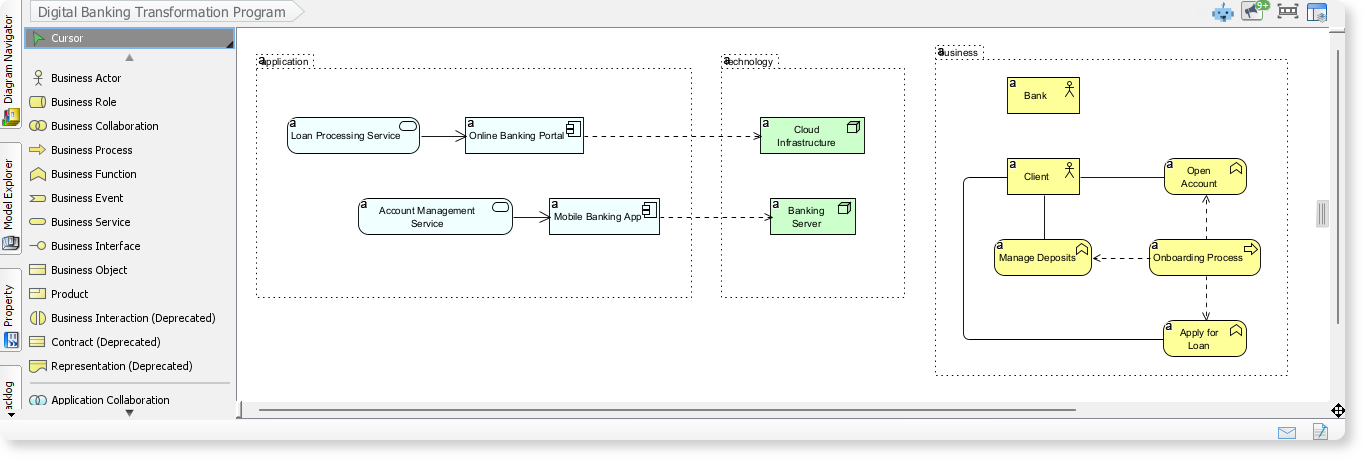
ArchiMate Example: Digital Banking Transformation Program
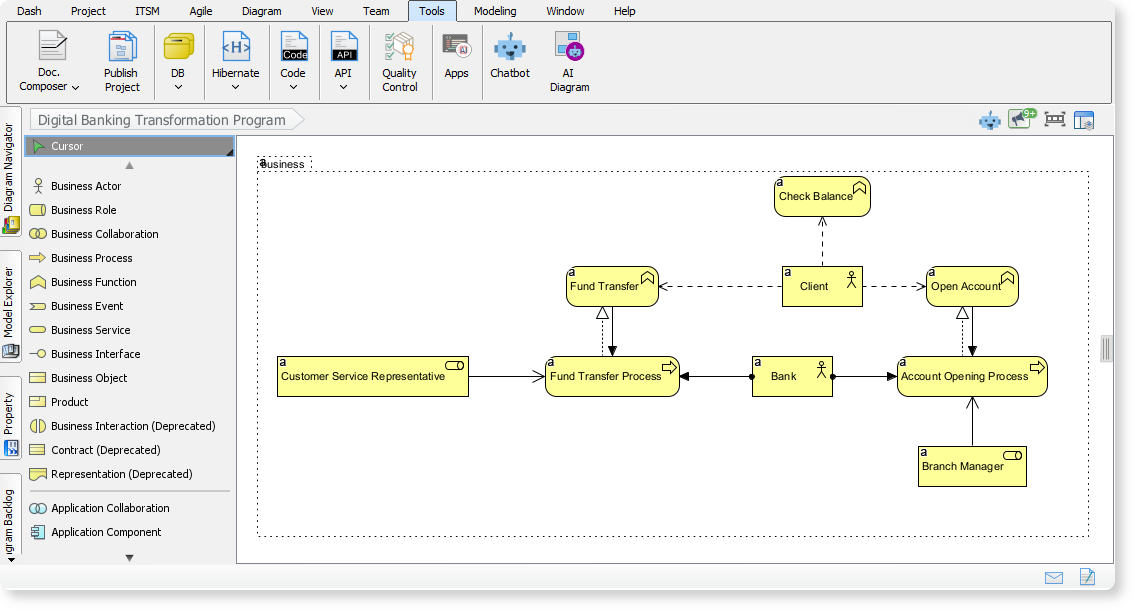
By entering “Digital Banking Transformation Program” into the AI Diagram Tool, an ArchiMate diagram is generated to illustrate how business processes, application services, and technology components interact in a modern digital banking environment are generated. ArchiMate diagrams help you understand how different layers of an enterprise architecture work together to deliver seamless digital banking experiences.
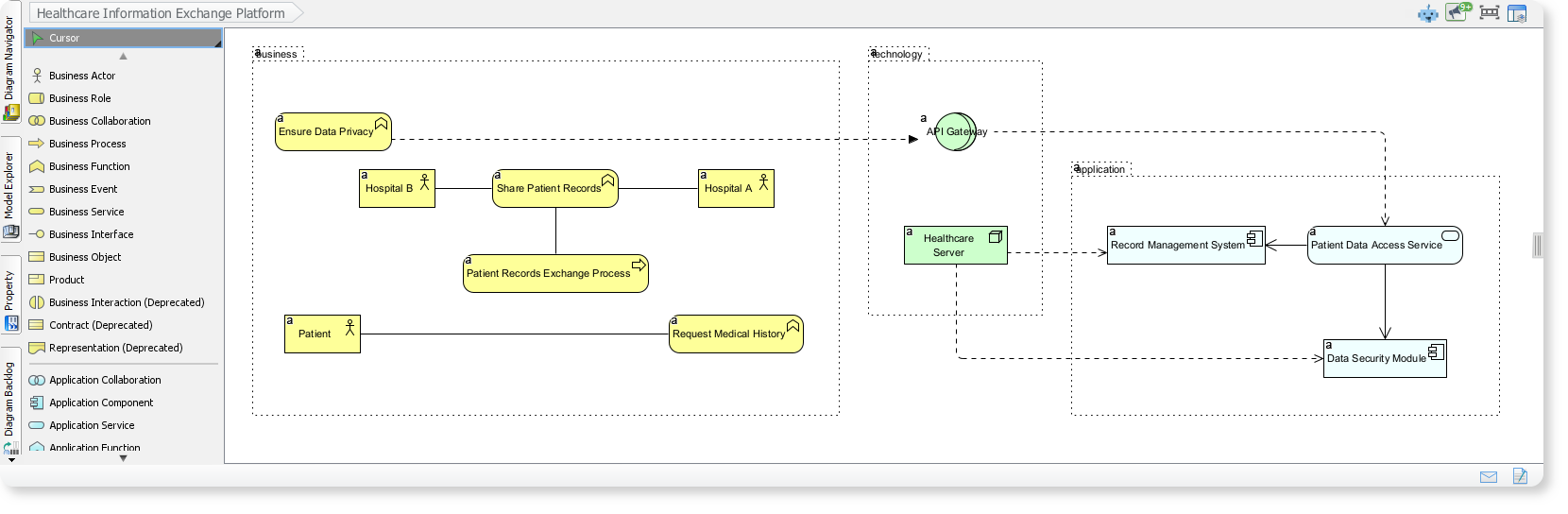
ArchiMate Example: Healthcare Information Exchange Platform
This ArchiMate diagram illustrates how hospitals, patients, and supporting applications collaborate to exchange medical records securely across a healthcare network. The AI-generated ArchiMate diagrams provide complete structure, help you visualize how business workflows, application layers, and technology components align to deliver a unified and secure healthcare information exchange.
✅ Ready to Achieve Business-IT Alignment Faster?
This powerful update elevates your Enterprise Architecture practice by removing the manual effort from diagramming. Whether you need to quickly sketch out a capability map for executives or detail a physical infrastructure view for the operations team, the AI ArchiMate Generator is your new essential tool.
Upgrade to the latest version of Visual Paradigm Desktop today and experience the future of professional, AI-assisted ArchiMate diagram creation.