


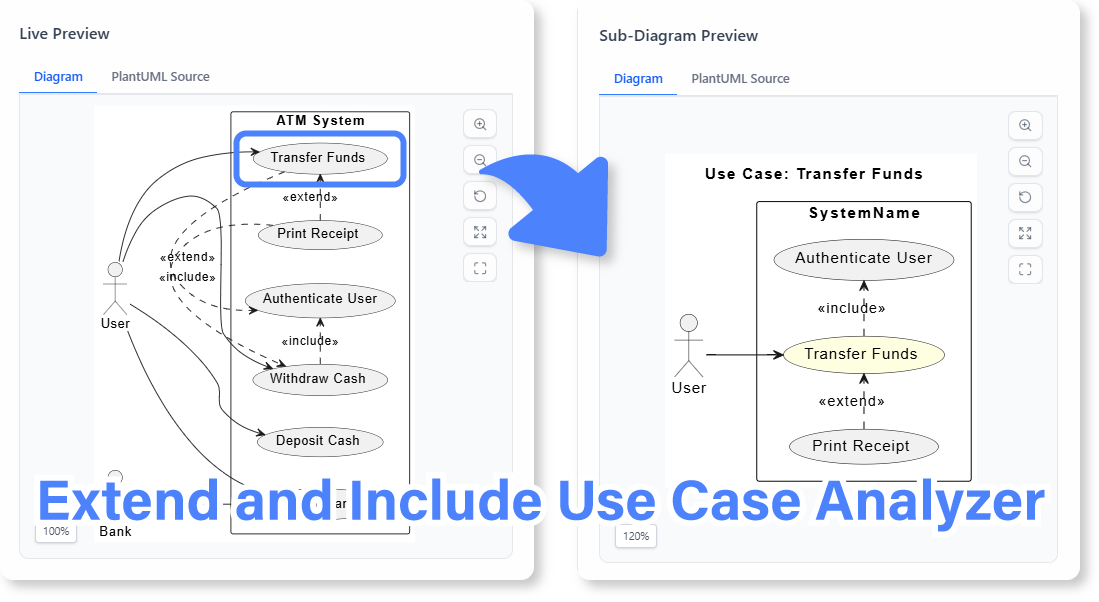
We are excited to launch the new Extend/Include Use Case Analyzer, a powerful and free AI extend include use case analyzer that simplifies the understanding and visualization of complex use case relationships. This intelligent wizard guides you through defining your use cases, generates a PlantUML diagram, and then critically, creates focused sub-diagrams to clearly illustrate `extend` and `include` relationships.
The Challenge of Visualizing Complex Use Case Relationships
Use case diagrams are essential for defining system functionality, but when `extend` and `include` relationships become numerous or intricate, the main diagram can become cluttered and difficult to read. Manually creating separate, focused diagrams to explain these specific relationships is tedious, time-consuming, and often overlooked, leading to potential misunderstandings in system design.
Introducing the Extend/Include Use Case Analyzer: Your Guide to Unraveling Use Case Logic
We built this tool to bring clarity to complex use case models. Our AI-powered wizard acts as an expert system analyst, guiding you through the process of defining your use cases and their relationships. It then generates a comprehensive PlantUML use case diagram and, most importantly, automatically creates focused sub-diagrams that isolate and highlight the `extend` and `include` relationships, making them easy to understand.
- Follow a Guided 3-Step Process: The tool walks you through defining your use cases, generating a main PlantUML diagram, and then creating specific sub-diagrams for `extend` and `include` relationships.

- AI-Powered Diagram Generation: Define your use cases and their relationships, and the AI will generate the corresponding PlantUML code and visual diagram.
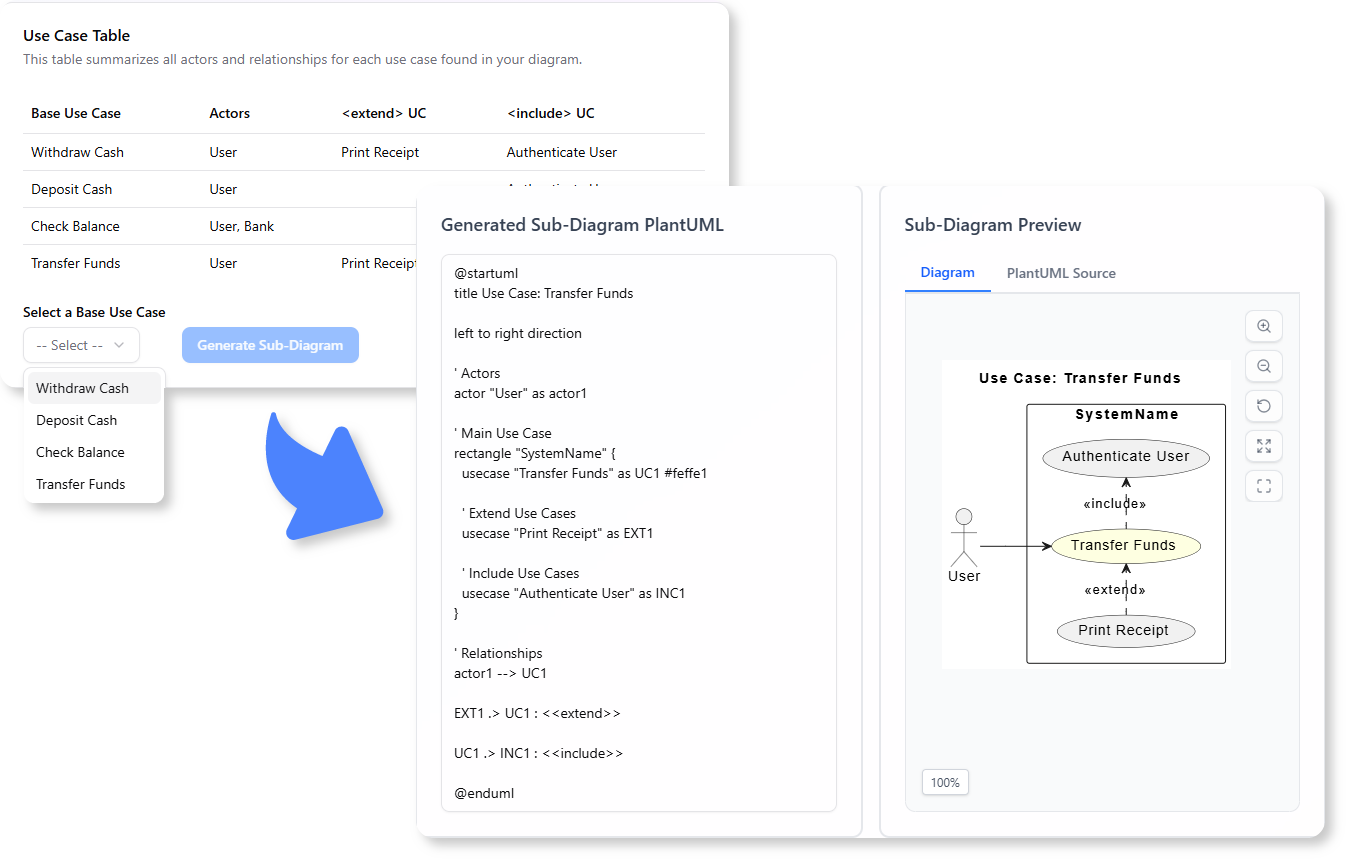
- Automated Sub-Diagram Creation: This is the core innovation. The tool automatically identifies `extend` and `include` relationships and generates separate, focused sub-diagrams to clarify these specific interactions.
- Improve Clarity and Communication: By breaking down complex relationships into digestible sub-diagrams, the tool significantly enhances the readability and understanding of your use case model for all stakeholders.
- A Powerful free extend include use case editor for Analysts: Perfect for business analysts, system designers, and students who need to create clear, comprehensive, and easily understandable use case models.
How to Analyze Your Extend/Include Use Cases
Clarifying complex use case relationships is now simpler than ever. Here’s how to access the tool:
- For Visual Paradigm Online users: Navigate directly to the app at https://ai-toolbox.visual-paradigm.com/app/extend-include-use-case-analyzer/.
- For Visual Paradigm Desktop users: Open your desktop application, go to the Tools > App menu, and select the Extend/Include Use Case Analyzer.
Once you’re in the app, follow this three-step wizard:
- Step 1: Define Use Cases: Input your primary use cases and their actors, along with any `extend` or `include` relationships.
- Step 2: Generate Main Diagram: The tool will generate a PlantUML use case diagram based on your input, which you can review.
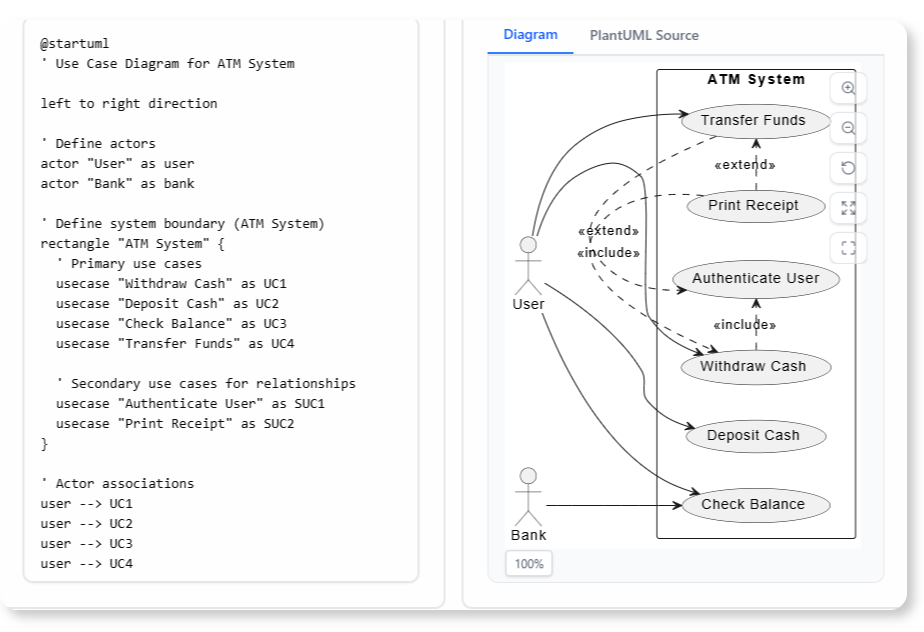
- Step 3: Generate Sub-Diagrams: The AI will then analyze the main diagram and automatically generate focused sub-diagrams to clearly illustrate each `extend` and `include` relationship.
Ready to Design Systems with Unambiguous Use Cases?
Eliminate confusion and ensure crystal-clear understanding of your system’s functionality. The Extend/Include Use Case Analyzer provides the automated assistance you need to visualize and document complex use case relationships, accelerating your design phase and improving communication among your team.
Learn More:
Discover more about the Extend/Include Use Case Analyzer and how it can enhance your system design process.