


We are excited to introduce a powerful new tool for developers: the AI JSON CRUD table maker. This innovative utility dramatically speeds up your workflow by instantly generating a fully functional web interface for data management from a simple text description, and can even populate it with realistic fake data for immediate use.
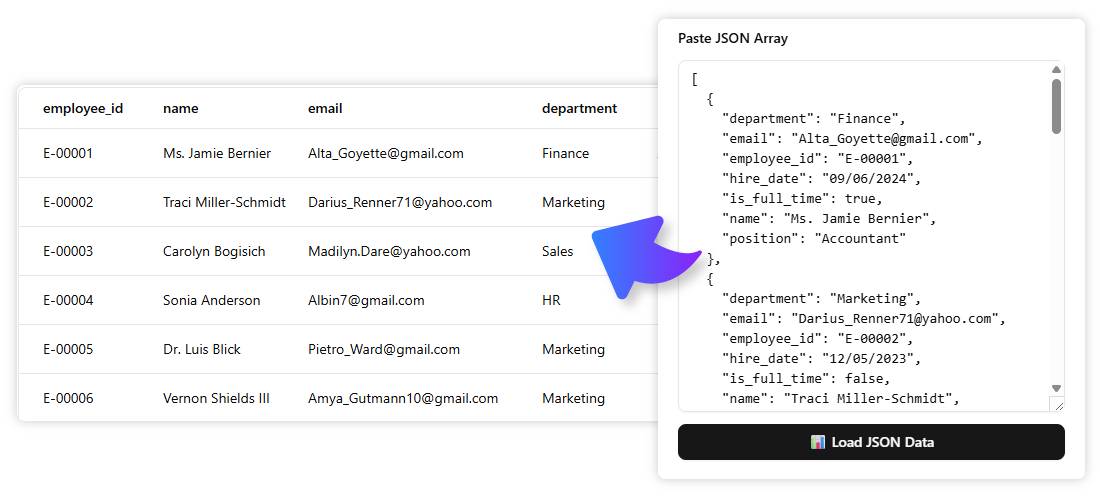
The Hassle of Prototyping and Managing Data
Developers often need a quick way to visualize and interact with a data structure for prototyping, testing, or small projects. This typically involves a lot of tedious overhead: setting up a database, building a backend API, creating a UI, and generating seed data just to perform simple CRUD (Create, Read, Update, Delete) operations.
Introducing the JSON CRUD Table Maker: From Text to Live Data Table in Seconds
We built this tool to provide developers with a zero-setup environment that instantly creates a functional data management interface. It’s designed to eliminate boilerplate work, allowing you to focus on the core logic of your application instead of on building temporary admin panels or writing data-seeding scripts.
- AI-Powered Schema Generation: Simply describe the data you want to manage (e.g., “a list of users with a name, email, and status”), and our AI will generate the corresponding JSON CRUD table with the correct columns and data types.
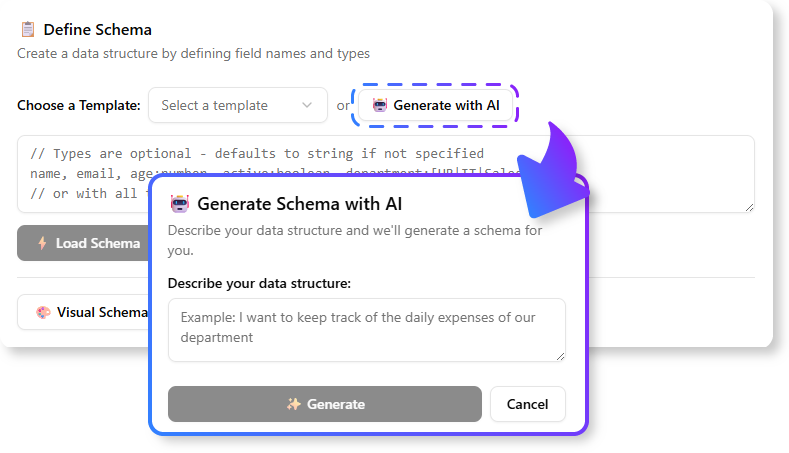
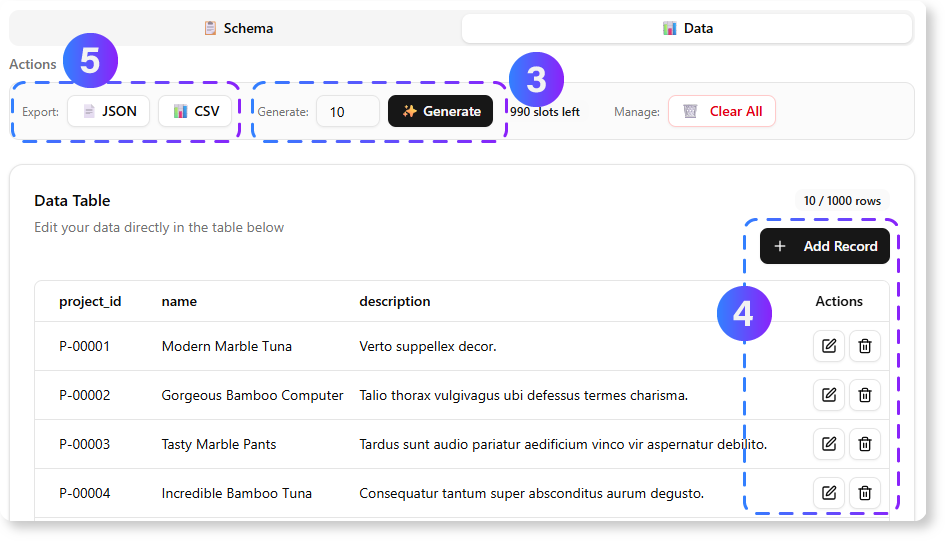
- Instant Fake Data Population: With a single click, populate your newly created table with realistic-looking fake data, giving you a ready-made dataset for testing and prototyping immediately.
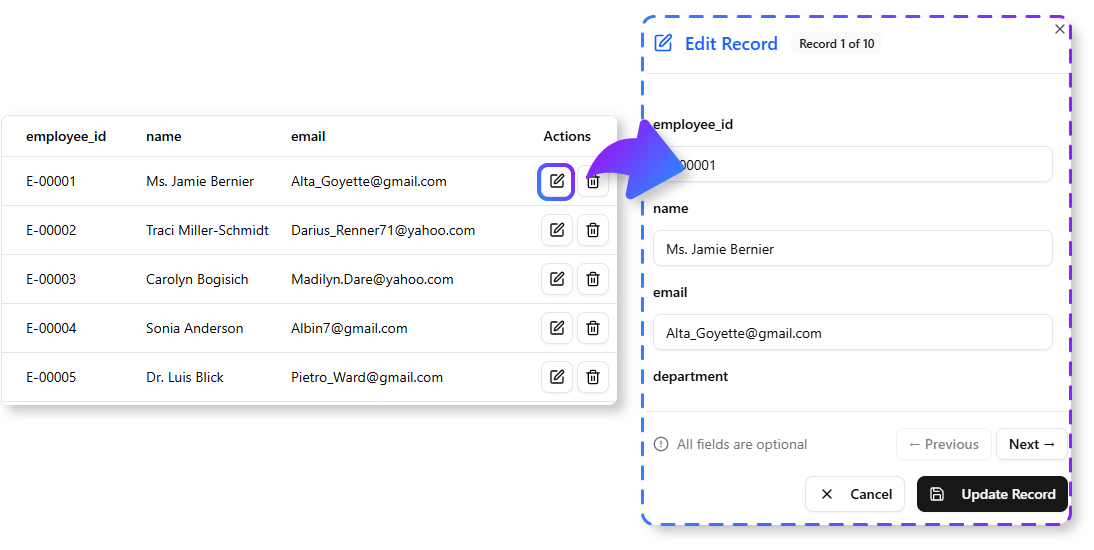
- Full CRUD Functionality Out-of-the-Box: Get an instant, fully functional web UI to Create, Read, Update, and Delete data entries without writing a single line of code.
- Flexible Online Editing: Use the powerful crud table editor online to easily modify data types, add new fields, and manage your data structure on the fly.
- Export Your Data with Ease: When you’re ready, simply export your data to a clean JSON file for use in your applications or for seeding a permanent database.
How to Generate Your CRUD Table
Getting started is incredibly fast. Here’s how to access the tool:
- For Visual Paradigm Online users: Visit the app page directly at https://ai-toolbox.visual-paradigm.com/app/json-crud/.
- For Visual Paradigm Desktop users: Open your desktop application, go to the Tools > App menu, and select the JSON CRUD tool from the gallery.
Note on Availability: This advanced tool is available to Visual Paradigm Online users with a Combo Edition (or higher) subscription. For desktop users, it is available in the Professional Edition (or higher) with active software maintenance.
Once you’re in the app, the workflow is simple:
- Describe Your Data Schema/ Upload JSON File: In the input field, type a natural language description of the data you want to manage. For example: “A bug tracker with an ID, title, priority, and status.” You can also directly upload a JSON file to it.
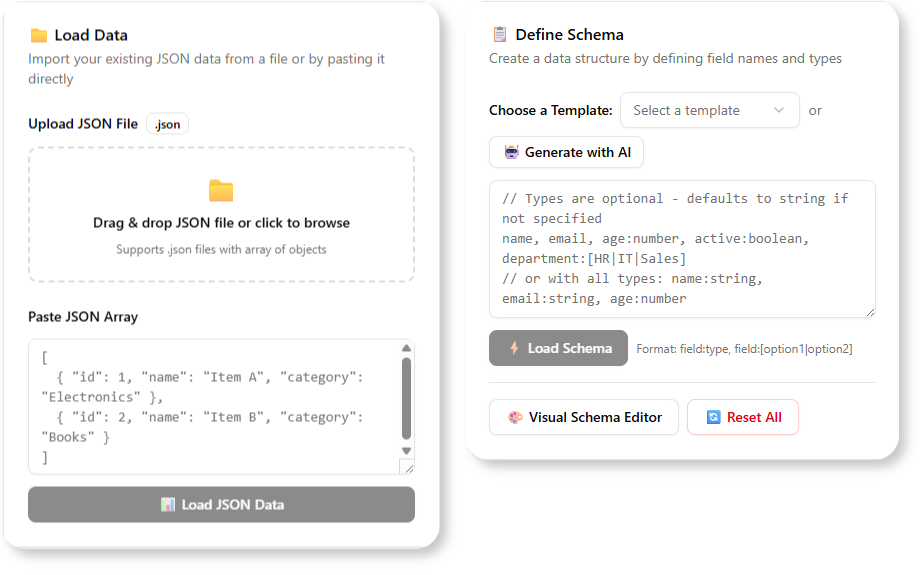
- Generate the Table: The AI will interpret your request and create a live, interactive CRUD table with the appropriate columns.
- Populate with Fake Data (Optional): Click the “Generate Fake Data” button to instantly fill the table with realistic sample data.
- Manage Your Data: Use the intuitive UI to add new rows, edit existing entries, or delete records as needed.
- Export to JSON: When you’re done, click the “Export” button to download your data as a well-formatted JSON file.
Ready to Supercharge Your Development Workflow?
Stop wasting valuable time on the repetitive setup of data management and seeding. The AI JSON CRUD Table Maker is the fastest way to go from a data concept to a fully interactive and populated table, empowering you to prototype and build faster than ever before.
Learn More:
Discover more about the JSON CRUD Table Maker and how it can accelerate your projects.