


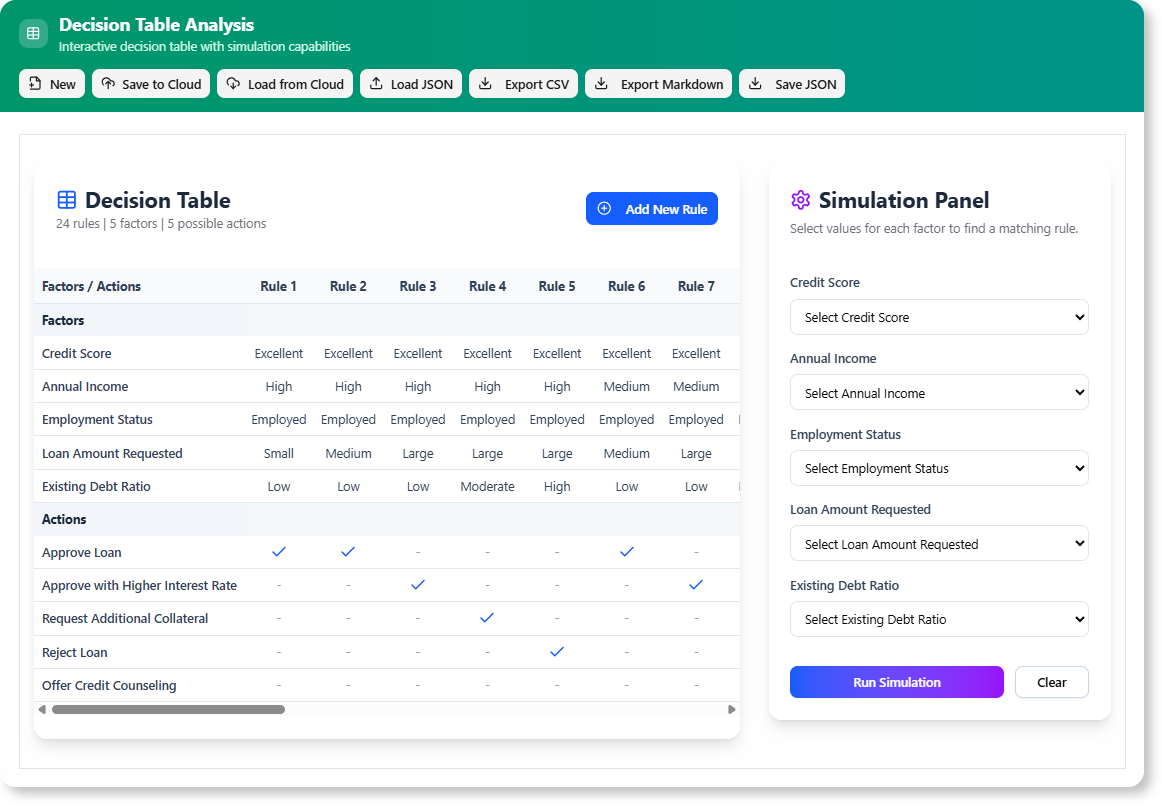
Tired of manually mapping out complex business rules? We are thrilled to introduce the brand new AI Decision Table tool, a powerful new feature within Visual Paradigm Online designed to transform your business logic into clear, actionable, and error-free decision tables. This intelligent tool automates the tedious process of defining conditions and outcomes, allowing you to build comprehensive decision models in a fraction of the time.
Addressing the Challenge of Manual Rule Definition
Creating a thorough decision table has always been a meticulous and time-consuming task. Teams often struggle with identifying all possible conditions, mapping them to the correct actions, and ensuring no scenario is overlooked. This manual process is not only slow but also prone to human error, leading to inconsistent or incomplete business logic that can have significant consequences.
Introducing the AI Decision Table Tool: Your Intelligent Assistant
The AI Decision Table tool was built to eliminate this complexity. By leveraging a sophisticated AI engine, it acts as your intelligent assistant, guiding you from a simple description to a complete, interactive decision table. This empowers you to focus on the strategic aspects of your business rules rather than getting bogged down in the operational details.
- Accelerate Rule Creation: Automatically generate factors (conditions) and actions from a simple natural language description of your business problem.
- Ensure Complete Coverage: Let the AI generate a full set of rules, ensuring every possible combination of factors is accounted for, which minimizes gaps and errors.
- Increase Team Alignment: Create a clear, unambiguous source of truth that your entire team can understand, test, and validate.
- Refine and Control: Maintain full authority with the ability to review, edit, and refine the AI’s suggestions at every stage of the process.
- Simulate and Validate: Interactively test your logic in the built-in simulator to instantly see the outcome for any given set of conditions.
How to Access and Use the New Feature
Getting started with the AI Decision Table tool is simple. Here’s how you can access it:
- For Visual Paradigm Online Users: Simply navigate to the AI Decision Table tool directly in your browser.
- For Visual Paradigm (Desktop) Users: Open your desktop application, select Tools > App from the main menu, and choose the Decision Table app from the list.
Once you’re in the app, follow this straightforward three-step workflow:
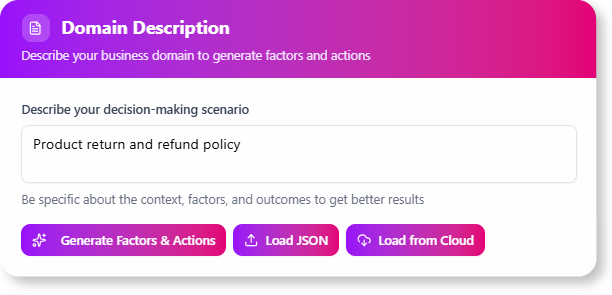
- Describe Your Domain: Start by writing a plain-text description of the business problem or decision you need to model. The more detailed your description, the better the AI’s initial suggestions will be.
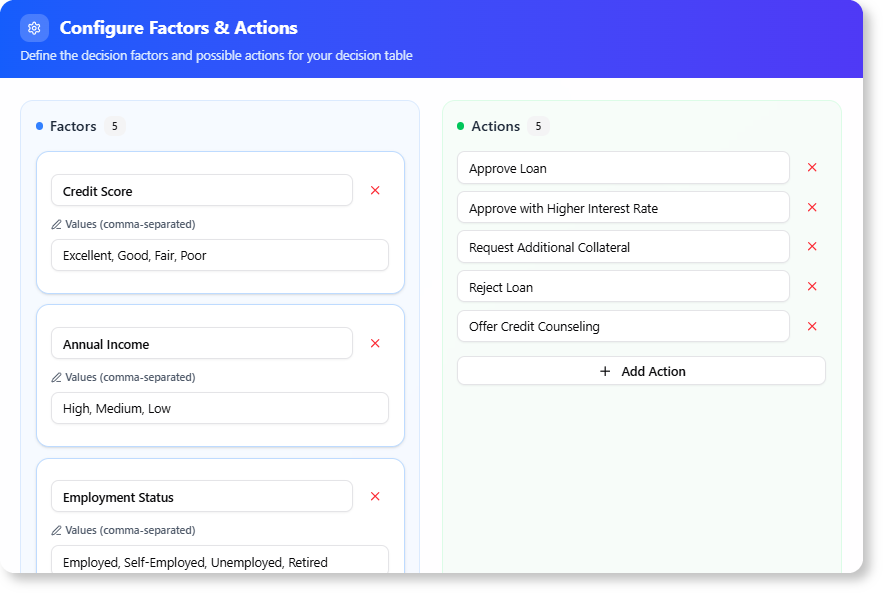
- Refine Factors and Actions: The AI will analyze your text and propose a set of “Factors” (conditions) and “Actions” (outcomes). In this step, you can easily add, edit, or delete any of the suggestions to perfectly match your requirements.
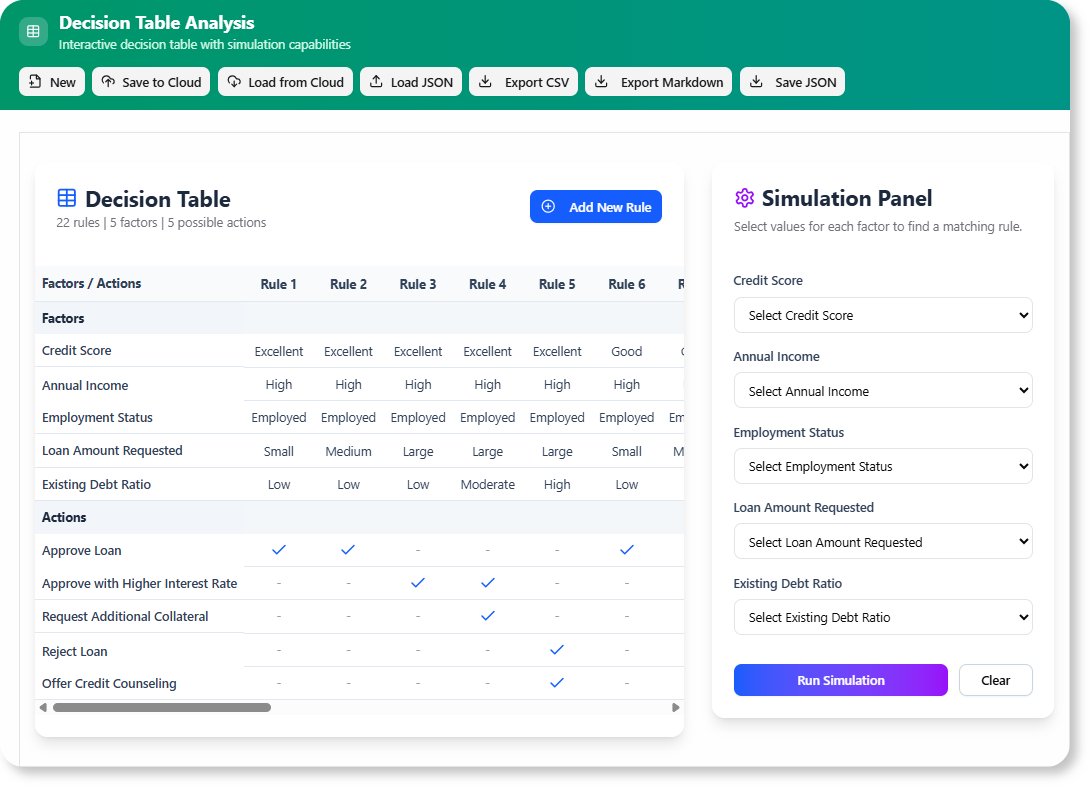
- Generate and Simulate: With your refined factors and actions, click to generate the complete decision table. The tool will produce all the rules and present them in an interactive simulator where you can test your logic and make final adjustments.
Ready to Automate Your Business Logic?
The AI Decision Table tool is a game-changer for anyone involved in business analysis, system design, or process management. It streamlines complexity, reduces errors, and frees up your valuable time. This feature is now available for all Visual Paradigm Online users with a Combo Edition (or higher) subscription, and for Visual Paradigm desktop users with the Professional Edition (or higher) and active maintenance.
Essential Links and Next Steps
- Learn More: For a detailed guide and more examples, visit our Decision Table Generator page.