


We’re excited to announce the launch of our new Benchmarking Analysis app, a guided and free benchmarking analysis tool designed to help you systematically compare your performance against competitors and industry leaders. This powerful wizard walks you through the entire benchmarking process, from defining your goals to creating an actionable improvement plan.
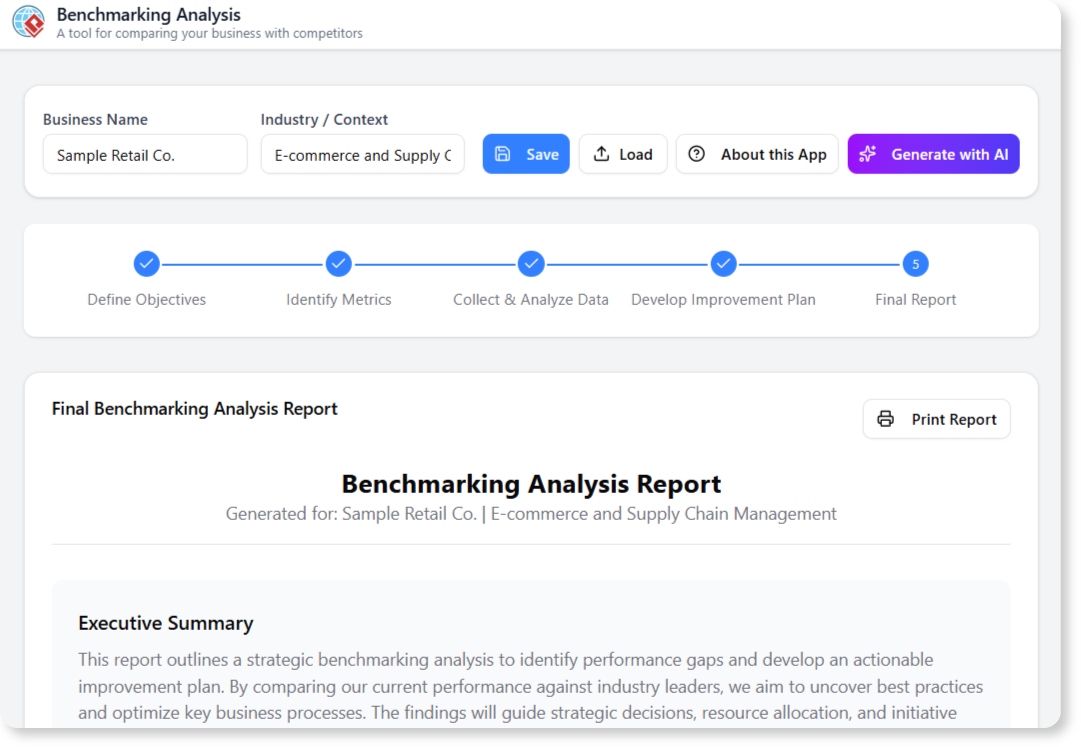
Struggling to See How You Measure Up?
Benchmarking is more than just a simple comparison. To be effective, it requires a structured process of setting objectives, identifying the right metrics, collecting data, and then turning those insights into a real plan. Without a guided framework, it’s easy to get lost in the data and fail to produce meaningful business improvements.
Introducing the Benchmarking Analysis Tool: A Guided Path to a Competitive Edge
We created this tool to provide a structured, step-by-step wizard for conducting a complete benchmarking project. It ensures you not only see how you measure up, but that you also create a concrete plan to close the gap and gain a competitive edge.
- Follow a Proven 5-Step Process: The tool guides you through the complete benchmarking cycle: Define Objectives, Identify Metrics, Collect & Analyze Data, Develop an Improvement Plan, and Generate a Final Report.
- AI-Powered Assistance at Every Stage: Let our AI help you brainstorm your project objectives, suggest relevant KPIs for your industry, and even help formulate strategies for your improvement plan.

- Go Beyond Data with Action Plans: This tool doesn’t just show you the gaps; it includes a dedicated step to help you develop a concrete plan of action to address your findings and drive real change.
- Visualize Performance Gaps: Clearly see how you stack up against your competitors across the key metrics you’ve defined, making it easy to identify your strengths and weaknesses.
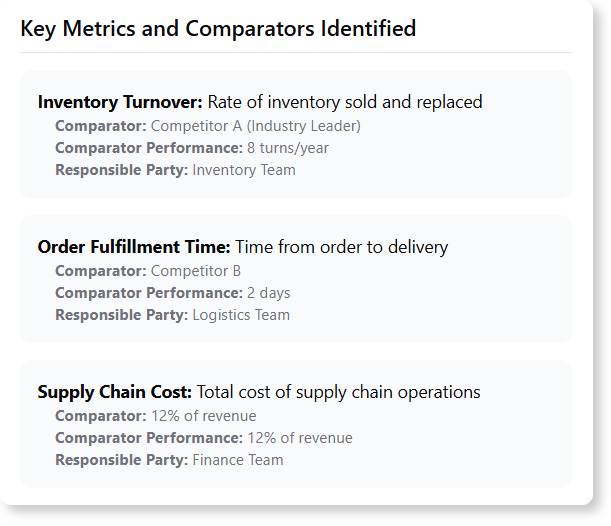
- Generate a Comprehensive Report: Instantly compile your entire project—from objectives to action plan—into a single, professional report to share with stakeholders and guide your implementation.
How to Conduct Your Benchmarking Analysis
Gaining a competitive perspective is a simple, guided process. Here’s how to access the tool:
- For Visual Paradigm Online users: Navigate directly to the app at https://ai-toolbox.visual-paradigm.com/app/benchmarking-analysis/.
- For Visual Paradigm Desktop users: Open your desktop application, go to the Tools > App menu, and select the Benchmarking Analysis tool from the gallery.
Once you’re in the app, follow the five-step wizard:
- Define Objectives: Start by clearly stating the goals of your benchmarking study. What do you want to learn and improve?
- Identify Metrics: Determine the specific, measurable KPIs you will use to compare performance.
- Collect & Analyze Data: Input the data for your organization and your chosen benchmarks to analyze the performance gaps.
- Develop Improvement Plan: Based on your analysis, create a list of specific actions and initiatives to close the gaps and improve performance.
- Generate Final Report: The tool will compile your entire analysis and action plan into a comprehensive report.
Ready to Outperform the Competition?
Stop guessing and start knowing. The Benchmarking Analysis tool gives you the guided process you need to understand your competitive landscape, close performance gaps, and build a winning strategy. Elevate your performance by learning from the best in your industry today.
Learn More:
Read our guide to learn more about the Benchmarking Analysis Tool and how to apply it effectively.