


Visual Paradigm is excited to announce the latest update to OpenDocs, our AI-powered knowledge management tool. While OpenDocs continues to lead the way in automated documentation, we are expanding our core visual toolkit by introducing a feature many of you have been waiting for: Professional Mind Mapping.
Effective documentation is more than just text; it’s about visualizing relationships. With the addition of Mind Maps, OpenDocs now provides a dedicated way to brainstorm, organize hierarchies, and map out complex ideas directly alongside your technical documents.
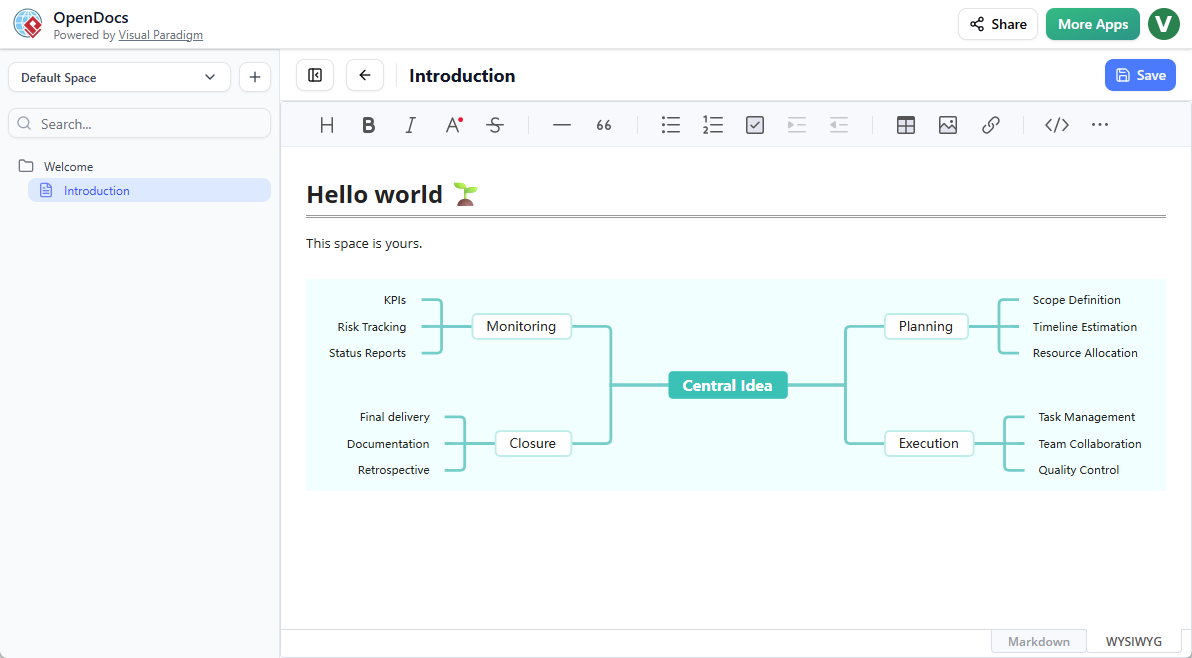
Visual Thinking, Integrated Directly into Your Workflow
The new mind map tool is designed for clarity and speed. Whether you are a system analyst breaking down project requirements or a teacher organizing course materials, our mind map integration ensures your ideas remain structured and easy to digest.
As part of the OpenDocs ecosystem, you can utilize Mind Maps in two powerful ways:
- Embedded Components: Seamlessly drop a mind map into any Markdown document. This is perfect for providing a visual summary of the detailed text that follows.
- Dedicated Component Pages: Need more room to breathe? Create a standalone Mind Map page within your Space to serve as a high-level project roadmap or a centralized brainstorming hub.
Key Benefits of Mind Mapping in OpenDocs
By bringing your brainstorming into this AI-powered knowledge management tool, you move away from scattered files and into a unified workspace. Key advantages include:
- Centralized Knowledge: No more jumping between different apps. Keep your mind maps in the same “Space” as your sequence diagrams and technical specs.
- Collaborative Sharing: Publish your entire workspace with a single link. Stakeholders can view your mind maps and documentation in a beautiful, read-only web view without needing an account.
- Professional Formatting: Create clean, presentation-ready diagrams that maintain consistency with the rest of your professional documentation.
- Cloud-Based Accessibility: Access and edit your maps from any web browser, ensuring your ideas are never out of reach.
How to Create a Mind Map?
As part of a document page
- Open your page in OpenDocs.
- Click on the Edit button at the top right.
- In the page editor, click at where you want to insert a mind map.
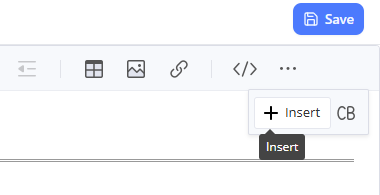
- Click on the Insert button at the button bar.
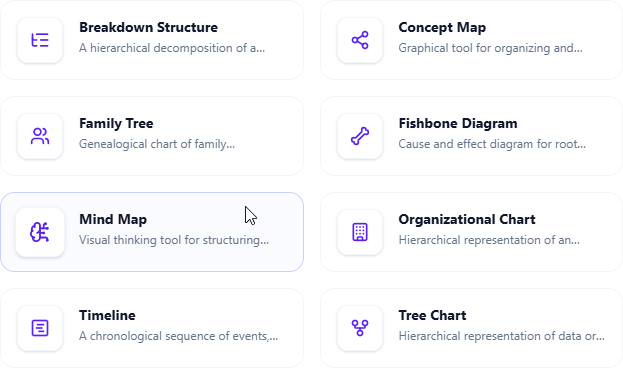
- Select Mind Maps > Mind Map.
- Start editing your mind map.
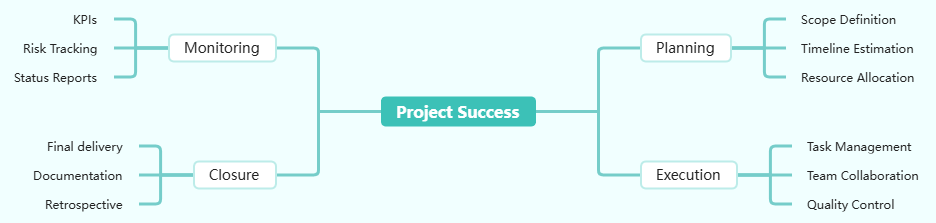
- When finished, click Save at the top right.
- Click Close to return to the document page editor.
As an independent component
- On the top of the table of contents pane, click on + and then select New Component Page.
- Select Mind Maps > Mind Map.
- Start editing your mind map.
- When finished, click Save at the top right.
Start Visualizing Your Projects Today
Ready to organize your next big idea? Dive into OpenDocs and explore the new mind map capabilities.
The First of Many New Visual Tools
The Mind Map is just the beginning of this update cycle. We are also rolling out support for several other essential chart types—including Fishbone Diagrams, Timelines, and Organization Charts—to help you build the most comprehensive documentation possible.
OpenDocs is available for users with a Visual Paradigm Online (Combo Edition) or Visual Paradigm (Professional Edition) license.