


Tired of project confusion and tasks falling through the cracks? We’re excited to launch the free RACI tool, a powerful new addition to Visual Paradigm Online that solves this problem head-on. This intuitive app helps you clearly define roles and responsibilities, ensuring every team member knows exactly what’s expected of them, leading to smoother projects and better outcomes.
Addressing the Challenge of Unclear Project Roles
In any project, ambiguity is the enemy of progress. When team members aren’t sure who is responsible for what, deadlines get missed, work is duplicated, and accountability suffers. This lack of clarity can quickly lead to frustration and project delays, turning a simple workflow into a complex puzzle.
Introducing the RACI Matrix Tool: Your Blueprint for Clarity
We built the RACI Matrix tool to eliminate this confusion and provide a single source of truth for your team’s responsibilities. It empowers project managers and team leaders to create a comprehensive and easy-to-understand responsibility assignment chart in minutes.
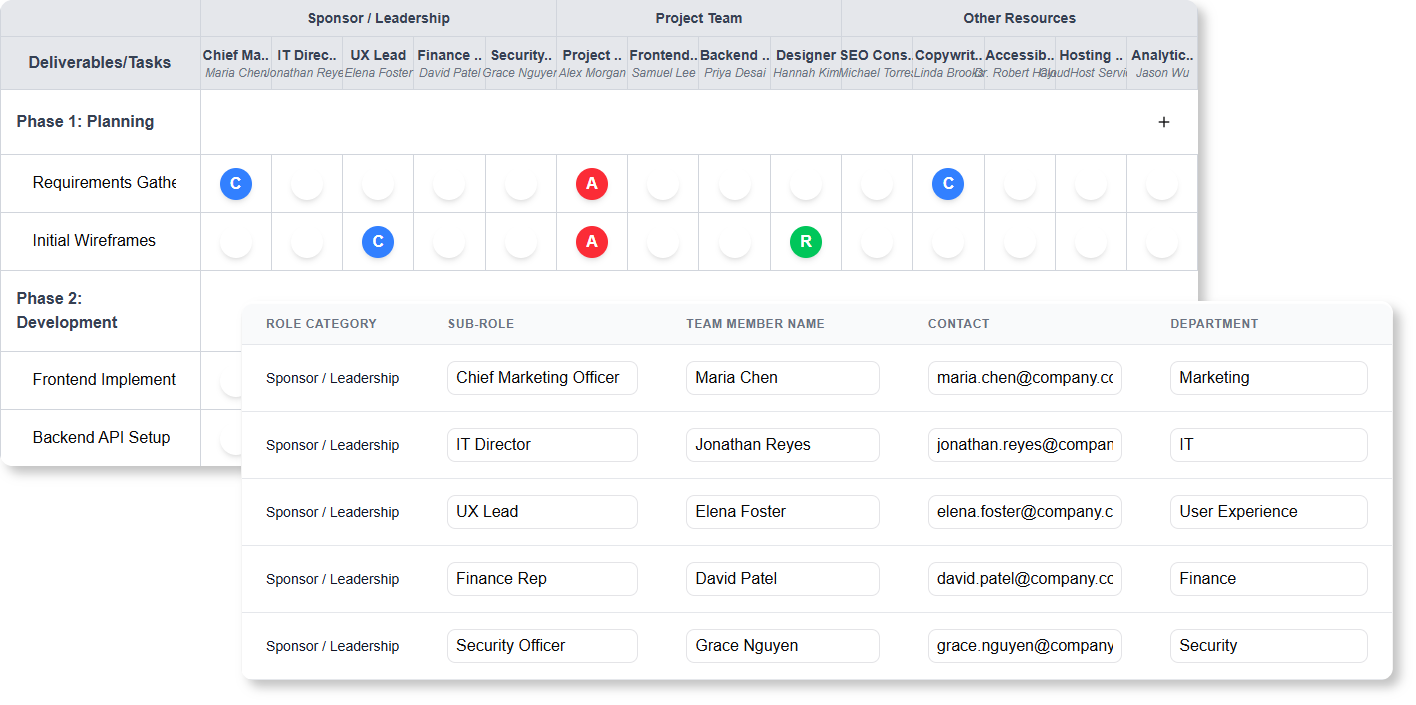
- Visualize Responsibilities: Instantly see who is Responsible, Accountable, Consulted, and Informed for every task.

- Customize to Your Project: Easily add, rename, and reorder tasks and team roles with a simple, user-friendly interface.
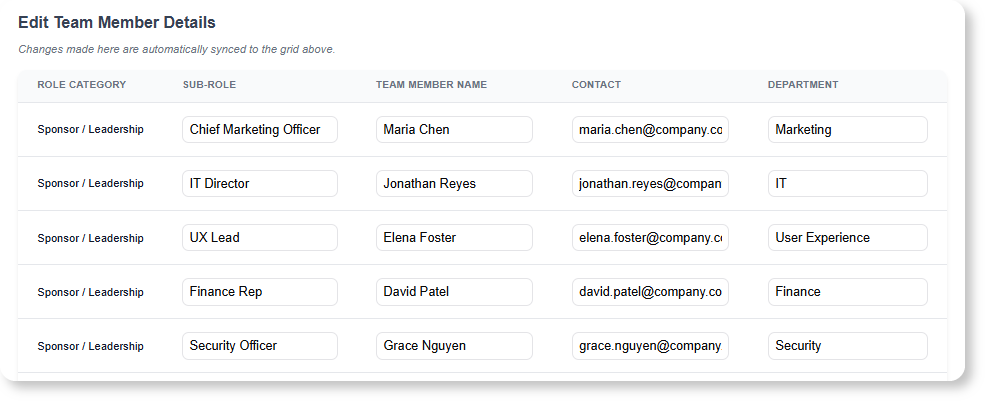
- Enhance Team Alignment: Create a dedicated table for team member details, linking roles to specific people, contacts, and departments.
- Drag-and-Drop Simplicity: Effortlessly organize your task list with intuitive drag-and-drop functionality.
- Export and Share: Download your matrix as a professionally formatted HTML file for easy sharing or a JSON file for backup and versioning.
How to Access and Use the New Free RACI App
Getting started is simple. Whether you’re a Visual Paradigm Online or desktop user, you can access this free raci software in just a few clicks.
How to Open the App:
- For Visual Paradigm Online: Simply navigate to the app’s URL: https://ai-toolbox.visual-paradigm.com/app/raci-matrix/.
- For Visual Paradigm (Desktop): Go to the Tools > Apps menu from the application toolbar. Then, find and open the RACI Matrix tool from the list.
Your In-App Workflow:
- Name Your Project: Start by giving your project a clear title.
- Define Roles & Tasks: Add your team roles (e.g., Project Manager, Developer) as columns and list all project tasks or deliverables as rows.
- Assign Responsibilities: Click on the cells in the grid to assign R (Responsible), A (Accountable), C (Consulted), or I (Informed) for each task-role combination.
- (Optional) Add Team Details: Switch to the Team Details section to add names and contact information for each role.
- Export Your Matrix: Once complete, click the ‘Export to HTML’ button to generate a shareable document for your team.
Ready to Boost Your Team’s Accountability?
Stop letting unclear roles slow you down. With the new free RACI app, you have everything you need to build a culture of clarity and accountability. Define responsibilities, align your team, and deliver projects with confidence.
Learn More: For detailed guidance, visit our support article on the RACI Matrix Tool.