


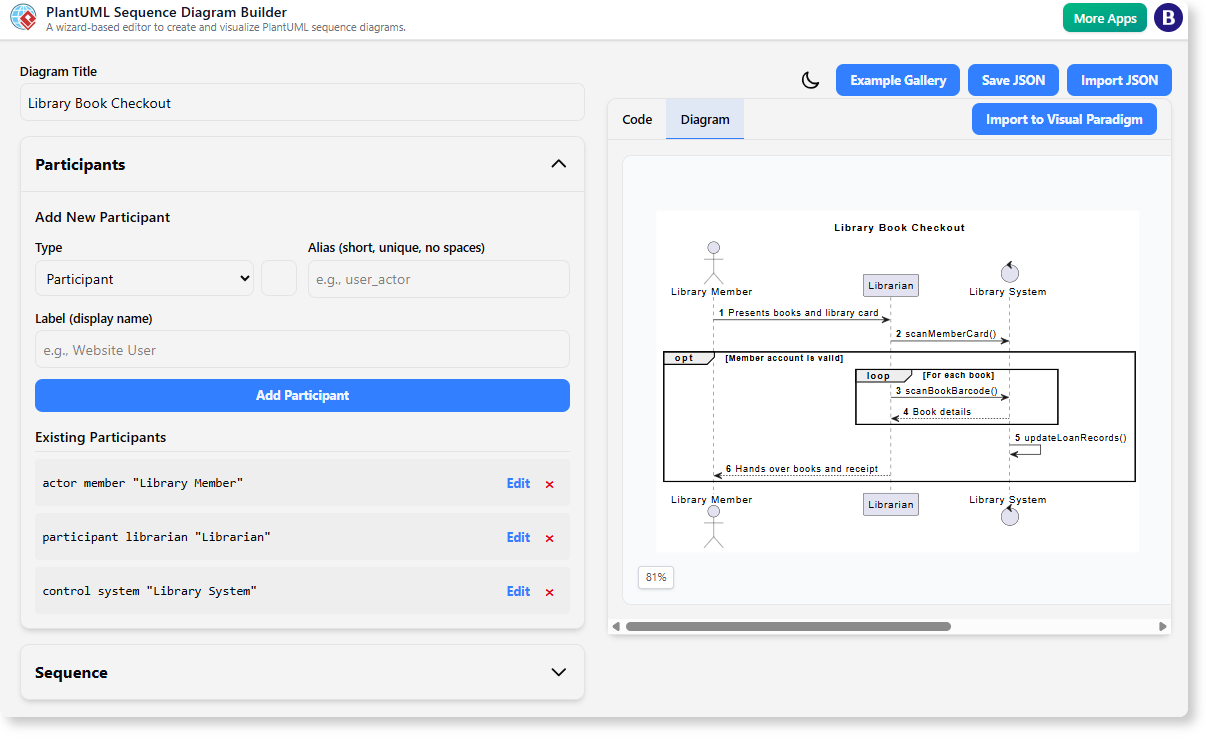
We are thrilled to announce the launch of a powerful new addition to the Visual Paradigm suite: the free PlantUML Sequence Diagram Builder. This intuitive, wizard-based tool is designed to solve one of the biggest challenges in software design and documentation—the complexity of manually writing PlantUML code. Now, you can create professional, accurate sequence diagrams visually, without typing a single line of syntax.
Addressing the Challenge of Manual PlantUML Coding
PlantUML is a fantastic tool for creating diagrams from text, but its learning curve can be steep. Mastering the syntax, especially for complex diagrams with nested fragments and alternatives, is time-consuming. A single typo or misplaced character can lead to frustrating rendering errors, interrupting your workflow and slowing down your projects.
This manual process often becomes a bottleneck, preventing teams from quickly documenting system behavior, business processes, or API interactions. We knew there had to be a better way.
Introducing the PlantUML Sequence Diagram Generator: Your Visual Co-Pilot
Our new Sequence Diagram Builder was created to democratize diagramming. It abstracts away the code and provides a guided, form-based experience, allowing you to focus on the logic of your diagram, not the syntax. This powerful tool empowers everyone, from seasoned architects to junior developers and business analysts, to build clear diagrams with ease.
With the new builder, you can:
- Visually Construct Diagrams: Use intuitive forms to define participants, add messages, and structure your sequence flow step-by-step.
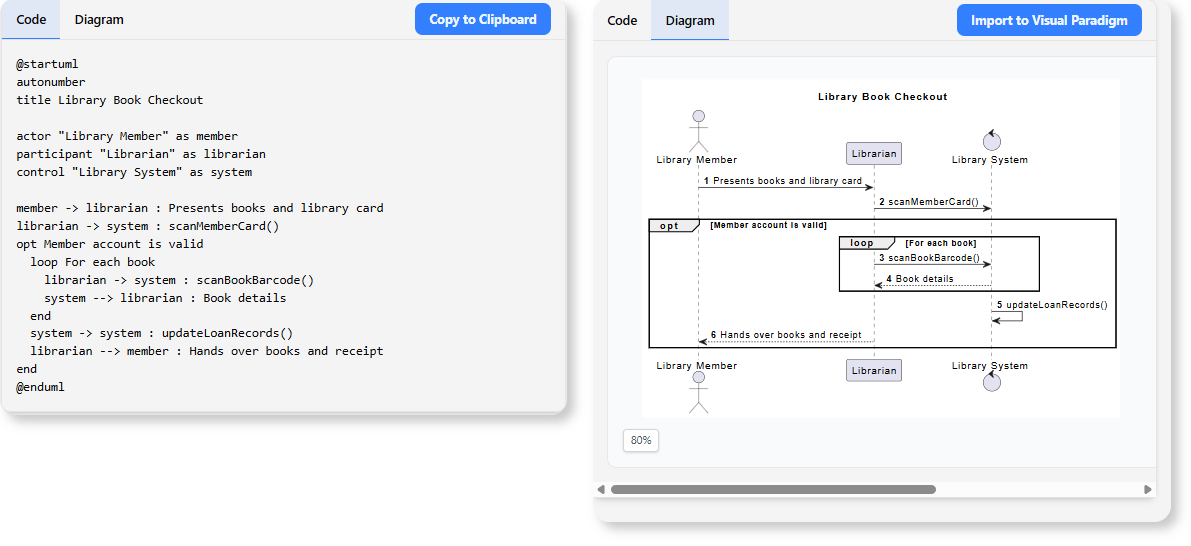
- Eliminate Syntax Errors: The application generates 100% syntactically correct PlantUML code in real-time, so you can say goodbye to frustrating compilation errors.
- See Your Diagram Come to Life: A live-preview panel instantly renders your diagram as an SVG, giving you immediate visual feedback as you make changes.
- Manage Complex Logic with Ease: Effortlessly add and manage Alternative (alt), Optional (opt), and Loop fragments without worrying about correct indentation or `end` tags.
- Jumpstart Your Work: Leverage a rich gallery of pre-built examples for common scenarios like user authentication, e-commerce flows, and CI/CD pipelines.
How to Access and Use the New Builder
Getting started is simple. The PlantUML Sequence Diagram Builder is available for free to all Visual Paradigm users.
For Visual Paradigm Online Users:
Simply navigate directly to the app’s URL to begin.
For Visual Paradigm Desktop Users:
From the application menu, select Tools > App, and then choose the “PlantUML Sequence Diagram Generator” from the list.
Once you’re in the app, follow this simple workflow:
- Set the Title: Give your diagram a clear, descriptive title.
- Define Participants: In the “Participants” section, add all the lifelines (Actors, Boundaries, Databases, etc.) that will be part of the interaction.
- Build the Sequence: Use the “Sequence” section to add messages, notes, and logical fragments to build out the diagram’s flow.
- Review the Output: Watch the PlantUML code and visual diagram update instantly in the side panel.
- Save Your Work: Use the “Save JSON” button to export your diagram’s state, allowing you to re-import it later to continue your work.
Ready to Streamline Your Workflow?
The PlantUML Sequence Diagram Builder is more than just a tool; it’s a way to enhance clarity, improve documentation, and accelerate your development lifecycle. By removing the friction of manual coding, it allows your team to create and share critical diagrams faster than ever before. We can’t wait to see what you build with it.
To learn more about all the features, read our detailed guide on the PlantUML Sequence Diagram Builder.