


We are excited to introduce the new Ansoff Matrix Strategy Builder, a flexible and free Ansoff Matrix tool designed to help you brainstorm and visualize your company’s growth opportunities. This powerful Ansoff Matrix tool online provides a clear, single-page canvas to systematically explore your options and build a robust strategy for expansion.
The Challenge of Finding the Right Path to Growth
Growth is essential, but choosing the right strategy can be daunting. Should you sell more of your existing products, create new ones, enter new markets, or all of the above? To make the best decision, you need a clear way to brainstorm and compare these different strategic paths side-by-side, all within the context of your business.
Introducing the Ansoff Matrix Strategy Builder: Your All-in-One Growth Canvas
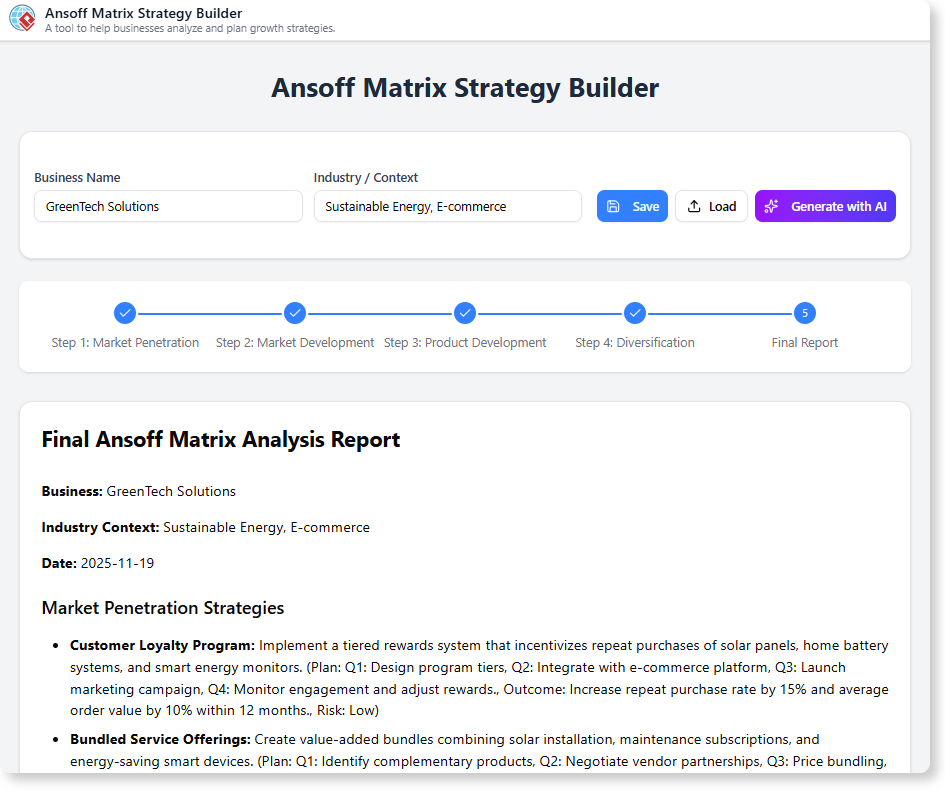
We built this tool to provide leaders and strategists with a fast, flexible, and visual way to map out their growth strategies. Unlike rigid, step-by-step wizards, our tool presents the entire Ansoff Matrix on a single canvas, allowing you to brainstorm freely and see the complete picture as you work.
- AI-Powered Strategy Suggestions: Get a creative boost from our AI. Click into any of the four quadrants and let the AI help you brainstorm specific tactics for Market Penetration, Product Development, Market Development, or Diversification.
- Visualize All Growth Paths at Once: The single-page canvas allows you to see all your strategic options in one place, helping you understand the balance and trade-offs between different growth strategies.
- Flexible, Non-Linear Brainstorming: Work in the way that makes sense for you. Start with Market Penetration or jump straight to Diversification—the flexible canvas adapts to your thought process.
- Facilitate Strategic Discussions: Use the visual matrix as a centerpiece for team brainstorming and to align stakeholders on the best path forward for the company.
- A Simple and free ansoff matrix editor: Our tool makes it incredibly easy to capture your ideas and build a professional-looking matrix in minutes, without a steep learning curve.
How to Build Your Ansoff Matrix
Charting your course for growth is straightforward. Here’s how to access the tool:
- For Visual Paradigm Online users: Simply navigate to the app directly at https://ai-toolbox.visual-paradigm.com/app/ansoff-matrix-strategy-builder/.
- For Visual Paradigm Desktop users: Open your desktop application, go to the Tools > App menu, and select the Ansoff Matrix Strategy Builder from the gallery.
Once you’re in the app, follow this simple workflow:
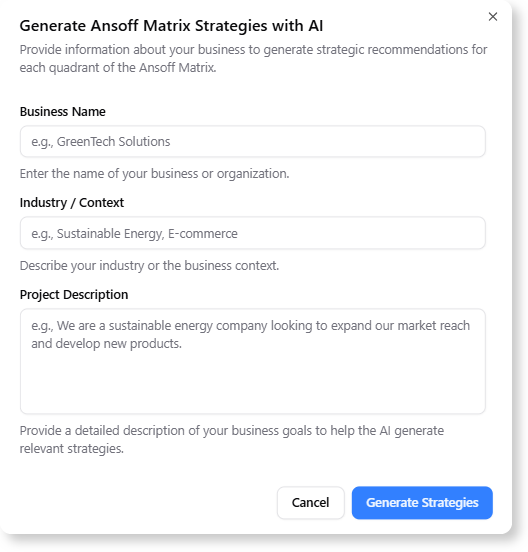
- Add or Generate Your Strategies: Enter your Business Name, Industry or Context, and a brief Project Description to let the AI generate strategies for you. You can also input or adjust your own ideas directly in the interactive quadrant tables.
- Evaluate and Improve: Evaluate risks, plan your actions, and refine and strengthen your strategy portfolio.
- Review and Export: Review the report , then export it in your preferred format to share and align with your team.
Ready to Unlock Your Next Level of Growth?
Stop wondering what’s next and start planning for it. The Ansoff Matrix Strategy Builder provides the flexible canvas you need to think strategically about growth, evaluate your options clearly, and build a confident plan for the future.
Learn More:
Discover more about the Ansoff Matrix Strategy Builder and how to apply it to your strategic planning.