


We are excited to launch the new Base Use Case Diagram Analyzer, a powerful and free AI base use case diagram analyzer that transforms your PlantUML use case diagrams into actionable scenarios and comprehensive test cases. This intelligent tool automates the crucial steps of validating system requirements, ensuring thorough testing and robust software development.
The Challenge of Deriving Scenarios and Test Cases
Use case diagrams are excellent for visualizing system functionality, but translating them into detailed scenarios and comprehensive test cases is a time-consuming and often error-prone manual process. It’s easy to miss edge cases, alternative flows, or inconsistencies, leading to incomplete test coverage and potential defects in the final software. This manual effort can significantly slow down the testing and validation phases of a project.
Introducing the Use Case Diagram Analyzer: Your Automated Testing Assistant
We built this tool to bridge the gap between visual requirements and executable test plans. Our AI acts as an expert QA analyst, taking your PlantUML use case diagram code, analyzing its structure and logic, and then automatically generating detailed scenarios and corresponding test cases. This streamlines your testing efforts and ensures a higher quality software product.

- AI-Powered Scenario Generation: Simply paste your PlantUML use case diagram code, and our AI will analyze it to identify all relevant scenarios, including main flows, alternative paths, and exception handling.
- Automatic Test Case Creation: For each identified scenario, the tool automatically generates comprehensive test cases, complete with steps, expected results, and preconditions, ready for execution.
- Ensure Complete Test Coverage: By systematically deriving scenarios and test cases from your use case diagrams, the tool helps ensure that all aspects of your system’s functionality are thoroughly tested.
- Accelerate Testing and Validation: Drastically reduce the manual effort and time required to create detailed test plans, allowing your QA team to focus on execution and deeper exploratory testing.
- A Powerful free use case diagram analysis Tool for Quality Assurance: Perfect for business analysts, QA engineers, and developers who need to ensure their system designs are thoroughly validated and tested.
How to Generate Scenarios and Test Cases from Your Use Case Diagram
Streamlining your testing process is now simpler than ever. Here’s how to access the tool:
- For Visual Paradigm Online users: Navigate directly to the app at https://ai-toolbox.visual-paradigm.com/app/base-use-case-diagram-analyzer/.
- For Visual Paradigm Desktop users: Open your desktop application, go to the Tools > App menu, and select the Base Use Case Diagram Analyzer.
Once you’re in the app, follow this simple workflow:
- Input PlantUML Diagram: Paste your PlantUML code for a use case diagram into the provided input area.
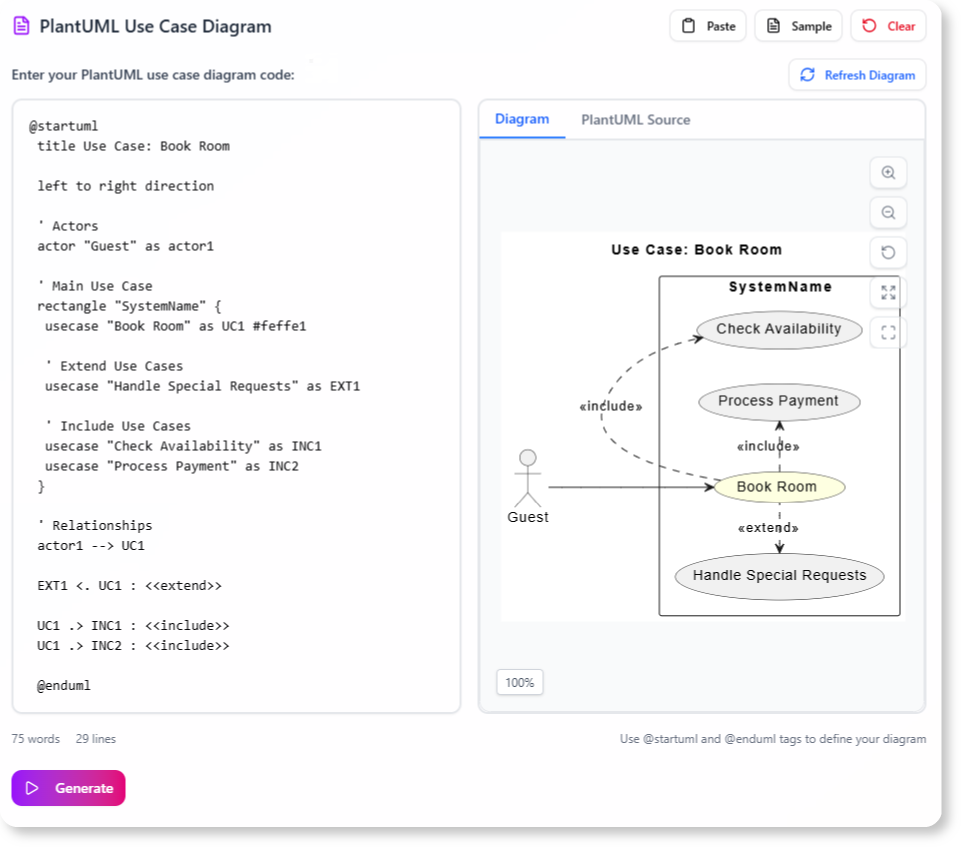
- Click “Analyze”: The AI will process your diagram to identify all relevant scenarios.

- Review Scenarios and Test Cases: The tool will display a list of generated scenarios and, for each scenario, a detailed set of test cases, complete with steps and expected results.
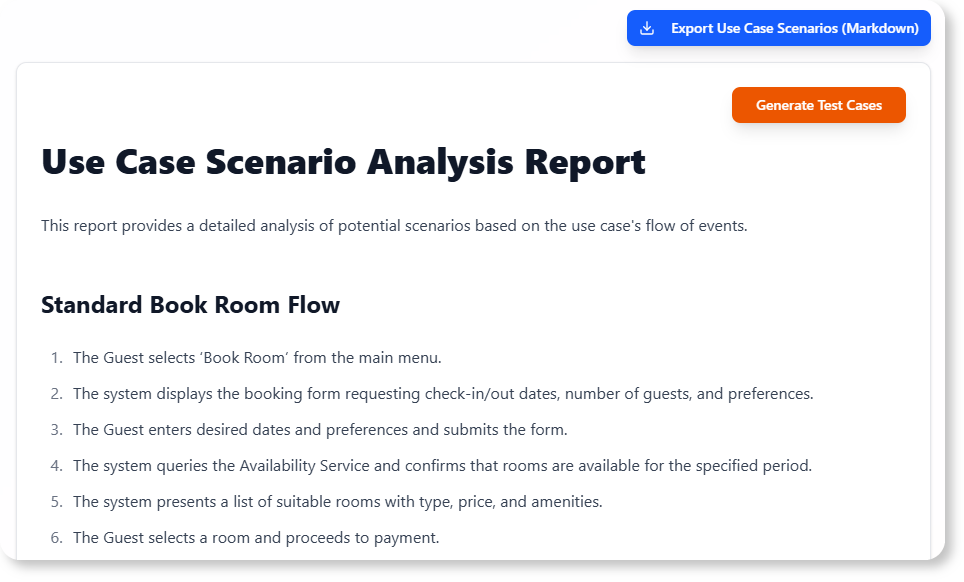
- Validate and Export: Review the generated content, make any necessary adjustments, and export your scenarios and test cases for use in your testing tools.

Ready to Accelerate Your Testing and Validation?
Eliminate the manual effort and potential for oversight in deriving test cases. The Base Use Case Diagram Analyzer provides the automated assistance you need to create clear, comprehensive scenarios and test cases directly from your use case diagrams, ensuring more thorough testing and higher quality software.
Learn More:
Discover more about the Base Use Case Diagram Analyzer and how it can enhance your QA process.