


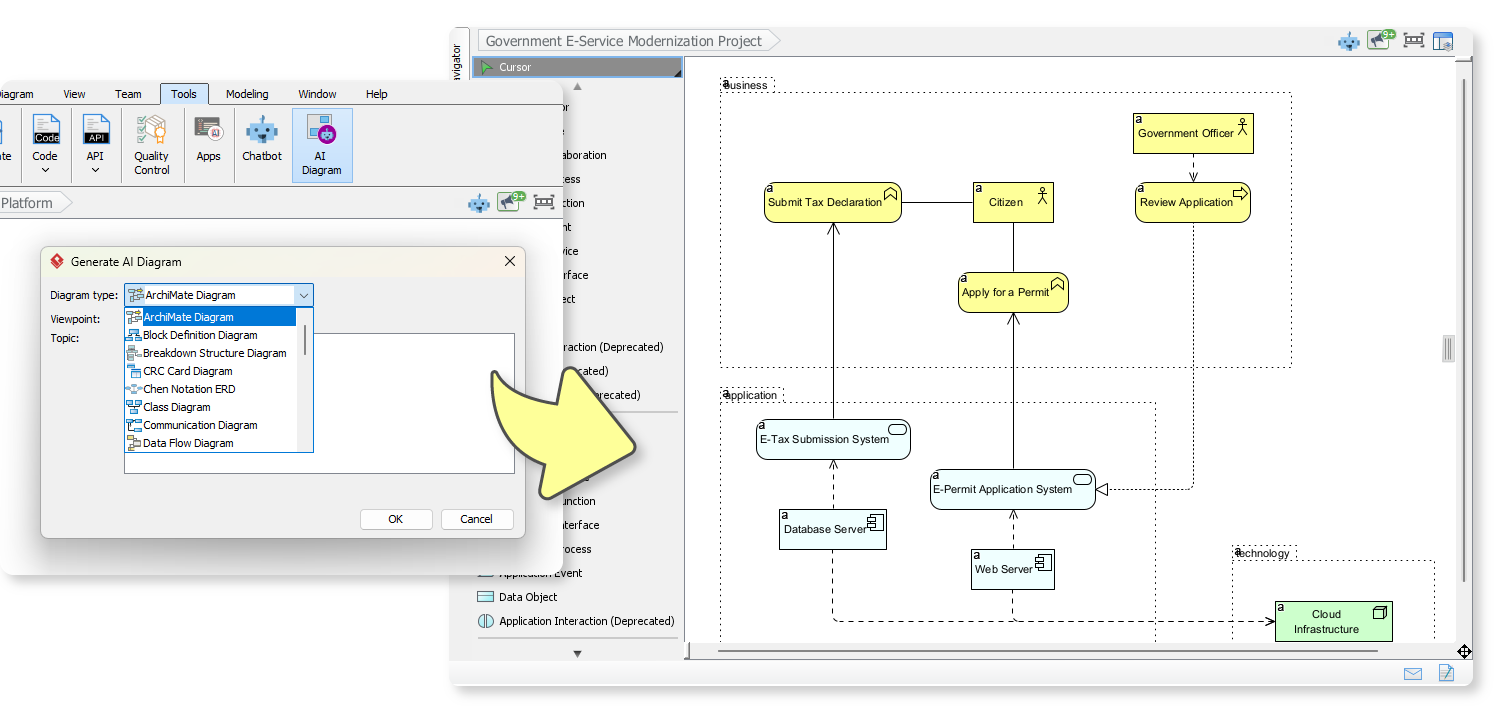
We’re thrilled to announce a major expansion to Visual Paradigm’s intelligent features, dramatically enhancing your ability to capture and communicate complex ideas. With our latest update, we’ve rolled out powerful new capabilities for AI Diagram Generation, allowing you to create essential modeling artifacts instantly from simple text inputs.This leap forward is designed to eliminate manual setup and instantly translate your conceptual notes into professional, structured diagrams, letting you focus on design thinking and strategic alignment rather than diagram construction.
 Download Visual Paradigm Desktop
Addressing the Challenge of Time-Consuming Modeling
In product development, business analysis, and system architecture, creating initial diagrams is often a necessary but laborious first step. Analysts and designers spend valuable time manually placing and connecting shapes for basic structures like task breakdowns or communication flows.
This friction slows down the initial conceptual phase, distracts from core problem-solving, and often results in diagrams that are either incomplete or inconsistent with the underlying documentation.
Introducing Expanded AI Diagram Generation: Automate Clarity Across Key Models
The goal of this release is simple: to make your initial modeling faster, smarter, and more integrated. By leveraging advanced AI Diagram Generation, Visual Paradigm now interprets your unstructured notes and automatically generates structured, standard diagrams. We have specifically added powerful AI support for the following critical modeling and analysis types:
- Breakdown Structure Diagram (BSD): Perfect for project managers needing a quick Work Breakdown Structure (WBS) from a simple task list.
- Communication Diagram: Instantly map out object interactions and message flow from a scenario description.
- Textual Analysis: A new, core capability that allows you to derive model elements and diagrams directly from unstructured requirements documents or user stories, ensuring tight integration between text and visuals.
This comprehensive expansion allows you to spend less time on drawing and more time on refining your design, analyzing outcomes, and aligning your team.

How to Access and Use the New Feature
Getting started with the expanded capabilities of AI Diagram Generation is intuitive. The system is designed to seamlessly integrate into your existing workflow:
- Access the Tool: Click on Tools from the toolbar.
- Select AI Diagram: From the menu, select AI Diagram.
- Input Your Topic: In the new dialog window, enter a topic, text, or unstructured notes describing the model you need (e.g., “Tasks for a new website launch,” or “User logs in, checks profile, and logs out”).
- Generate: Click OK. Visual Paradigm’s AI will instantly process the input, leveraging Textual Analysis, and populate the canvas or repository with the new, structured elements like the Breakdown Structure Diagram or Communication Diagram.
- Refine: The generated model is immediately ready for editing and collaboration.
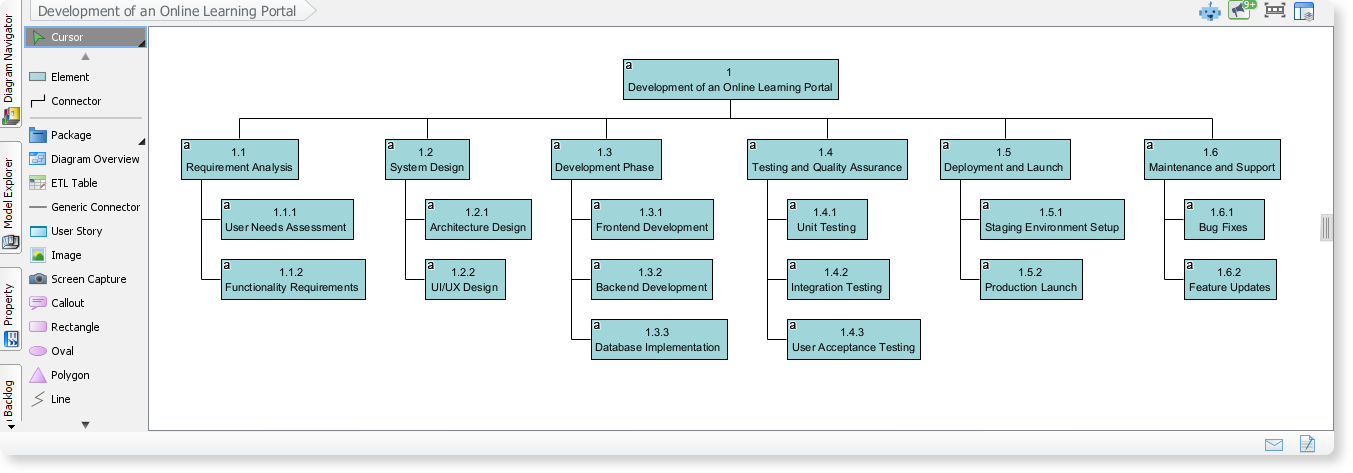
Breakdown Structure Diagram: Development of an Online Learning Portal
This breakdown structure diagram, created with the Visual Paradigm AI Diagram Tool, organizes the major phases involved in building an online learning portal. It provides a clear and structured view of the portal’s full development lifecycle.
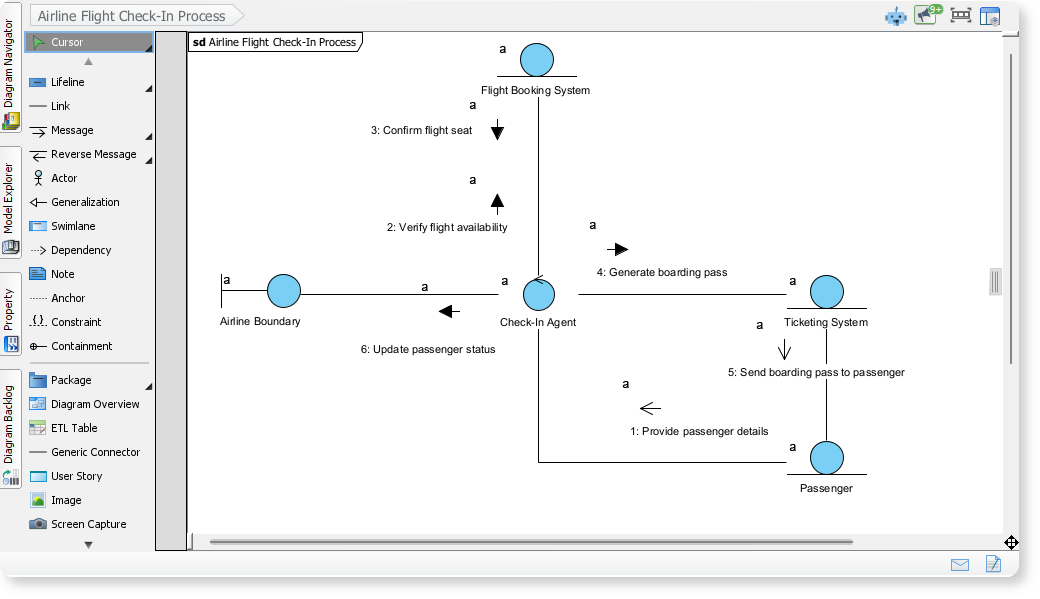
Communication Diagram of Airline Flight Check-In Process
This communication diagram, generated using the VP AI Diagram Tool, illustrates how different actors and systems interact during an airline’s flight check-in process. It maps the message flow between the passenger, check-in agent, flight booking system, ticketing system, and airline boundary.
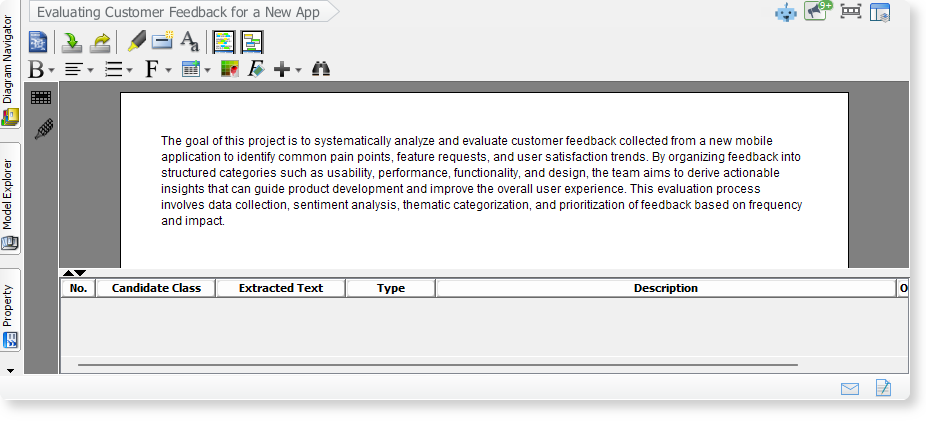
Textual Analysis of Evaluating Customer Feedback for a New App
Here is an created with the Visual Paradigm AI Diagram Tool, shows how customer feedback from a new mobile app is collected, categorized, and analyzed. It highlights key steps such as sentiment review, grouping common themes, and prioritizing insights to guide product improvements and enhance user experience.
Ready to Transform Your Modeling?
This significant update solidifies Visual Paradigm’s commitment to delivering a modeling platform that is both powerful and efficient. By putting advanced AI Diagram Generation in your hands, we are removing the repetitive barriers in the modeling process. Start leveraging these new features today to accelerate your documentation, improve team clarity, and focus your energy on high-value design decisions.