


We are excited to launch the new Textual Analysis app, a powerful AI textual-analysis tool that guides you through the process of generating object-oriented UML Class Diagrams from natural language descriptions. This intelligent textual-analysis software helps you systematically identify classes, attributes, methods, and relationships, making complex system design accessible and efficient.
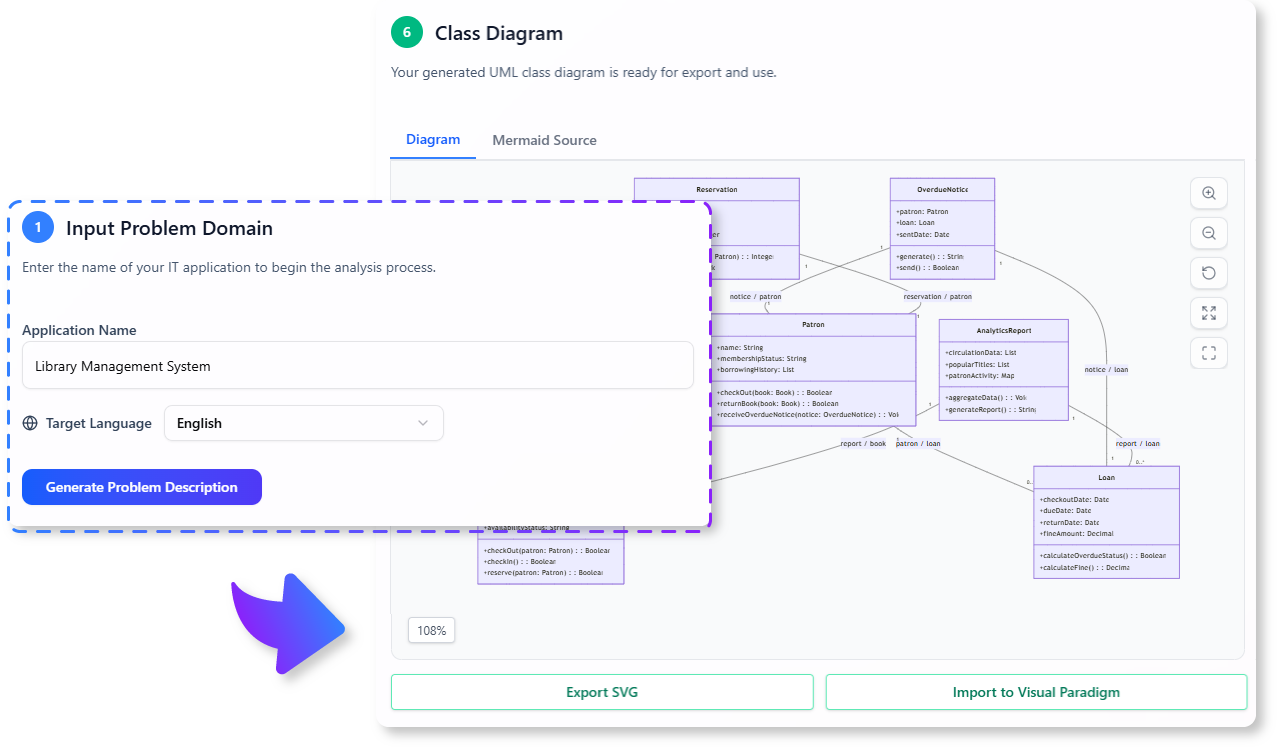
The Challenge of Bridging Text to Code
Translating a textual problem description into a structured object-oriented design, complete with a UML Class Diagram, is a fundamental yet challenging task in software engineering. It requires careful analysis to identify all relevant entities, their properties, behaviors, and how they interact. This manual process is often time-consuming, prone to oversight, and can be a significant bottleneck in the early stages of development.
Introducing the Textual Analysis Tool: Your Guided Path to Object-Oriented Design
We built this tool to streamline the process of moving from a problem description to a clear, visual class diagram. Our AI-powered wizard acts as an expert system analyst, guiding you through a six-step process that ensures a thorough and accurate transformation of your text into a structured object-oriented model. This is textual-analysis with ai at its best.
- Follow a Guided 6-Step Process: The tool walks you through the complete analysis cycle: Problem Domain, Problem Description, Candidate Classes, Class Details, Relationships, and finally, the Class Diagram generation.
- AI-Powered Entity Identification: At each step, our AI can help you brainstorm and identify key elements, from potential classes within your problem description to their attributes, methods, and the relationships between them.
- Systematic Design Approach: By breaking down the complex task into manageable steps, the wizard helps you maintain focus and ensures that no critical aspect of your object-oriented design is overlooked.
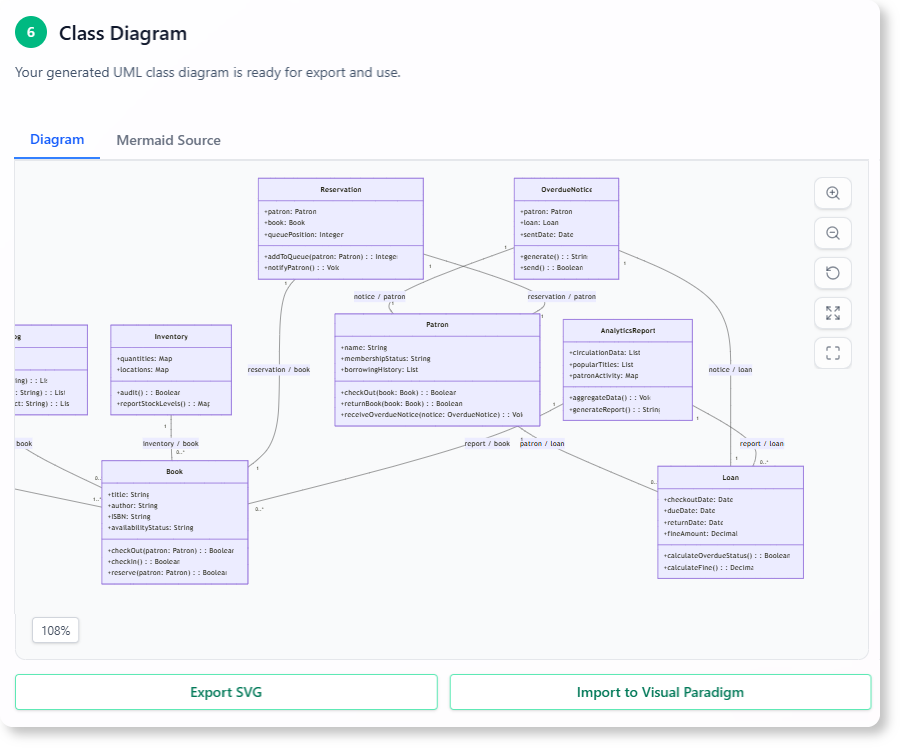
- Generate a Comprehensive Class Diagram: The ultimate output is a clear, structured UML Class Diagram, providing a visual blueprint for your software architecture.
- A Powerful textual-analysis tool for Learning and Practice: This tool is invaluable for students learning object-oriented design and for experienced developers looking to quickly prototype and visualize system structures.
How to Generate Your UML Class Diagram from Text
Transforming your textual requirements into a structured design is a simple, guided process. Here’s how to access the tool:
- For Visual Paradigm Online users: Simply navigate to the app directly at https://ai-toolbox.visual-paradigm.com/app/textual-analysis/.
- For Visual Paradigm Desktop users: Open your desktop application, go to the Tools > App menu, and select the Textual Analysis tool from the gallery.
Note on Availability: This advanced tool is available to Visual Paradigm Online users with a Combo Edition (or higher) subscription. For desktop users, it is available in the Professional Edition (or higher) with active software maintenance.
Once you’re in the app, follow the six-step wizard:
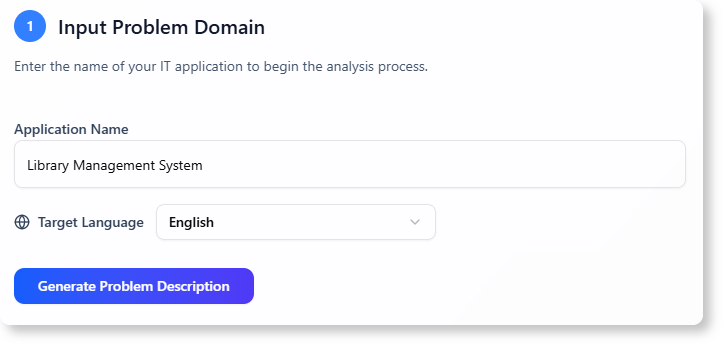
- Step 1: Define Problem Domain: Provide a high-level overview of the system’s context.
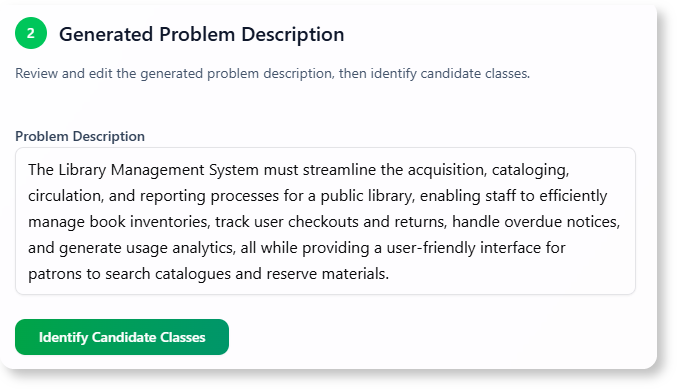
- Step 2: Problem Description: Enter a detailed textual description of the problem the software aims to solve.
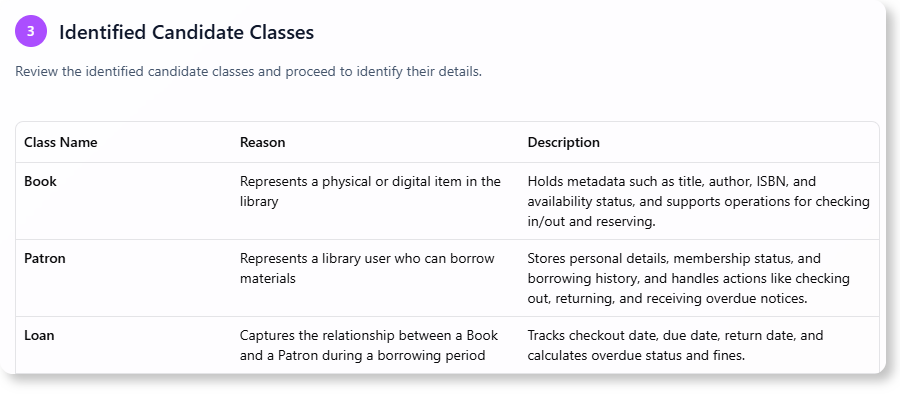
- Step 3: Candidate Classes: Identify potential classes from your problem description.
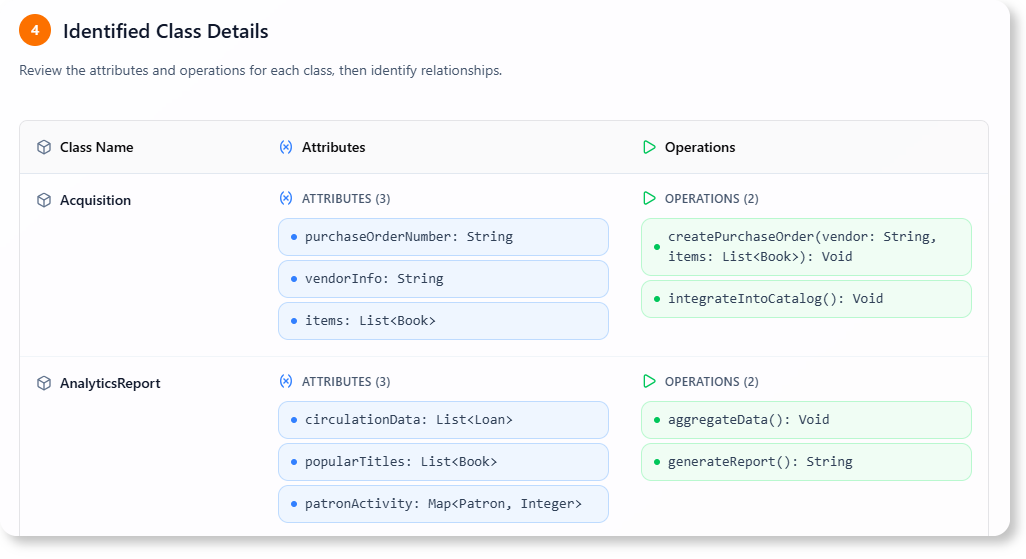
- Step 4: Class Details: Define the attributes and methods for each identified class.
- Step 5: Relationships: Establish the associations, aggregations, or compositions between your classes.

- Step 6: Class Diagram: The tool will generate a comprehensive UML Class Diagram based on your inputs.
Ready to Design Your Systems with Precision?
Stop struggling to translate complex text into structured designs. The Textual Analysis Tool provides the guided process you need to systematically build accurate UML Class Diagrams, accelerating your design phase and ensuring a solid foundation for your software development.
Learn More:
Discover more about the AI Textual Analysis Tool and how it can enhance your object-oriented design process.