


Data analysis is often a complex, time-consuming process that stands between you and the critical insights needed to drive your business forward. Today, we’re changing that. Our new AI pivot table tool offers a revolutionary approach to AI business analysis, empowering you to move from raw data to actionable reports in minutes, not hours.
Built for speed and intelligence, the AI-Powered BI Analytics tool automates the most challenging parts of data analysis, allowing anyone to uncover trends, identify opportunities, and make data-driven decisions with confidence.
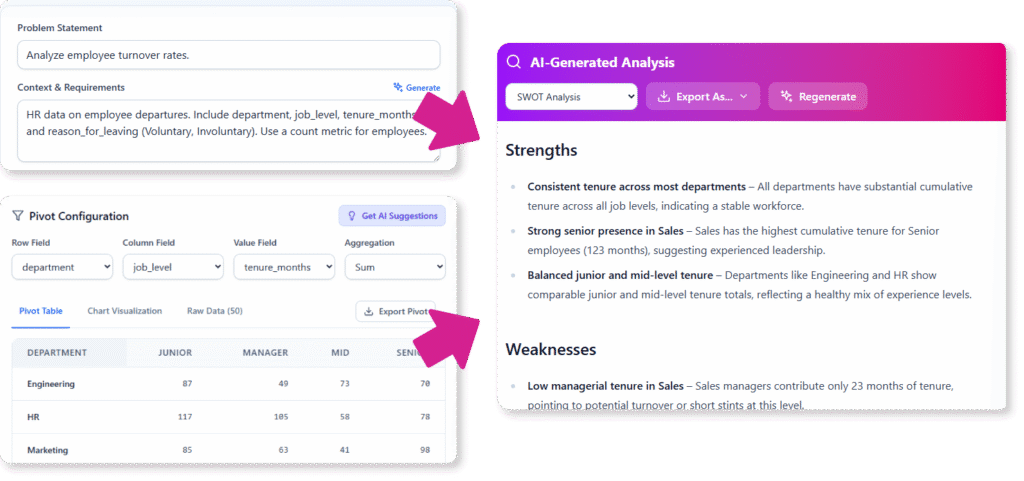
Addressing the Challenge of Manual Data Analysis
Previously, extracting meaningful insights from sales figures, marketing campaigns, or operational data required specialized skills. You either needed to be a spreadsheet guru, comfortable with complex formulas, or have access to a dedicated data science team.
This bottleneck often meant that valuable data sat unused, or by the time an analysis was complete, the opportunity had passed. The process was slow, prone to error, and a significant barrier to agile decision-making.
Introducing the AI-Powered BI Analytics Tool: Your Instant Data Analyst
We built the AI-Powered BI Analytics tool to democratize data analysis. It acts as your personal BI expert, handling the heavy lifting so you can focus on strategy. This powerful AI pivot table generator turns complex datasets into clear, interactive visualizations and narrative reports instantly.
Here’s what you can do with it:
- Generate or Upload Data Instantly: No dataset? No problem. Describe your analysis goal, and our AI will generate a realistic dataset for you. You can also upload your own CSV file or start with a pre-built example from our gallery.
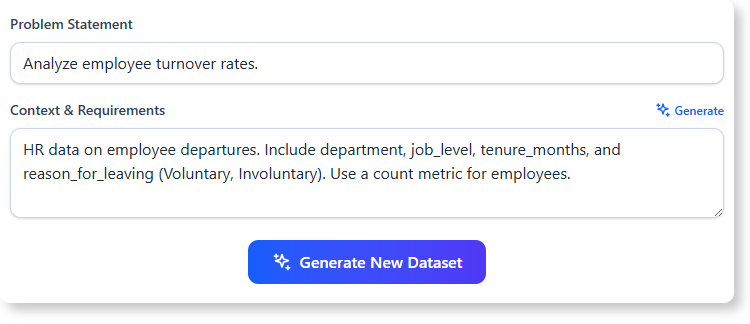
- Create Interactive Pivot Tables in Seconds: Forget complex formulas. Visually configure your pivot table by simply selecting fields for rows, columns, and values. Our AI pivot table creator does the rest.
- Uncover Hidden Insights with AI Reports: Go beyond numbers. Generate comprehensive reports like SWOT analyses, executive summaries, and deep dives with a single click.
- Visualize Trends Effortlessly: Instantly switch between your pivot table, raw data, and a variety of chart types—including column, line, and stacked charts—to see your data from every angle.
- Chat with Your Data: Have a specific question? Use the integrated AI Assistant to ask questions in plain English and get immediate, data-backed answers.
How to Access and Use the New Feature
Getting started is simple. Here’s how you can access the tool and begin your first analysis:
For Visual Paradigm Online Users (Combo Edition or higher):
- Simply navigate directly to the AI-Powered BI Analytics tool.
For Visual Paradigm Desktop Users (Professional Edition or higher with active maintenance):
- Open your Visual Paradigm desktop application.
- Go to Tools > Apps from the main menu.
- Select the “AI-Powered BI Analytics” tool from the list.
Once you’re in, follow this simple workflow:
- Step 1: Provide Your Data. Choose whether to generate data with AI, upload a CSV, or select an example from the gallery.
- Step 2: Configure Your View. Use the intuitive controls to set your pivot table’s rows, columns, and values. For a shortcut, click “Get AI Suggestions” to see recommended configurations.
- Step 3: Generate AI Analysis. Navigate to the “Analysis” step, choose a report type, and click “Generate Report” to receive an instant, in-depth analysis of your data.
Ready to Supercharge Your Business Analysis?
The AI-Powered BI Analytics tool is more than just a feature; it’s a new way of working with data. By removing technical barriers and automating complex analysis, it empowers every member of your team to contribute valuable insights and drive smarter business outcomes.
Stop wrestling with spreadsheets and start discovering the stories your data has to tell.
For a detailed walkthrough, check out our documentation on the AI-Powered BI Analytics tool.