


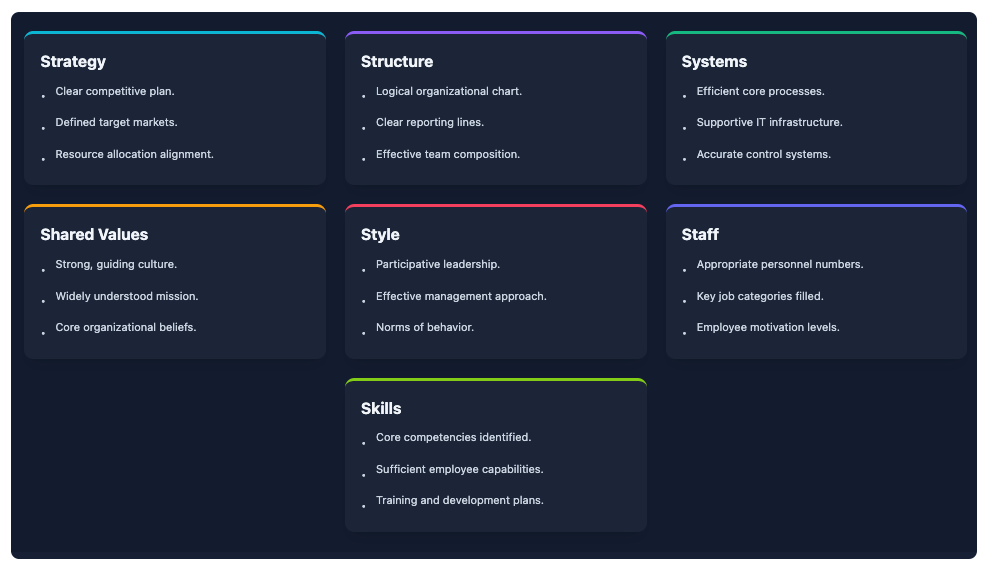
Transforming complex strategic frameworks into clear, compelling visuals is a demanding task—until now. We are thrilled to introduce the 7-Aspects Infographic Designer, a powerful new AI 7 aspect infographic generator built to automate the creation of detailed business analyses. From the McKinsey 7S Model to the 7P Marketing Mix, you can now generate comprehensive infographics in seconds, not hours.
Addressing the Challenge of Manual Analysis & Design
Strategic analysis is fundamental to business success, but the process is often slow and fragmented. Teams spend countless hours researching each component of a framework, manually drafting points, and then struggling to design a presentation that is both professional and easy to understand.
This manual effort not only consumes valuable time but also risks inconsistencies and overlooks critical insights. The result is often a static, uninspired report that fails to capture the dynamic nature of strategic thinking.
Introducing the 7-Aspects Infographic Designer: Your Strategic Partner
The 7-Aspects Infographic Designer was built to solve this exact problem. By harnessing the power of AI, it acts as your instant strategic partner, turning a single topic into a fully realized, seven-point analysis presented in a stunning visual format.
This powerful tool allows you to:
- Generate In-Depth Analyses Instantly: Simply enter your topic, and our AI will produce a detailed breakdown based on your chosen framework.
- Leverage Dozens of Proven Frameworks: Go beyond generic presentations with built-in models for strategy, marketing, operations, and leadership.

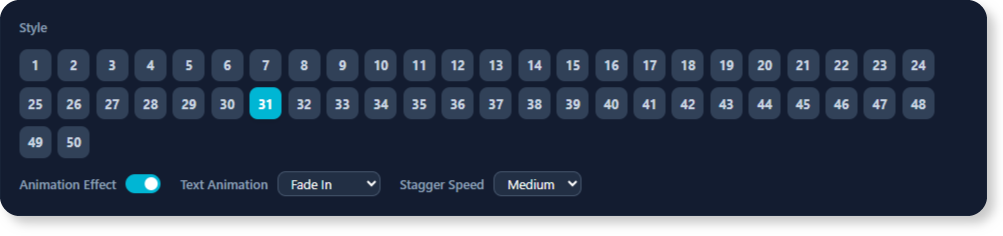
- Explore Over 50 Visual Layouts: Switch between a vast library of professionally designed infographic styles with a single click to find the perfect look for your data.
- Customize with Ease: All generated text is fully editable, giving you complete control to refine and tailor the content to your exact needs.
- Save Time and Boost Clarity: Move directly from idea to a polished, presentation-ready visual, freeing you up to focus on strategic decision-making.
How to Access and Use the New Feature
Getting started is simple. The 7-Aspects Infographic Designer is now available to all our users with active subscriptions.
For Visual Paradigm Online Users (Combo Edition or higher):
- Simply visit the 7-Aspects Infographic Designer in your browser.
For Visual Paradigm Desktop Users (Professional Edition or higher with active maintenance):
- Open your Visual Paradigm desktop application.
- Navigate to Tools > Apps from the main menu.
- Find and click on the 7-Aspects Infographic Designer to launch it.
Once you’re in the app, the workflow is intuitive:
- Enter Your Topic: Input the subject you wish to analyze.
- Select an Analysis Type: Choose from a comprehensive list of strategic frameworks.
- Generate: Let the AI create the complete seven-part analysis for you.
- Visualize: Instantly apply over 50 different layouts to your data and export your finished infographic.
Ready to Supercharge Your Strategic Presentations?
Stop wrestling with slide decks and start creating dynamic, insightful analyses. The 7-Aspects Infographic Designer empowers you to communicate complex strategies with unprecedented speed and clarity. Elevate your reports, presentations, and workshops with visuals that demand attention and drive alignment.
For more detailed information, please visit our support article to learn more about the 7-Aspects Infographic Designer.