


We are excited to announce the new Hoshin Kanri Policy Deployment app, a powerful and free Hoshin Kanri Policy Deployment tool designed to simplify your strategic planning process. This intelligent wizard guides you through the entire strategic deployment lifecycle, helping you translate high-level vision into actionable initiatives with unparalleled clarity and speed.
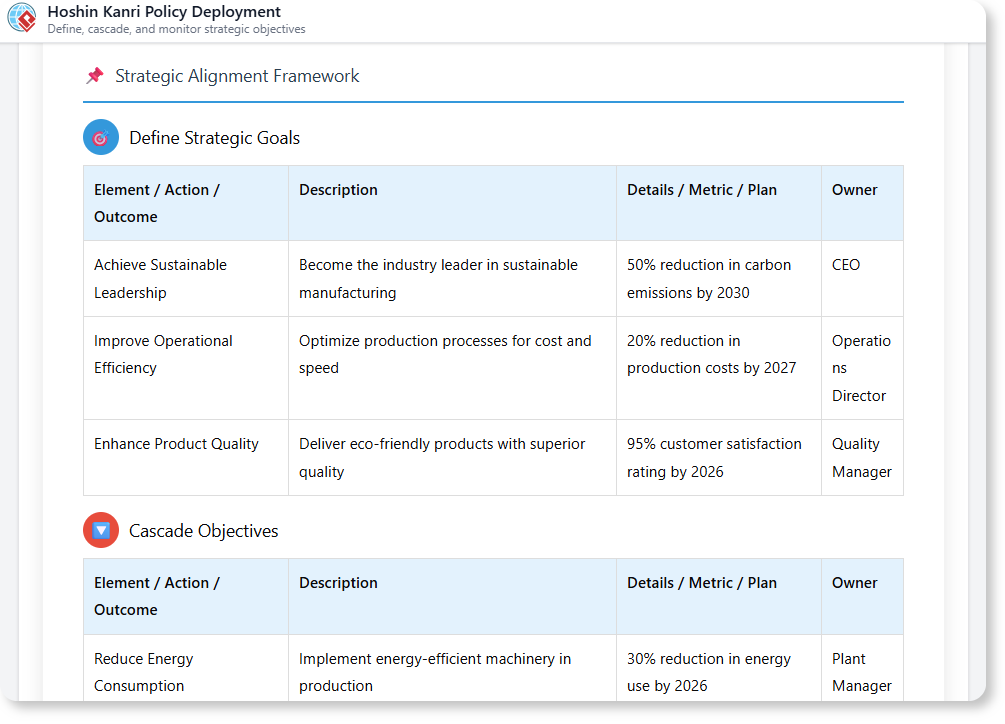
The Challenge of Disconnected Strategic Planning
Deploying a strategy across an organization is incredibly complex. It’s not enough to just set goals; you must cascade them down, create concrete action plans, and establish how you’ll monitor progress. This process is often managed in disconnected documents and spreadsheets, making it difficult to ensure alignment and track execution effectively, causing strategies to fail before they even start.
Introducing the Hoshin Kanri Tool: Your Guided Path from Vision to Action
We built this tool to eliminate the complexity of strategic deployment. It acts as an expert guide, walking you through the five critical phases of the Hoshin Kanri framework. From defining your goals to monitoring their success, our AI-powered wizard ensures a coherent, aligned, and fully documented plan.
- Follow a Guided 5-Step Process: The tool walks you through the complete Hoshin Kanri cycle: Define Strategic Goals, Cascade Objectives, Develop Action Plans, Monitor & Improve, and generate a Final Report.

- AI-Powered Content Generation: At each step, our AI can help you brainstorm and formulate the necessary components, from high-level goals to specific action items and key performance indicators.
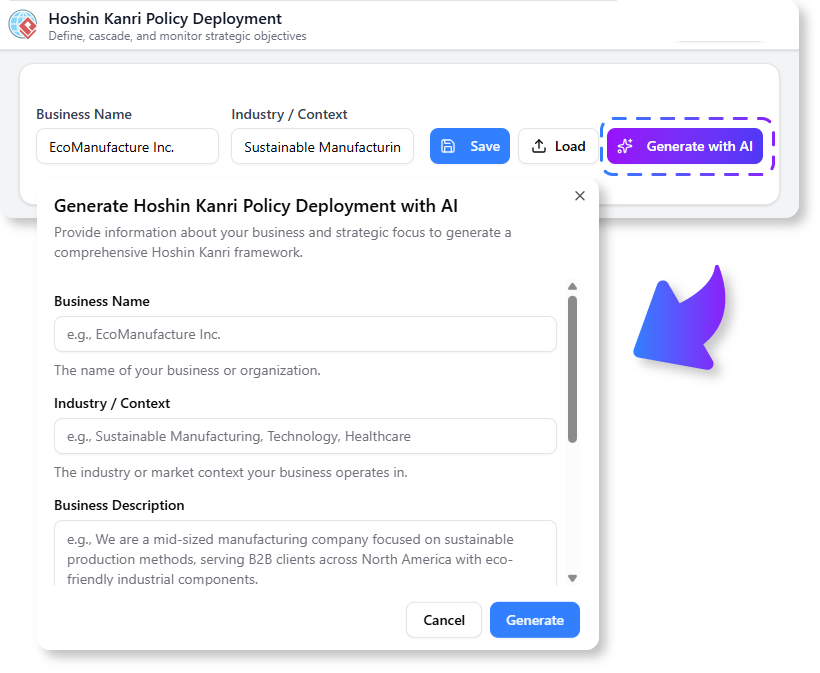
- Ensure Top-to-Bottom Alignment: The “Cascade Objectives” step is specifically designed to help you break down high-level goals into meaningful objectives for different departments or teams, ensuring everyone is pulling in the same direction.
- Create a Comprehensive, Actionable Plan: The tool doesn’t just create a chart; it helps you build a complete plan, including the actions to be taken and the metrics to be tracked.
- Generate a Complete Report Instantly: At the end of the process, the tool compiles all your inputs into a single, professional, and comprehensive Hoshin Kanri report.
How to Access and Use the Hoshin Kanri Tool
Getting started on your strategic deployment is simple. Here’s how you can access the tool:
- For Visual Paradigm Online users: Simply navigate to the app directly at https://ai-toolbox.visual-paradigm.com/app/hoshin-kanri-policy-deployment/.
- For Visual Paradigm Desktop users: Open your desktop application, go to the Tools > App menu, and select the Hoshin Kanri Policy Deployment tool from the list.
Once you’re in the app, follow the five-step wizard:
- Define Strategic Goals: Start by inputting your organization’s high-level, breakthrough objectives for the year.
- Cascade Objectives: The AI will help you break down each strategic goal into smaller, cascaded objectives suitable for different departments or teams.
- Develop Action Plans: For each objective, formulate the specific action plans, tasks, and timelines required to achieve it.
- Monitor and Improve: Define the key metrics (KPIs) and review processes you will use to track progress and make necessary adjustments.
- Generate Final Report: The tool will compile all the information into a single, comprehensive Hoshin Kanri plan.
Ready to Master Your Strategic Execution?
Stop letting your strategic vision get lost in translation. With the guided, step-by-step Hoshin Kanri Policy Deployment tool, you can build a clear, aligned, and actionable plan that connects your highest goals to your daily operations. Empower your teams, drive focus, and turn your strategic goals into reality today.
Learn More:
Read more about the Hoshin Kanri Tool in our official documentation.