
Creating compelling, professionally designed presentations can be a time-consuming and often frustrating process. From battling with layout tools to overcoming writer’s block, turning a great idea into a polished slideshow requires significant effort. Today, we’re thrilled to introduce a solution that transforms this experience: the AI Animated Presentation Studio, a powerful new AI presentation maker built to help you craft beautiful, engaging presentations faster than ever before.
Addressing the Challenge of Tedious Presentation Design
We’ve all been there—staring at a blank slide, spending hours adjusting text boxes, searching for the right template, and struggling to create animations that look modern, not dated. This manual effort drains valuable time that could be spent refining your message and preparing for your delivery.
The traditional presentation workflow is filled with friction. It demands design skills you may not have and forces you to build slide by slide, a process that stifles creativity and slows down communication. We knew there had to be a better way.
Introducing the AI Animated Presentation Studio: Your Smart Slideshow Creator
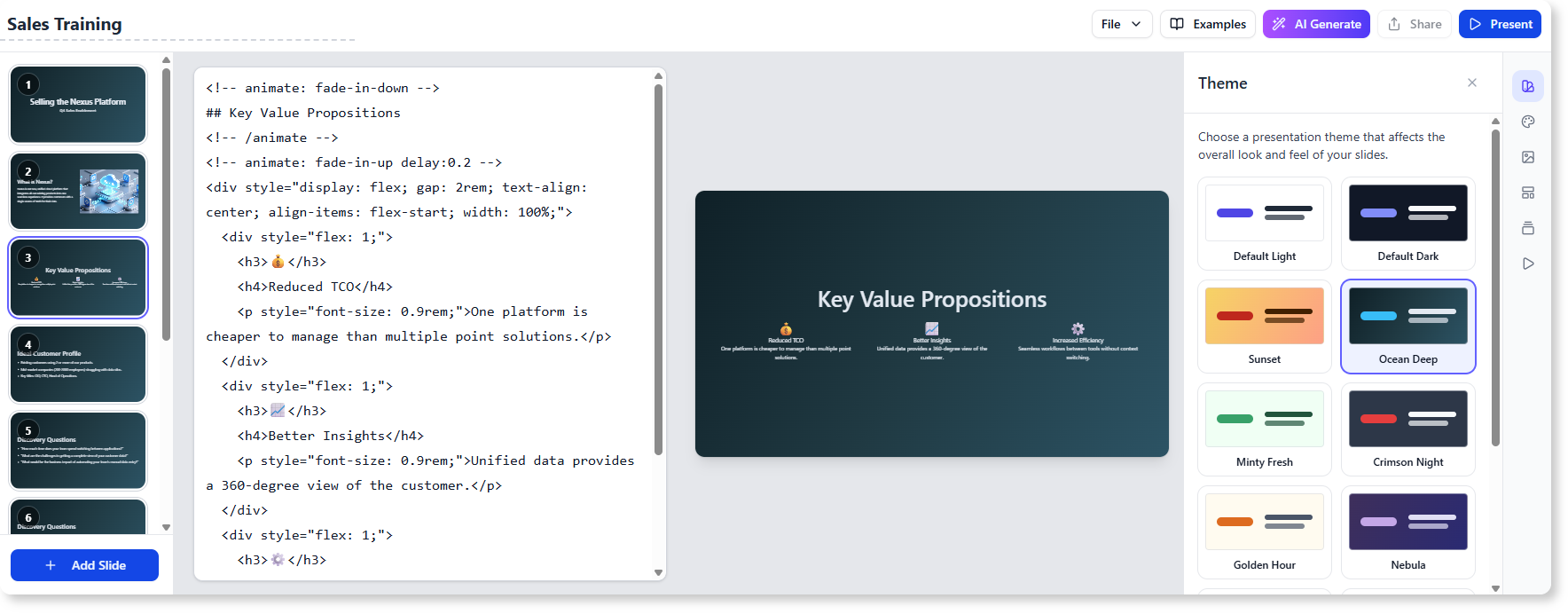
The AI Animated Presentation Studio was built to remove these barriers, empowering anyone to produce high-quality, animated presentations with ease. By combining a powerful Markdown editor with cutting-edge AI, it automates the most difficult parts of the creation process, letting you focus on your content.
Here’s what our new AI presenter allows you to do:
- Generate Full Presentations from a Prompt: Simply describe your topic, audience, and desired length. Our AI will generate a complete outline and then build a full slide deck, complete with content and appropriate layouts.
- Effortless Content Editing: Say goodbye to clunky text boxes. Edit your content using our intuitive, side-by-side Markdown editor and see your changes reflected instantly in the live preview.
- Apply Stunning Animations & Transitions: Choose from a gallery of professional slide transitions and element animations. Apply them with a single click to bring your story to life.
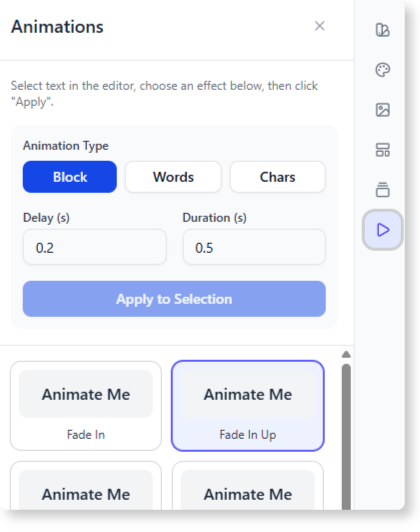
- Select Professionally Designed Themes: Instantly change the entire look and feel of your presentation by choosing from our library of beautiful, modern themes.
- Share and Collaborate with Ease: Generate a unique link to share a view-only version of your presentation, perfect for reviews, webinars, or public sharing.
How to Access and Use the New Feature
The AI Animated Presentation Studio is now available to our users. Getting started is simple, whether you’re working online or on your desktop.
This feature is available to Visual Paradigm Online users with a Combo Edition (or higher) subscription. For Visual Paradigm (Desktop) users, access is granted to those with the Professional Edition (or higher) and an active maintenance subscription.
Here’s how to access it:
- For Visual Paradigm Online users: Simply navigate to the AI Animated Presentation Studio in your browser.
- For Visual Paradigm (Desktop) users: Select Tools > App from the application menu, then find and open the AI Animated Presentation Studio from the app gallery.
Once you’re in the app, creating your first AI-powered presentation is just a few steps away:
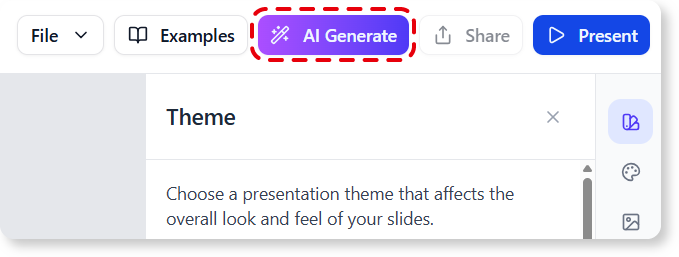
- Click the AI Generate button to open the generator.
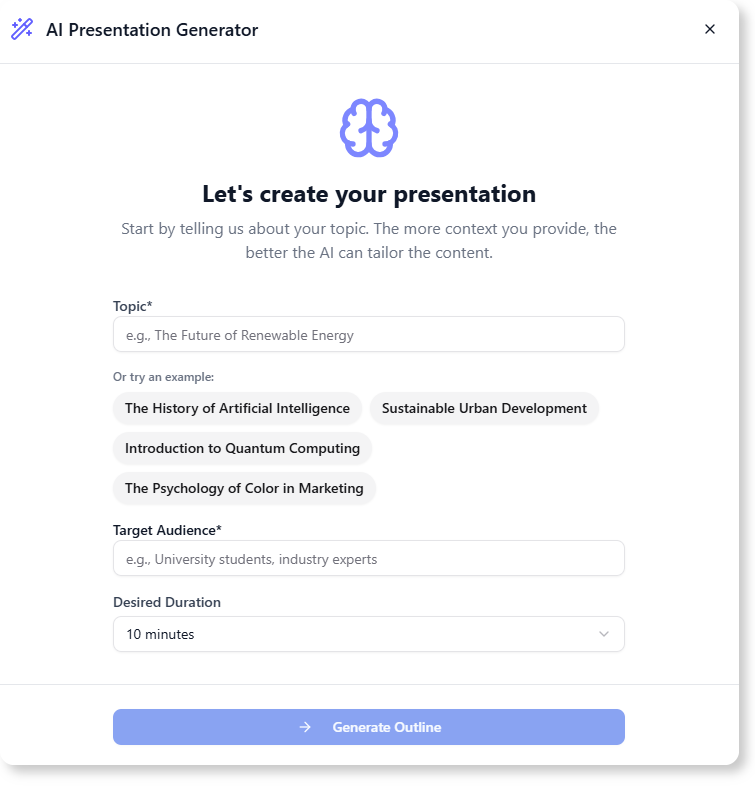
- Enter your presentation topic, describe your audience, and select a duration.
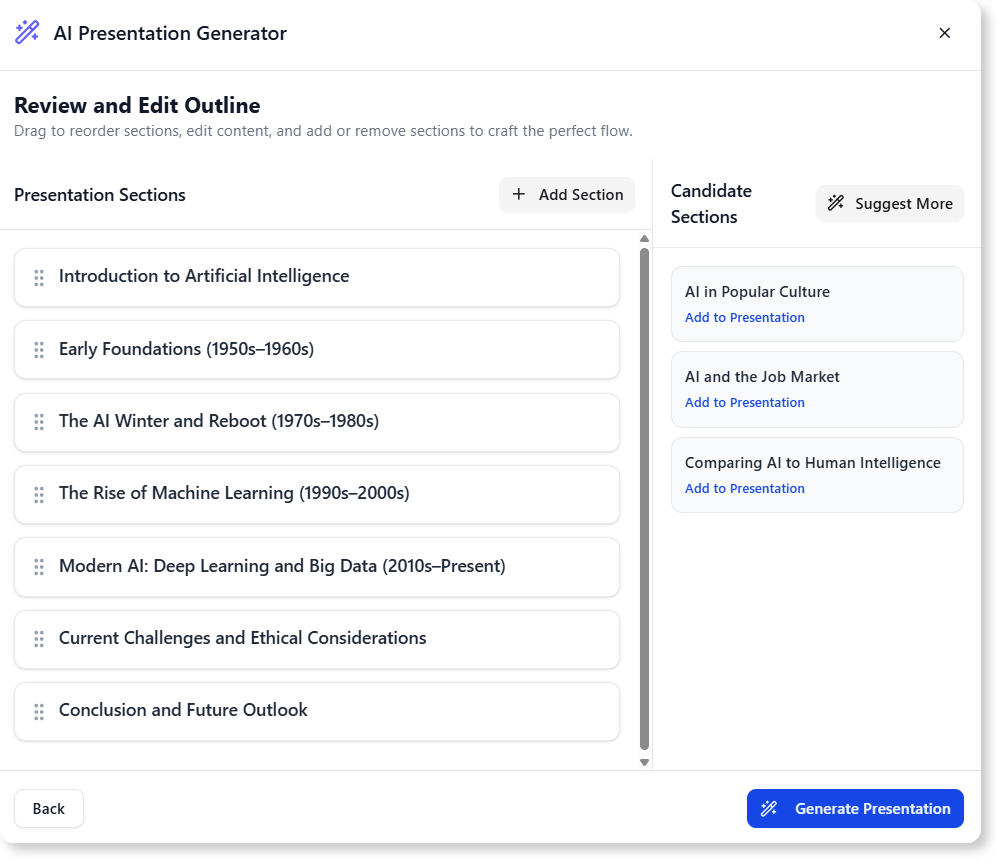
- Review the AI-generated outline. You can drag and drop to reorder sections, edit titles, or add/remove topics to perfect the flow.
- Click Generate Presentation, and watch as the AI builds out a complete deck with content and layouts for each slide.
- Fine-tune your message in the Markdown editor and customize designs, transitions, and animations in the editing panels.
Ready to Create Professional Presentations Faster Than Ever?
With the AI Animated Presentation Studio, the barrier between your ideas and a polished, engaging slideshow is gone. This powerful AI slideshow creator is more than just a tool; it’s your new partner in communication, designed to save you time and help your message make a lasting impact.
To learn more about all the features and capabilities, read our detailed guide on the AI Animated Presentation Studio.